
Software development
Custom CRM Development: When to Build Your Own CRM, When Not To, and What Our Team Has Built
Written scope and quote after the call. NDA on request. You own the code.
Quick answer
Custom CRM development is building a CRM around your own data model and process instead of configuring a product like HubSpot or GoHighLevel. For most sales teams a configured CRM is the better answer, and we set those up too. A custom build wins when the records, rules or users do not fit a standard pipeline: our team built a VC deal tracking CRM for Edge Case Capital in 6 weeks and CRM-style dispatch systems for Life Line Ambulances in 8.
Builds like this
Part of the guide: Software development
Key takeaways
- Most sales teams should not build a CRM. GoHighLevel costs $97 or $297 a month per account with unlimited users, and Pipedrive Growth $39 per user, billed yearly (vendor pricing pages, checked Oct 6, 2026). We set these up and recommend them first.
- A custom CRM wins when your records are not contacts and deals, your scoring or routing rules are how you compete, outside parties need their own views, or the CRM must run operations as well as sales.
- Our builds: EdgeBase for Edge Case Capital (6 weeks; 340 deals tracked in year one, IC memos from 6 hours to 90 minutes), Respond Central for Life Line Ambulances (8 weeks; 140 facilities), Simply Bids (7 weeks; 4,700 contractors).
- A custom CRM is quoted on its record types, rules, integrations and user groups, in writing after a free 30-minute call, and you own the code.
- The middle path is often the right call: keep HubSpot or monday.com as the CRM and build a custom app or portal on top.
Custom CRM development is building a CRM around your own records, stages, rules and users instead of configuring an off-the-shelf product. Our honest starting point: most sales teams should not build one. A well-configured GoHighLevel, HubSpot, monday.com or Pipedrive CRM is live in weeks and costs less in the first years, and we set those up as well. A custom CRM wins when your core records are not contacts and deals, when your scoring or routing rules are how you compete, when outside parties need their own views, or when the CRM has to run operations rather than only sales. Our in-house engineers built EdgeBase, a deal tracking CRM for Edge Case Capital, in 6 weeks: it tracked 340 deals in year one against about 120 that ever reached the old spreadsheets.
From our EdgeBase, Respond Central and Simply Bids case studies.
Should you build a custom CRM or use an existing one?
Start with an existing CRM unless one of the “build” signals below is true. This is the table we use on scoping calls.
| Your situation | Usual fit | Why |
|---|---|---|
| Service business or agency living on calls, texts, booking and follow-up | GoHighLevel | Flat $97 or $297 a month per account with unlimited users; messaging and booking built in |
| Sales and marketing team that wants email marketing, sequences and reporting in one place | HubSpot | Mature funnel tooling; custom objects on Enterprise if you need extra record types |
| Small to mid-size B2B sales team with a clear deal pipeline | Pipedrive | Pipeline-first, quick to adopt; Growth is $39 per user a month billed yearly |
| Teams that run projects and sales on the same boards | monday.com | CRM plus work management; Standard is $17 per seat billed yearly, 3-seat minimum |
| Bought CRM fits 80% of the work, one workflow does not | Hybrid: keep the CRM, build an app or portal on top | Cheaper than replacing the CRM; see HubSpot app development, monday app development, customer portal development |
| Core records are not contacts and deals (investments, transports, bids, assets) and your rules are your edge | Custom CRM | No workarounds; you own the model, the rules and the code |
| Outside parties (facilities, contractors, clients) need their own logins and views of shared records | Custom CRM or portal | Seat-priced CRMs make external access costly or awkward |
Prices from each vendor’s pricing page, checked Oct 6, 2026, in our CRM pricing comparison.
If your answer sits in the top four rows, our CRM setup services are the right next step, not this page.
When does a custom CRM actually win?
Look at what the off-the-shelf options would have cost the teams we built for, and why they did not fit:
- Edge Case Capital had priced Affinity and a Salesforce build. Affinity assumed a relationship-intelligence model they did not want to pay for, and the Salesforce route needed an admin they were not going to hire. What they needed was narrow: their own scoring rubric weighted to their thesis, and IC memos in their existing format.
- Life Line Ambulances needed a “CRM” whose accounts are nursing facilities, whose deals are transport requests, and whose pipeline is a crew being dispatched in minutes. No sales CRM routes requests to crews matched on vehicle type and certification.
- Simply Bids needed contractor records with licence and insurance verification, bids structured against one defined scope, escrow and change orders. That is a bidding workflow, not a sales pipeline.
The pattern: build when the CRM is really an operating system for your business, not a sales tracker.
Custom CRM cost: what the arithmetic says
Seat cost alone rarely justifies a custom CRM. Here is what the off-the-shelf options cost for a 25-person team, from their published prices.
| Option | 25 users, year one | 25 users, each later year |
|---|---|---|
| GoHighLevel Unlimited (flat, unlimited users) | $3,564 | $3,564 |
| monday CRM Standard | $5,100 | $5,100 |
| Pipedrive Growth | $11,700 | $11,700 |
| HubSpot Sales Hub Professional | $28,500 (incl. $1,500 onboarding) | $27,000 |
| Custom CRM built by aibrevo | One-time build, quoted on scope (our app and web app builds typically run $7,000 to $30,000) | Hosting and maintenance only |
Licence figures: vendor pricing pages, billed yearly, checked Oct 6, 2026, from our CRM pricing comparison. Our build range is on the pricing page.
The arithmetic: even a custom build at the top of our range ($30,000) is about 1.1 years of HubSpot Professional seats for 25 users, so it can win against the heavier platforms; against GoHighLevel’s flat $3,564 a year, a custom CRM never wins on licence cost alone. So the case for building has to come from somewhere else: hours saved, deals not lost, revenue the process makes possible. At Edge Case Capital that was partner meeting prep falling from 4 hours a week to 45 minutes and no deals lost to a missed follow-up since launch, against eight the fund could identify in the prior year. At Life Line’s sister build, the EMS Event Manager, removing habitual over-staffing saved more than the cost of the system inside the first year.
Cost drivers for a custom CRM:
| Driver | Lower | Higher |
|---|---|---|
| Record types | One pipeline, a few related records | Many linked records (portfolio companies, rounds, ownership) |
| Rules | Stages and reminders | Scoring, routing, pricing, document generation |
| User groups | One internal team | Internal staff plus outside parties with their own views |
| Integrations | Email and calendar | Email sync, Slack, payments, enrichment, accounting, existing CRM |
| Data migration | One clean spreadsheet | Several systems with duplicates |
| Compliance | Business contact data | Patient or financial data with audit requirements |
Our app and web app builds typically cost $7,000 to around $25,000 to $30,000, depending on features, and we work project-based or hourly. After a free 30-minute call we send a written scope, timeline and quote, and if a configured CRM is the better buy we will say so. Want a rough number first? Estimate your build in two minutes.
What is included in a custom CRM build?
You get a working CRM built around your records, plus everything needed to run it after we hand it over. These are the parts we build:
| Component | What it covers |
|---|---|
| Data model | Your record types and relationships, designed before any screen. Which system owns each field. |
| Pipeline and workflow screens | Boards, lists and record pages per role, with stage rules and required fields |
| Permissions | Roles, record-level access, read-only views for outside parties |
| Email and calendar sync | Gmail and Outlook threads attached to the right record (EdgeBase does this) |
| Automation | Follow-up timers, notifications (EdgeBase sends Slack alerts on stage change), routing |
| Your edge | Scoring rubrics, memo or quote generation, matching and dispatch logic |
| Reporting and exports | Dashboards, audit history, regulator or LP reports |
| Integrations | Payments, accounting, enrichment, and GoHighLevel, HubSpot, monday.com or Pipedrive if you keep one |
| Migration | Export, mapping, deduplication, test import, count checks, cutover |
Around the build itself, you also get:
- A free 30-minute call, then a written scope and quote that states what is in and out
- A clickable prototype of the main screens, approved by you before code is written
- A working demo every week on your real data
- A pilot with a few of your users before the whole team switches over
- Deployment to a cloud account in your name
- Handover: a recorded video walkthrough, written documentation on how to use the CRM and how it was built, and the code and accounts in your name
Not included: licence and subscription fees for third-party services the CRM uses (hosting, email sending, enrichment, an off-the-shelf CRM you keep) are paid by you directly to those vendors. Support after launch is billed per hour.
Case studies: CRM-style systems our team built
Edge Case Capital: EdgeBase VC deal tracking CRM
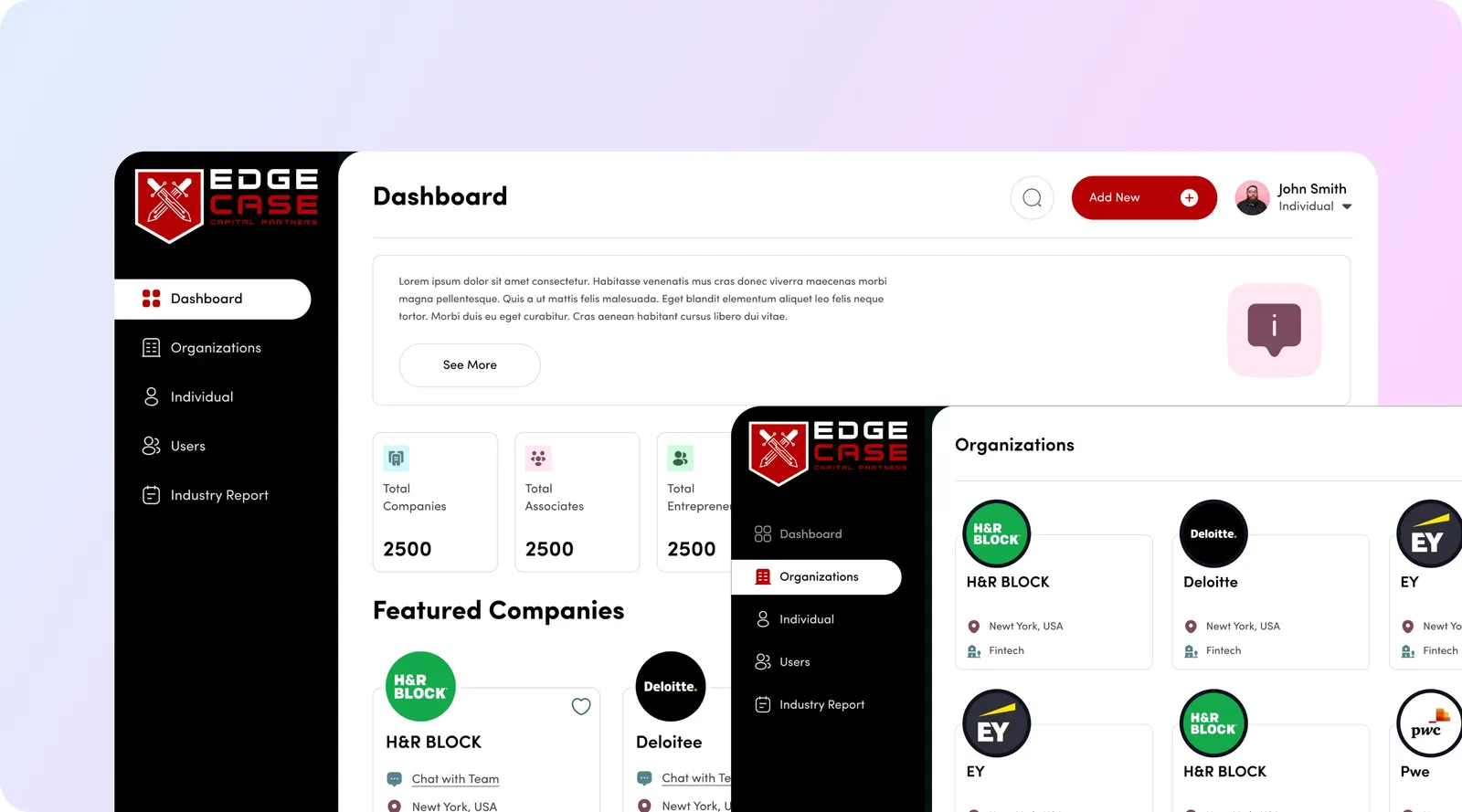
A nine-person fund with partners in three cities tracked deals in personal spreadsheets and inboxes, until two partners passed on the same company eight months apart without knowing. We built a stage-based pipeline with company enrichment from a domain, Gmail and Outlook sync onto each deal, a weighted scoring rubric that surfaces partner disagreement, an IC memo generator, portfolio tracking with ownership and dilution, and LP reporting exports. IC memos fell from six hours to 90 minutes, 340 deals were tracked in year one, and three offices moved onto one pipeline from five systems. Built in 6 weeks.
Life Line Ambulances: Respond Central, a CRM-style dispatch system
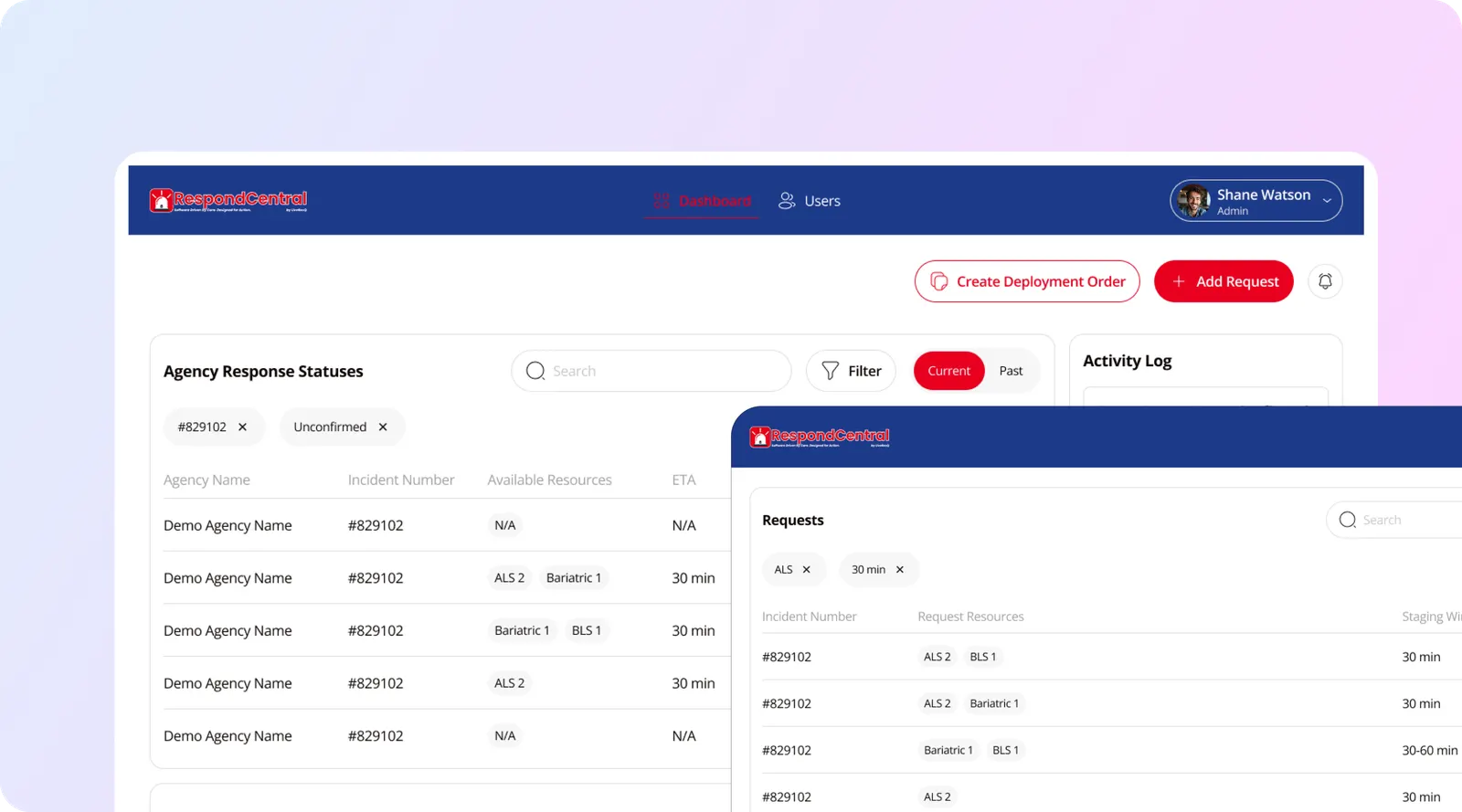
Nursing facilities requested transports by phone, and every clinical detail was relayed verbally. Respond Central gives each facility its own account with a structured request form, routes requests to crews matched on vehicle type and certification, shows live status, and keeps a facility dashboard of history, spend and on-time performance for contract reviews. Request to confirmed crew went from 22 minutes to 3, phone calls per request from 6 to under 1, and documentation disputes fell 81%. Built in 8 weeks. Its sibling, the EMS Event Manager, holds client contracts, rate cards and billing.
Simply Bids: contractor and bid management
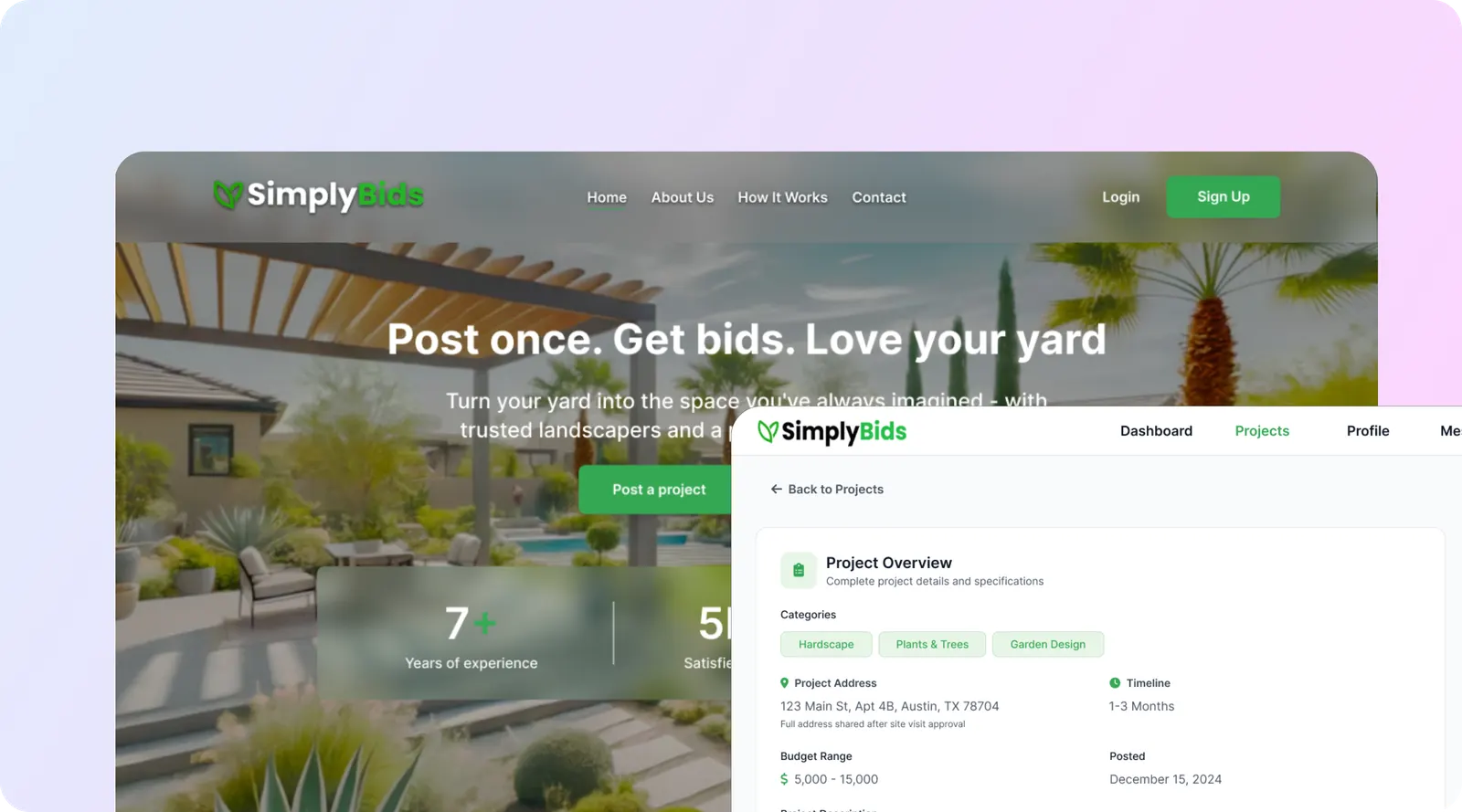
Homeowners could not compare landscaping quotes because each contractor quoted different work. We built guided project briefs, structured bids with line items and stated exclusions, side-by-side comparison, licence and insurance verification, escrowed milestone payments and in-platform change orders. 4,700 contractors bid on the platform, their win rate is 31% against roughly 8% on lead-generation services, and $41M in project value was transacted in year one. Built in 7 weeks.
More builds are on our work page.
How long does a custom CRM build take?
Your custom CRM takes about 6 to 9 weeks to a first release with us: internal tools and custom CRMs in our 44-build study have a median of 7 weeks. Our own CRM-style builds sit inside that range: EdgeBase in 6 weeks, Simply Bids in 7 and Respond Central in 8.
What adds weeks to your build:
- Integrations. Email sync, payments, accounting or an existing CRM that stays in place each add work, more so when an API is poorly documented.
- User roles. Outside parties (facilities, contractors, clients) with their own logins and views take longer than one internal team.
- Live data. Dispatch, routing or anything that updates in real time needs more testing than stages and reminders.
- Data migration. Several old systems full of duplicates take longer to map and check than one clean spreadsheet.
- Compliance. Patient or financial records with audit history add design and testing time.
On the free call we tell you which of these apply and put a week-by-week plan in the written quote. The full numbers by product type are in our app development timeline research.
How a custom CRM build works
| Stage | What happens | Typical time in our 6 to 8 week builds |
|---|---|---|
| Discovery | Map how deals, requests or bids move today, every spreadsheet and inbox involved, and the decisions the CRM must support. Decide build, configure or hybrid. | 1 week |
| Data model and design | Record types, relationships, field ownership, roles, screen flows, clickable prototype reviewed with real users | 1 to 2 weeks |
| Build | Database, screens, permissions, email sync, automations, your scoring or routing logic, integrations. Weekly demos on real data. | 3 to 4 weeks |
| Migration and QA | Export, map, deduplicate, test import, count checks, pilot with a few users | 1 week |
| Launch and handover | Training, cutover, recorded video walkthrough, written documentation, code and accounts in your name | Last days of the build |
| Support | Fixes and changes billed per hour. See software maintenance and support. | As needed |
Adoption is where CRMs fail. At Edge Case Capital all nine people use the system, which is the part that usually fails, and new team members were onboarded in an afternoon each.
Technology choices for a custom CRM
| Option | Good for | Watch out for |
|---|---|---|
| Configure GoHighLevel, HubSpot, monday.com or Pipedrive | Standard pipelines, fast launch, low first-year cost | Workarounds for unusual records; per-seat cost at scale (except GoHighLevel’s flat price); HubSpot custom objects need Enterprise (HubSpot KB) |
| Hybrid: bought CRM plus a custom app or portal | One workflow the CRM cannot handle; outside users | Two systems to keep in sync; field ownership must be clear |
| Custom web app with a relational database | Unusual records, your own rules, outside parties, full ownership | Build cost and upkeep; email sync and permissions need careful work |
| Verdict | Configure first. Go hybrid when one workflow does not fit. Build custom when the CRM is your operating system. |
Email sync in a custom CRM runs through Google’s Gmail API and Microsoft Graph, both with OAuth consent from each user or an admin.
Who we build custom CRMs for
- Funds and finance teams with their own scoring, memo and reporting formats, like Edge Case Capital.
- Healthcare and transport operators whose “customers” are facilities and whose pipeline is dispatch, like Life Line Ambulances.
- Marketplaces and service networks managing providers, verification and bids, like Simply Bids.
- Companies whose CRM is part of the product they sell, or which want to license it later. Edge Case Capital has since been asked about licensing EdgeBase to two other funds.
If you are a sales team with a standard funnel, you are better served by our CRM setup services.
How to choose a custom CRM development company
- They tell you when not to build. Ask what they would recommend if you did not build. If the answer is always “custom”, walk away.
- Shipped CRM-style systems with measured results, beyond screenshots.
- Data model before screens, with field ownership written down.
- A migration plan covering deduplication and count checks.
- A fixed written scope with exclusions stated.
- Adoption built in: a pilot, training, and simple daily screens.
- Code and data in your accounts, plus a deploy runbook.
- A support plan with written response times.
Why aibrevo for custom CRM development?
- We do both. We configure, migrate and integrate GoHighLevel, HubSpot, monday.com and Pipedrive, and we build custom software. We have no reason to push you toward a build.
- An in-house engineering team of 16 in San Francisco led by co-founder and CTO Shivam Pujara, plus 30+ remote specialists.
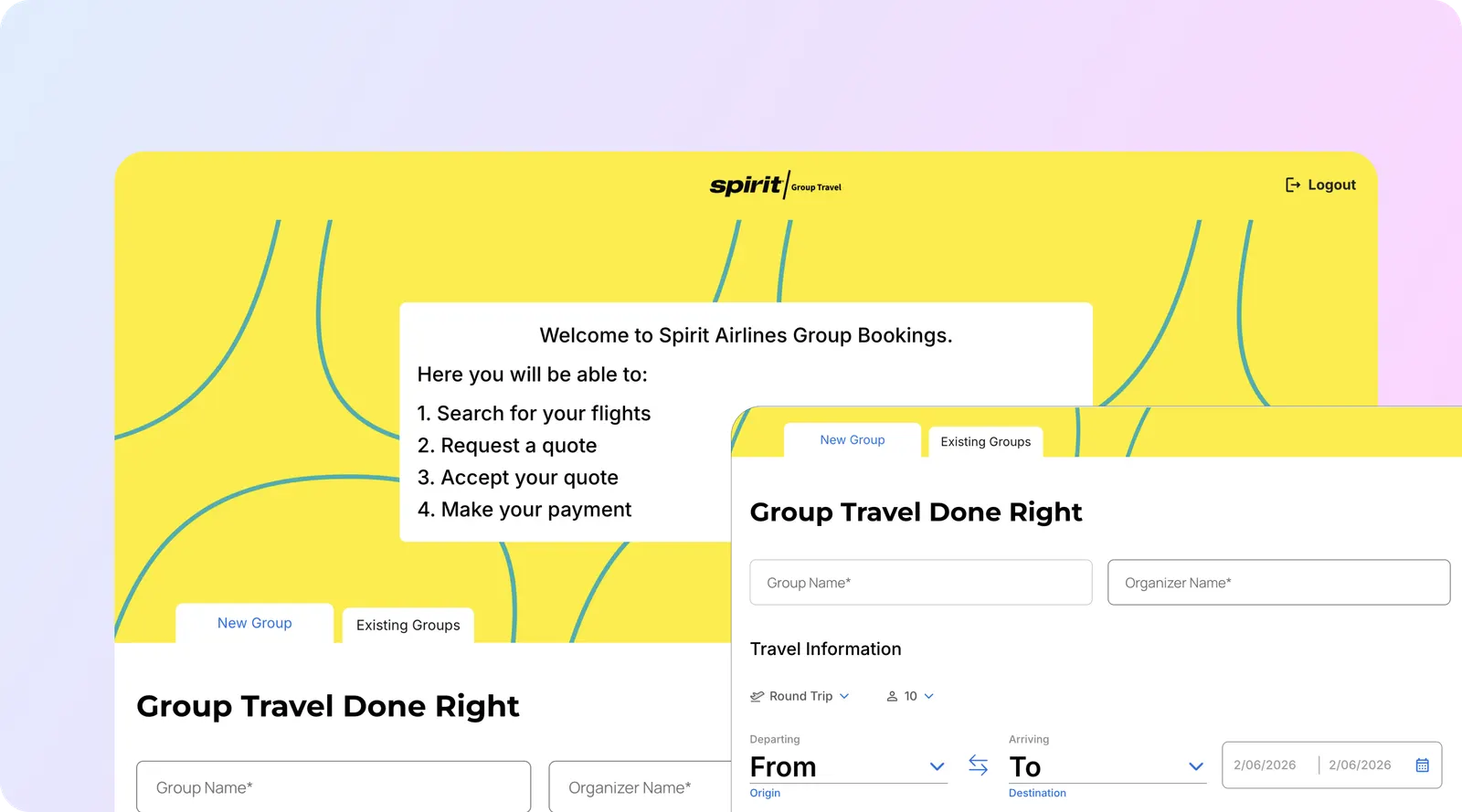
- 200+ software projects delivered by our engineering team, including Edge Case Capital, Life Line Ambulances, Spirit Airlines and Simply Bids.
- Integration work in-house when the custom CRM has to talk to an existing one. See CRM integration services.
We build custom CRMs for teams across the US, working remotely from San Francisco; see app development by state and city.
Not sure whether to build or configure? Book a free 30-minute call or send a message with your team size, the records you track and the tools you use today. We will tell you which of the four CRMs fits, whether a hybrid would work, or whether a custom build is worth it, and send a written scope and quote.
Sources
All pages opened on Oct 31, 2026, except where a vendor check date is stated.
- aibrevo research, CRM pricing comparison 2026: GoHighLevel, HubSpot, Pipedrive and monday CRM prices from each vendor’s pricing page, checked Oct 6, 2026.
- HubSpot Knowledge Base, create custom objects: Enterprise requirement.
- Google, Gmail API guides; Microsoft, Outlook mail API in Microsoft Graph.
- aibrevo case studies: EdgeBase, Respond Central, EMS Event Manager, Simply Bids.