Software development
Internal Tools Development: Custom Admin Panels, Dashboards and Ops Software Built by Our In-House Team
Written scope and quote after the call. NDA on request. You own the code.
Quick answer
Internal tools development is building the software your own staff use to run the business: admin panels, operations dashboards, scheduling and dispatch screens, approval queues and back-office workflows. Our in-house engineers have built them for an airline group desk, an ambulance provider and a talent booking business, each in 6 to 10 weeks. This page covers what we build, when Retool or Airtable is enough, what drives cost, and how a build runs.
Builds like this

Part of the guide: Software development
Key takeaways
- Internal tools are software built for your own staff: admin panels, ops dashboards, scheduling, dispatch, approvals and back-office workflows. Our builds of this kind took 6 to 10 weeks from start to launch.
- Real results from our builds: Spirit Airlines' group quote time fell from 3 days to 40 minutes, Life Line Ambulances cut staffing conflicts by 89%, and Respond Central cut request-to-crew time from 22 minutes to 3.
- Low-code fits simple CRUD screens over one database. Retool's Business plan lists $50 per builder and $15 per internal user a month billed annually, and SSO sits on Enterprise only (retool.com/pricing, checked Oct 31, 2026).
- Custom code wins when the tool needs offline use, field staff on phones, external users, a pricing or rules engine, or ownership of the code and data.
- Our app and web app builds typically cost $7,000 to around $25,000 to $30,000, depending on features, and we work project-based or hourly. Each build is scoped and quoted in writing after a free 30-minute call.
Internal tools development is building the software your own staff use to run the business: admin panels, operations dashboards, scheduling and dispatch screens, quote and approval desks, and back-office workflows that replace a shared spreadsheet, an inbox and a lot of phone calls. It is for operations, finance and support teams whose process has outgrown spreadsheets and whose software does not fit how they work. Our in-house engineering team designs, builds, tests and launches the tool, connects it to the systems you already run, and hands over the code. For Spirit Airlines we built a group booking desk that took the average group quote from 3 days to 40 minutes, and our internal tool and operations builds have run 6 to 10 weeks from kickoff to launch.
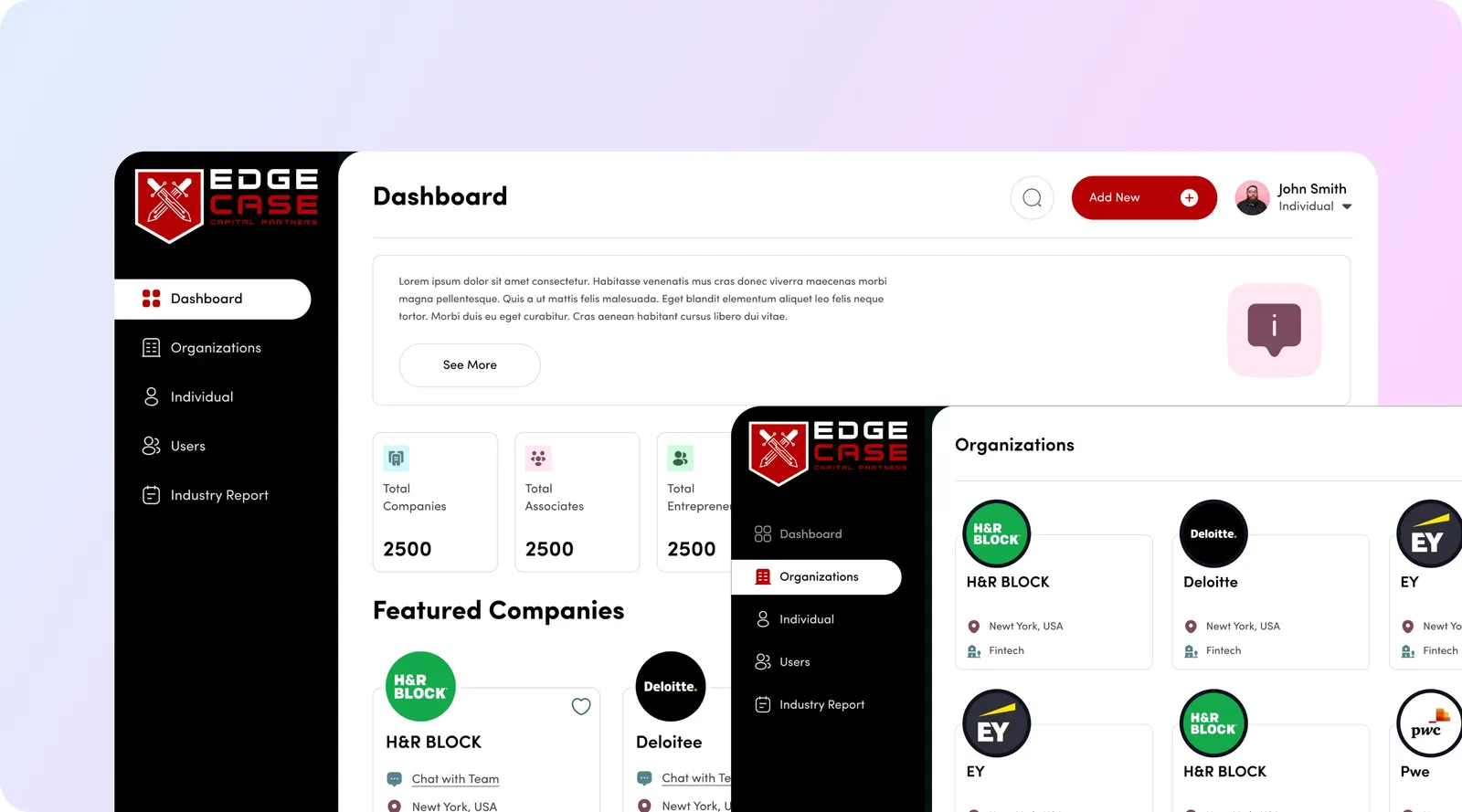
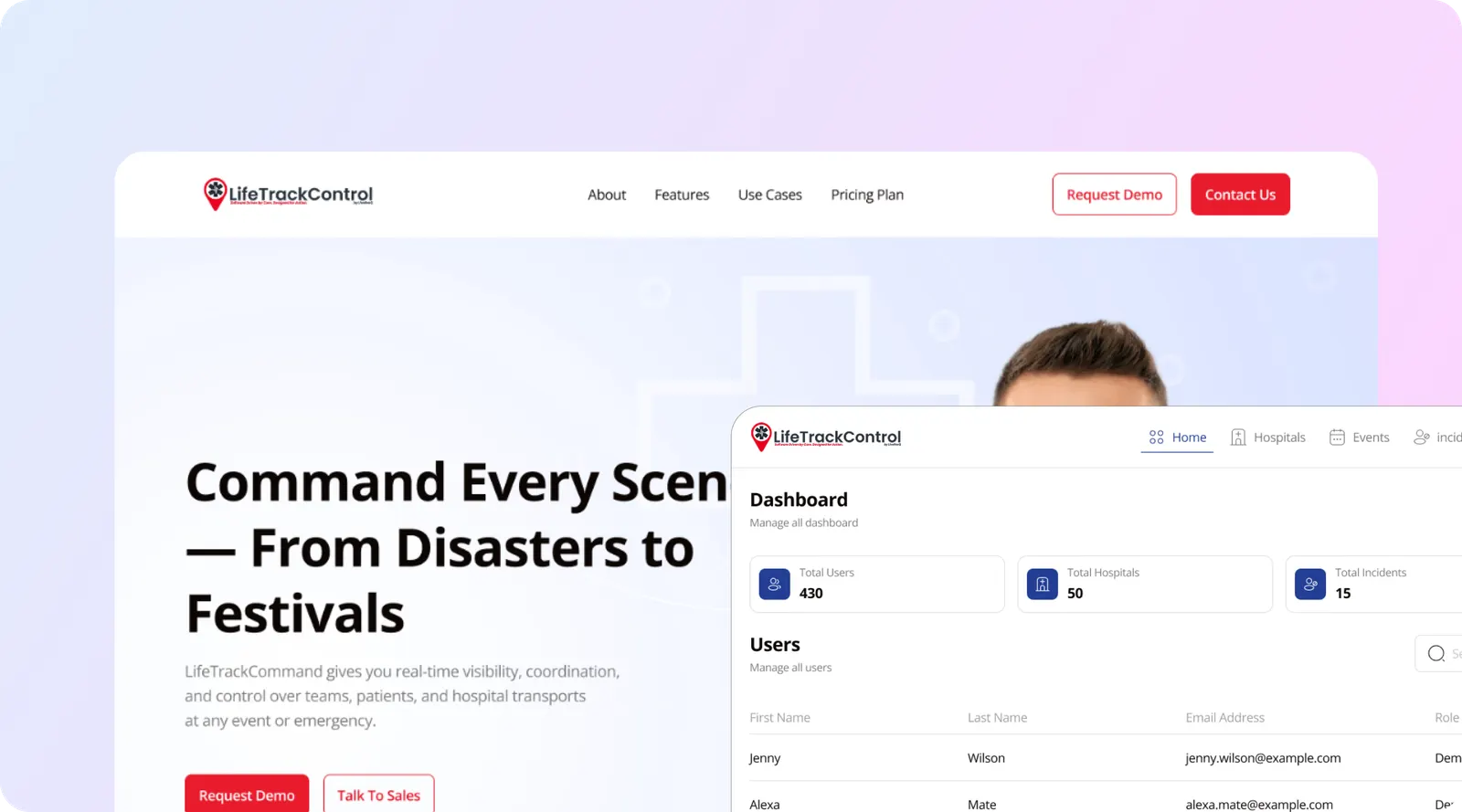
From our Spirit Airlines, Life Line EMS Event Manager and Respond Central case studies.
What internal tools do we build?
We build the screens and logic behind a working operation. Most projects combine three or four of these:
| Tool | What it does | Where we built one |
|---|---|---|
| Admin panel | Manage users, records, permissions, settings and content without touching the database | Every build below has one |
| Operations dashboard | Live queue, workload, status and exceptions in one view | Spirit Airlines group desk: quote pipeline, expiry, conversion, desk workload |
| Scheduling and staffing | Availability, shifts, certifications and conflict checks at the point of assignment | Life Line EMS Event Manager |
| Dispatch and request routing | Structured requests routed to the right person or crew, with live status | Respond Central, EMS Lifeline event platform |
| Quote, pricing and approvals | Rules-based pricing, approval chains by threshold, expiry timers | Spirit Airlines group booking |
| Billing back office | Invoices generated from captured hours or bookings, with detail attached | Life Line EMS Event Manager |
| Field app | Phone-based clock-in, incident capture, offline sync | EMS Lifeline event platform |
| Reporting and exports | Audit trails, contract reviews, LP or regulator reports | Respond Central facility dashboard, EdgeBase |
Every tool comes with role-based permissions, an audit log of who changed what, and integrations to the systems that already hold your data (CRM, payments, accounting, booking).
Case studies: internal tools our team built
Spirit Airlines: group booking desk and agent dashboard
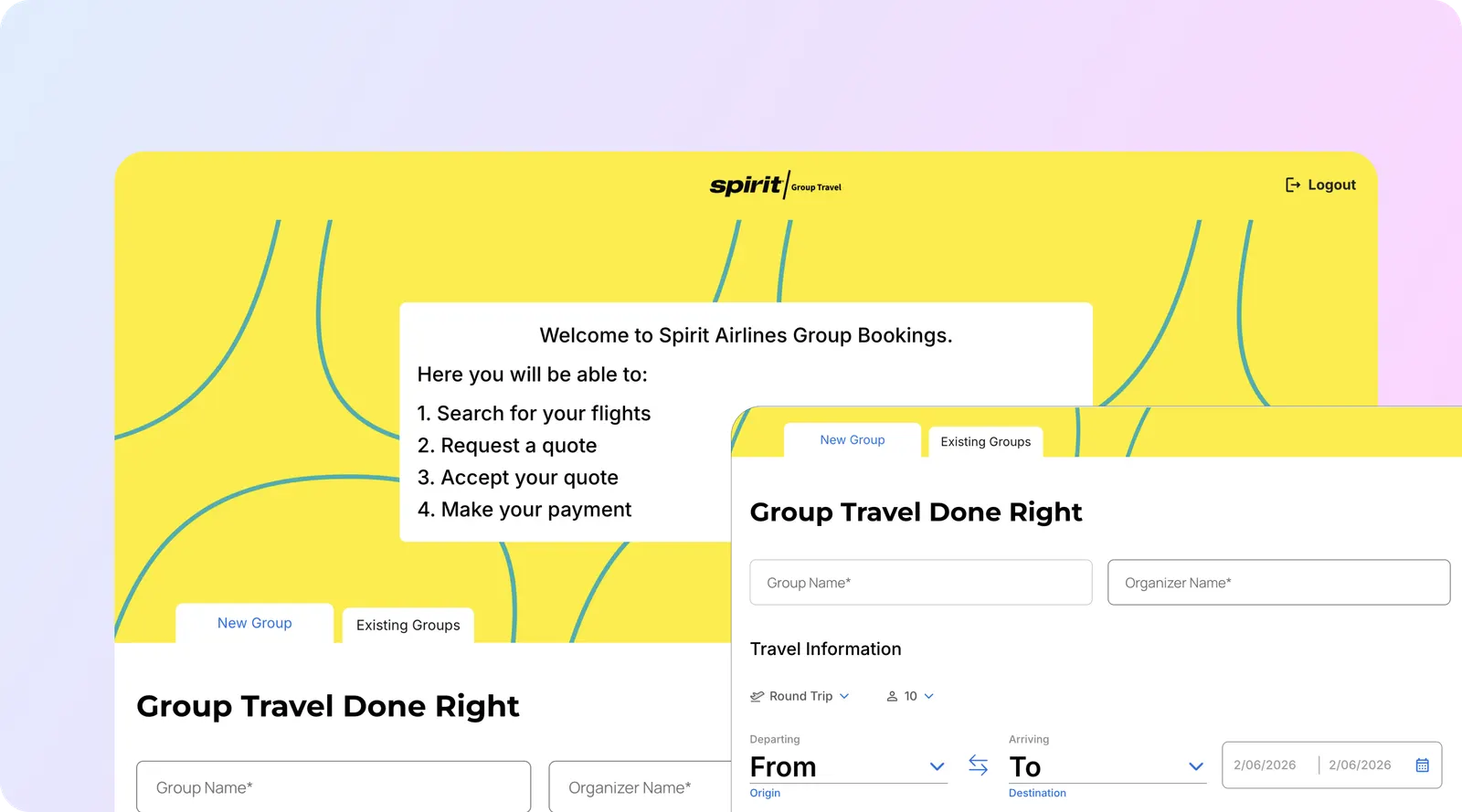
The group sales desk ran on a shared inbox and one spreadsheet four people edited at once, and every party over twenty needed a hand-built quote. We built a rules-based pricing engine on live fare inventory (through the Sabre integration), an approval chain triggered by discount depth, deposit and balance payments through Stripe, and an agent dashboard covering pipeline, expiry and workload. Average quote time fell from 3 days to 40 minutes, group bookings went from 140 to 610 a month within two quarters, and the desk got 17 staff hours a week back. Live in 10 weeks.
Life Line Ambulances: EMS Event Manager

Operations scheduled in a spreadsheet, HR held certifications elsewhere, and finance invoiced from paper timesheets. We built a single staffing calendar with conflict detection at assignment, certification expiry that blocks assignment automatically, geofenced clock-in from a phone, and billing generated from captured hours against each contract’s rate card. Staffing conflicts fell 89%, the invoicing cycle went from 24 days to 6, and scheduling admin dropped from 14 hours a week to under 3. Built in 8 weeks.
Respond Central and EMS Lifeline: dispatch tools for Life Line
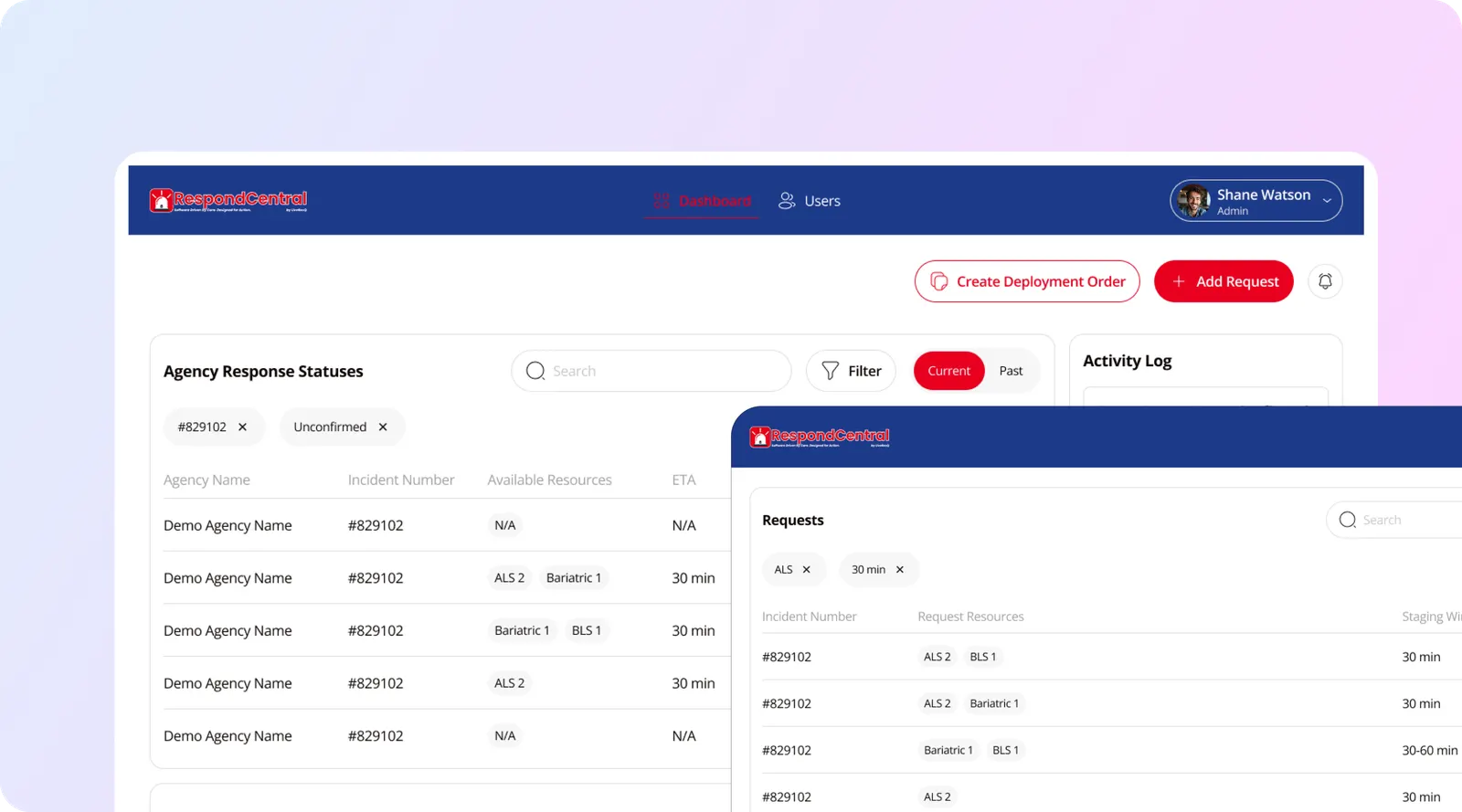
Respond Central replaced phone-based transport requests from nursing facilities with a structured form, automatic routing to crews matched on vehicle type and certification, and live status for the facility. Request to confirmed crew went from 22 minutes to 3 across 140 facilities and 68,000 transports, in an 8-week build. For large events we built EMS Lifeline: a live site map, incident dispatch from a handset, a read-only organiser view and offline sync. Dispatch response at large events fell from 9 minutes to 90 seconds. Built in 9 weeks.
Load Management: booking back office for a talent business

Bookers spent nine days calling agents to build a shortlist. We built structured profiles and search on the fields that decide feasibility, posted briefs, in-platform contracting and payment held on booking and released after the performance. Time to shortlist fell from 9 days to under 4 hours, 6,800 bookings ran through the platform, and payment moved from 30 to 60 day terms to 48 hours. Built in 6 weeks.
More builds are on our work page.
How does an internal tool build work?
Our internal tool builds ran 6 to 10 weeks end to end. The split below is typical for that range; a single admin panel moves faster, and a tool with a field app or a pricing engine sits at the long end.
| Stage | What happens | Typical time |
|---|---|---|
| Discovery | Sit with the people who do the work. Map the current process, the spreadsheets and the calls, and name the one number the tool must move (quote time, conflicts, invoicing days). List systems and who owns each field. | 1 week |
| Design | Screen flows for each role, data model, permissions, rules (pricing, approvals, routing). Clickable prototype reviewed with real staff. | 1 to 2 weeks |
| Build | Web app, database, API integrations, mobile or offline pieces if needed, admin panel and audit log. Weekly demos on real data. | 3 to 6 weeks |
| QA and pilot | Test on a copy of production data, then a pilot with one team, shift or site. Fix what the pilot finds. | 1 week |
| Launch | Data migration from spreadsheets or the old tool, training, cutover plan, rollback plan. | Days |
| Handover | Recorded video walkthrough, written documentation, code and accounts in your name | At launch |
| Support | Bug fixes, small changes and monitoring after launch, billed per hour. See software maintenance and support. | As needed |
The step that matters most is the first one. At Life Line, the finance director’s problem (slow invoicing) turned out to be caused by the operations team’s problem (hours reconstructed from memory), which only showed up by watching both teams work.
How long does internal tools development take?
Your internal tool takes about 6 to 9 weeks to a first release with us: the internal tools in our 44-build timeline study have a median of 7 weeks. A tool for one team can land at the short end; Edge Case Capital’s deal CRM and DEMP Agency’s content platform each took 6 weeks.
What adds weeks to your tool:
- Integrations. Each live connection (payments, booking or fare inventory, accounting, your CRM) adds build and test time. Spirit Airlines’ group desk reads live fare inventory through Sabre and took 10 weeks.
- Roles. Several departments, approval chains or outside users with their own views take longer than one team with one or two roles.
- Live data and field use. Live maps, dispatch and offline sync on phones need extra testing; the EMS Lifeline event platform took 9 weeks.
- Data migration. Several spreadsheets or an old tool to clean and import add time before cutover.
- Compliance. Patient data or audit trails for regulators add design and testing.
On the free call we tell you which of these apply and put a week-by-week plan in your written quote. The full numbers are in our app development timeline research.
What is included in an internal tool build?
You get a working tool your staff can use from day one, plus everything needed to keep it running:
- A free 30-minute call, then a written scope and quote with what is in and out of the first release
- Process mapping with the people who do the work, and the one number the tool must move
- Screen flows, data model, permissions and a clickable prototype you approve before code is written
- The web app, database, admin panel, audit log and role-based permissions
- Integrations with your CRM, payments, accounting or booking systems
- A phone app or offline mode when staff work in the field
- A working demo every week, then a pilot with one team, shift or site
- Data migration from spreadsheets or the old tool, training and a cutover plan
- Deployment to a cloud account in your name
- Handover: a recorded video walkthrough, written documentation on how to use it and how it was built, and the code and accounts in your name
Not included: subscription and licence fees for third-party services the tool uses (hosting, maps, SMS, payment processing, app store accounts) are paid by you directly to those vendors. Support after launch is billed per hour.
How much does internal tools development cost?
Cost is set by the number of roles and screens, the rules the tool enforces, the integrations, and whether staff need it on a phone or offline. Seat-based tools add a yearly cost that grows with headcount; a custom tool has a one-time build and a smaller running cost.
| Cost driver | Lower cost | Higher cost |
|---|---|---|
| Users and roles | One team, one or two roles | Several departments, external users, granular permissions |
| Rules | Forms and status changes | Pricing engine, approval chains, conflict detection, routing |
| Integrations | One database or one CRM | Payments, booking or GDS inventory, accounting, CRM, email |
| Devices | Desktop browser | Phone app, geofencing, offline mode |
| Data | Clean source | Migration from several spreadsheets, deduplication |
| Compliance | Internal data only | Patient data, audit trails for regulators or insurers |
Our price. Our app and web app builds typically cost $7,000 to around $25,000 to $30,000, depending on features. A focused first version sits near the low end; many features, user roles, payments and integrations land near the top. We work project-based or hourly. After a free 30-minute call we send a written scope and quote, and you own the code at handover. Full details are on our pricing page. On that call we write a fixed scope, a timeline and a written quote, so you know the number before any build starts. For a rough number first, estimate your build in two minutes.
Low-code vs custom internal tools: which one fits?
Low-code platforms such as Retool, and no-code tools such as Airtable interfaces, are fast for simple tools. Custom code costs more up front and fits work that platforms handle badly. The useful question is which of these your tool needs.
| Factor | Retool (low-code) | Airtable interfaces | Custom web and mobile app |
|---|---|---|---|
| Speed to first version | Fast for CRUD screens over existing databases and APIs | Fastest if the data already lives in Airtable | Slower: weeks, not days |
| Pricing model | Business: $50 per builder, $15 per internal user a month billed annually; external users free up to 50, then from $8 each | Team $20, Business $45 per seat a month billed annually | One-time build plus hosting and support; no per-seat fee |
| Data limits | Your own database | 50,000 records per base on Team, 125,000 on Business | Your own database |
| SSO, SCIM, Git source control | Enterprise plan only | Depends on plan; check Airtable’s plan sheet | Built in as needed |
| Offline and field use | Offline mode and push on Business | Limited | Full control (EMS Lifeline runs offline on site) |
| Complex rules and custom UI | Possible with code inside components; hard for maps, canvases and calendars | Limited to Airtable’s layouts | Any rule or interface |
| Code ownership | Apps are built and run on Retool’s platform, so leaving usually means a rebuild | Data exports; logic stays in Airtable | You own the repository |
| Verdict | Good for simple admin screens used by a small team | Good for small teams already on Airtable | Right when the process is how you compete, staff are in the field, or seat costs grow with headcount |
Sources: Retool pricing and Airtable pricing, checked Oct 31, 2026; Airtable record limits from Airtable’s plan sheet, read on Oct 17, 2026.
A worked example from those list prices: a Retool Business setup with 3 builders and 40 internal users billed annually is (3 x $50 + 40 x $15) x 12 = $9,000 a year, and it rises with every new hire. That is a reasonable price for a simple tool. It stops being reasonable when the tool needs Enterprise for SSO, when it outgrows the platform and has to be rebuilt anyway, or when the tool is the core of how the team works.
We are not against low-code. If an Airtable base with a good interface solves the problem, we will say so, and you will not need a custom build.
Who do we build internal tools for?
- Operations-heavy SMEs running on spreadsheets, shared inboxes and phone calls: ambulance and transport providers, field services, events, logistics. Life Line Ambulances is three builds with us.
- Enterprise teams with a specific desk or process that core systems do not serve well, like Spirit Airlines’ group sales desk, which bolt-on GDS modules did not fit.
- Startups and funds whose internal workflow is part of the edge, such as the EdgeBase VC deal tracking CRM for Edge Case Capital, built in 6 weeks.
- Marketplace and booking businesses that need a back office for verification, contracting and payouts, like Load Management.
Industries we have built for include airlines and aviation, healthcare and EMS, finance, professional services and sports and entertainment.
How to choose an internal tools development company
A short checklist. Ask each firm to show you, not tell you:
- Shipped internal tools with a measured result. Before and after numbers (quote time, conflicts, hours saved), rather than screenshots alone.
- Process mapping before design. They should want to watch your team work and name the one metric the tool must move.
- Field ownership. For every field, which system is the source of truth. Two tools writing one field is the most common cause of bad data.
- A written fixed scope and timeline, with what is out of scope stated.
- Testing with your staff on a pilot group before full launch.
- Code and data ownership, with the repository in your account and a deploy runbook at handoff.
- Honest advice on low-code. A firm that never recommends Retool or Airtable is selling hours, not answers.
- A support plan after launch, with response times written down.
Why aibrevo for internal tools?
- An in-house engineering team. 16 engineers in San Francisco, led by co-founder and CTO Shivam Pujara, plus 30+ specialists who work with us remotely. Your tool is not handed to a subcontractor.
- 200+ software projects delivered by our engineering team, including Spirit Airlines, Life Line Ambulances, Miami Dolphins and Miami Open premium suites, and Edge Case Capital.
- CRM integration built in. We also set up and integrate GoHighLevel, HubSpot, monday.com and Pipedrive, so an internal tool that has to read and write your CRM does not need a second vendor. See CRM integration services.
- Written quotes after a free call, and builds measured against the number you care about.
We build internal tools for teams across the US, working remotely from San Francisco; see app development by state and city.
Have a process running on spreadsheets and phone calls? Book a free 30-minute call or send a message with the team involved, the tools they use today and the number you want to move. We will tell you whether low-code is enough or a custom tool is worth it, and send a written scope and quote if it is.
Sources
All pages opened on Oct 31, 2026.
- Retool, pricing: plan prices per builder, internal and external user; SSO, SCIM and Git on Enterprise.
- Airtable, pricing: Team $20 and Business $45 per seat a month billed annually.
- aibrevo case studies: Spirit Airlines, Life Line EMS Event Manager, EMS Lifeline, Respond Central, Load Management.