
Part of the Pipedrive guide: pricing, setup, integrations, migration and comparisons in one place.
Pipedrive implementation
Pipedrive, set up so the sales team actually keeps it current.
aibrevo implements Pipedrive for sales-first teams: pipeline and stage design, required fields, activity-based workflows, automations and reporting, kept deliberately simple so reps use it without being told to. Pipedrive projects usually run 2-6 weeks.
Who this is for
SMB sales teams that want a clean visual pipeline and tight activity tracking, not an enterprise rollout.
What we implement in Pipedrive
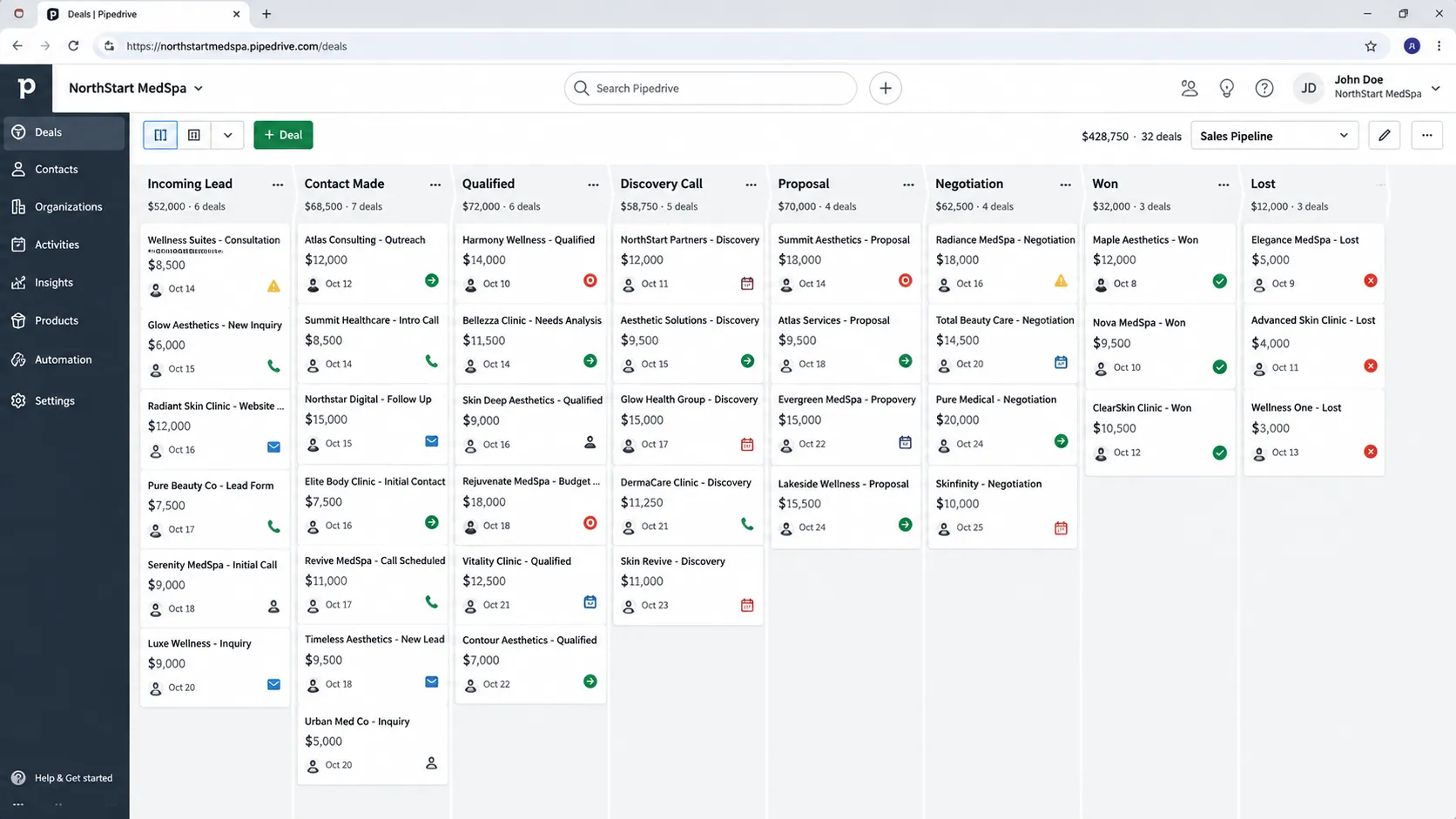
Pipeline design
Stages, probabilities and rotting-deal rules that reflect your real sales motion: usually 4-6 stages, enough to show real progress without turning the board into enterprise-style admin overhead.
Fields & data quality
Required fields and formats that keep the pipeline usable for forecasting, set at the point a deal is created rather than enforced retroactively once bad data is already in reports.
Automations
Workflow Automation for follow-ups, stage changes, task creation and notifications, scoped to the handful of triggers that actually save reps time rather than automating everything possible.
Integrations
Email, calendar, lead sources and API connections to the tools around Pipedrive, including LeadBooster or Campaigns where those add-ons are genuinely part of the plan.
Migration
Import, mapping and de-duplication from a spreadsheet or another CRM, so the new pipeline starts clean instead of carrying forward stale deals.
Reporting
Pipeline, conversion and activity reports that leadership can act on, built once activity-logging habits are established across the whole team, not just the reps who were already disciplined.
Products catalog & quoting
The Products feature and deal-value fields configured for teams selling more than one SKU, so pipeline value reflects an actual product mix instead of a single manually-entered number per deal.
Email sync, templates and sequences
Two-way mailbox sync, shared templates and open or click tracking configured so email history lands on the right deal and person, with a decision on whether sequences run natively, through Campaigns or through a connected outreach tool.
Lead inbox and qualification flow
A Leads Inbox process that separates unqualified inquiries from real deals, with clear conversion rules so junk contacts never inflate pipeline value and a rep knows exactly when a lead earns a spot on the board.
Activity types, goals and reminders
Custom activity types (call, demo, follow-up, proposal review), team and individual goals and reminder cadences tied to the pipeline, so managers coach on real activity data instead of asking reps how their week is going.
Permissions & visibility groups
Permission sets and visibility groups configured so reps see their own deals, managers see their team and sensitive fields like margin or discount stay restricted, especially on higher tiers where permissions are more granular.
A typical Pipedrive project timeline
Phase proportions are typical, not a guarantee. Actual timing depends on data volume, integration count and how much of the data model is custom.
- Week 1
- Discovery and pipeline design: stages, probabilities and rotting-deal rules mapped against the real sales motion rather than a generic template, plus a decision on whether LeadBooster or Campaigns are actually in scope.
- Weeks 2-3
- Workflow Automation build, required-field configuration, and data migration from a spreadsheet or legacy CRM with mapping and de-duplication happening before import, not after.
- Weeks 4-5
- Integration with email, calendar and lead-source tools, plus report and dashboard build once activity-logging habits are confirmed across the team.
- Week 6
- Team training, a short parallel-run period, and go-live. Simple single-pipeline projects for a small team often compress to 2-3 weeks; a complex migration with heavy de-duplication needs can extend toward 6.
Common Pipedrive projects
- Pipedrive implementation for a new sales team
- Migration to Pipedrive from a spreadsheet
- Workflow Automation build-out
- Pipedrive and lead-source integration
- Pipeline and reporting rebuild for an existing account
Where Pipedrive projects go wrong
Too many pipeline stages
Teams copy an enterprise-style 10-stage pipeline onto a simple sales motion, and reps stop updating deals because moving them forward feels like unnecessary admin. Fewer, clearer stages get used; more, precise ones get ignored.
No rotting-deal rules turned on
Deals sit untouched in a stage for months with nothing flagging it, so the pipeline looks healthy in a report while half the deals in it are actually dead. Rotting-deal rules exist specifically to surface this before it distorts forecasting.
Activities logged inconsistently across reps
Some reps log every call and email while others log nothing, so activity-based forecasting and rep performance reports end up comparing behavior, not results. This usually needs a manager-level habit fix, not a settings change.
Skipping LeadBooster or Campaigns scoping decisions upfront
Teams assume lead capture or email marketing is bundled into the core plan, only to discover LeadBooster and Campaigns are separate paid add-ons during setup. Deciding up front whether you'll actually use them avoids a mid-project budget surprise.
Treating the migration as a straight import with no cleanup
Old, stale or duplicate deals get imported as-is because it's faster than cleaning first, and the new pipeline inherits the same trust problem the old spreadsheet had, just in a nicer interface.
Choosing a plan by price without checking automation and permission limits
The cheapest tier looks attractive until the team needs more automations, custom fields or granular permissions, which sit on higher plans. Buying the right tier once is cheaper than upgrading mid-rollout after workflows were designed around limits that no longer apply.
Letting every rep create their own custom fields
When anyone can add fields, the deal form fills with near-duplicates such as 'Lead Source', 'Source' and 'Where from', and reports can't group them. Field creation should be restricted to an admin, with a naming convention and a short approval step for new requests.
Ignoring the contact-to-organization structure
Deals get attached to a person with no organization, so several deals from the same company never roll up and account-level reporting is impossible. Deciding early whether deals are person-led or organization-led, and enforcing it, prevents a messy retroactive merge of hundreds of records.
What does Pipedrive implementation cost?
Pipedrive's 2026 per-user pricing on annual billing runs about $14 on Lite, $39 on Growth, $49 on Premium and $79 on Ultimate, and monthly billing costs more, roughly $24, $49, $79 and $99 respectively (per 2026 pricing guides). Annual billing can be around 42% cheaper than monthly, and add-ons such as LeadBooster, Smart Docs, Campaigns, Projects and Web Visitors change the total meaningfully, so the sticker price rarely equals the real bill. Partner implementation through a firm runs roughly $1.5k for a basic setup (median of 3 published price pages, checked October 2026) to $16k for a complex migration (an earlier estimate, not re-verified in USD). We quote per project after a 30-minute call.
Certified across the platforms we implement
- salesforceCertified engineers
- HubSpotCertified engineers
- Dynamics 365Certified engineers
- ZohoCertified engineers
- PipedriveCertified engineers
- monday.comCertified engineers
- AirtableCertified engineers
- GoHighLevelCertified engineers
Our engineers hold certifications on all eight platforms we deliver. We work as an independent implementation firm: no reselling, no white-label, no offshore hand-off.More about the team →
Certifications, and what they actually mean
Pipedrive doesn't run a formal, widely-recognized certification program the way Salesforce or Microsoft do; its own partner program is more about referral and reseller relationships than a technical exam proving implementation skill. That means for Pipedrive specifically, project history matters more than any credential: has the person actually designed a rotting-deal-rule strategy that surfaces dead pipeline, built Workflow Automation with clean trigger and exit logic, and handled a real data migration with de-duplication. Given how deliberately simple Pipedrive is by design, the skill that matters most is restraint: knowing which of the platform's many optional features (LeadBooster, Campaigns, custom fields) to actually turn on for your specific team, rather than defaulting to everything available. Pipedrive does run an official Marketplace and partner directory, and a listing there shows a firm has been vetted at some level, but it shouldn't replace direct questions. Ask how many stages they typically recommend and why, how they set rotting thresholds for a sales cycle that runs 14 days versus 90, how they handle duplicate organizations during import, and what they leave switched off on purpose. The best Pipedrive builders are distinguished less by what they add than by what they decline to add, since every extra field and automation is something a busy rep has to understand.
How to tell if your Pipedrive setup needs a rebuild vs. a fix
Pipedrive is simple enough that most problems are fixable without a full rebuild. These signals help tell the difference.
Signal it's a fix: one automation fires at the wrong time
A Workflow Automation trigger set to the wrong stage or condition is a quick, isolated fix, not a sign the whole setup is broken.
Signal it's a rebuild: the pipeline has ten-plus stages nobody agrees on
An overcomplicated, enterprise-style stage list that reps route around or ignore usually needs a genuine pipeline redesign: collapsing to the 4-6 stages that actually reflect the sales motion, rather than tweaking individual stages.
Signal it's a fix: a handful of deals are missing data
Isolated data-quality gaps are a required-field or reminder fix, addressable without restructuring the pipeline.
Signal it's a rebuild: activity logging is wildly inconsistent across reps
If some reps log everything and others log nothing, that's a habit and possibly a required-field problem across the whole team: a structural fix (required activity types, manager enforcement) rather than a one-off correction.
Signal it's a fix: reporting shows one wrong number
A single inaccurate figure in an otherwise-trusted report is a filter or field-mapping fix, not evidence the pipeline itself is broken.
Signal it's a rebuild: the account was set up years ago with no rotting-deal rules or products catalog
An old, unmaintained setup with stale deals never flagged and no products structure for a multi-SKU business usually needs a fuller reconfiguration rather than piecemeal patches.
Signal it's a fix: reps complain about one clunky field or stage name
Renaming a stage, reordering fields on the deal form or making one field optional is a small configuration change that can noticeably improve adoption without any structural work.
Signal it's a rebuild: deals aren't linked to organizations and reporting can't roll up by company
When most deals hang off individual people with no organization attached, account-level pipeline and win-rate reporting is unreliable, and the fix involves merging and re-linking hundreds of records, not adjusting a report filter.
How Pipedrive compares
Read more about Pipedrive
Pipedrive implementation FAQs
Is Pipedrive too simple for a growing team?
It's simple by design, which is why reps keep it current. If you need heavy customization or complex products, the audit may point you elsewhere.
Can you automate our follow-up sequences?
Yes. Workflow Automation handles stage-based tasks, reminders and notifications; more advanced sequences can run through an integration.
Do you migrate our existing deals and contacts?
Yes. Deals, contacts and organizations are moved with field mapping and de-duplication, then checked against the source, so the team starts on a clean pipeline.
How many pipeline stages should we actually have?
Usually 4-6. Enough to see real progress between them, few enough that a rep can glance at the board and know what to do next without thinking about it.
Can Pipedrive handle multiple products or a longer sales cycle?
Yes, with the Products feature and custom fields for cycle-specific data, but if your process needs approval chains or complex quoting, we'll flag that in the audit.
What does a typical Pipedrive project look like week by week?
Week 1 is pipeline and field design based on your real sales motion; the middle of a 2-6 week project covers automation build and migration; the last few days are team training and a short parallel-run before the old system is retired.
How does aibrevo scope a Pipedrive project differently than a generic quote?
Migration complexity (how many deals and contacts need mapping and de-duplication) moves a Pipedrive project's cost more than customization does, so we scope from your actual data volume and source system rather than a flat setup fee.
What's included in post-launch support?
A short post-launch window to fix anything real usage surfaces: an automation trigger that fires at the wrong point, a field that needs adjusting once reps are actually using it daily. Ongoing admin support is available separately if you want it.
How does Pipedrive integrate with the email, calendar and lead-source tools we use?
Through native two-way email and calendar sync, native integrations with common lead sources and marketing tools, and the Pipedrive API for anything more specific; most SMB integration needs are covered without custom development.
At what point does a team typically outgrow Pipedrive?
When the sales process needs more than a standard deal-stage pipeline: multiple products with complex pricing, approval chains, or marketing automation the team actually relies on daily. Most SMB sales teams don't hit that ceiling; the audit will say so honestly if you're getting close.
Isn't Pipedrive simple enough that we don't need an implementation partner at all?
For a very small team with a simple, single-product sales motion, self-setup can genuinely work. Where a partner earns its cost is in migration (mapping and de-duplicating existing data cleanly), Workflow Automation design that actually saves reps time instead of creating noise, and knowing which stage count and rotting-deal rules fit your specific sales cycle rather than defaulting to Pipedrive's out-of-the-box template.
We set up Pipedrive ourselves and reps stopped using it. Can that be fixed without starting over?
Usually, yes. Low adoption is almost always a symptom of too many stages, missing rotting-deal rules, or inconsistent activity logging, all fixable without rebuilding the account from scratch. We audit first to confirm it's a fix rather than a deeper structural issue.
Why choose aibrevo over a freelancer for a Pipedrive project?
A freelancer can be a fine option for a very small, contained project. Where a firm helps more is data migration reliability, documented handover so your team isn't dependent on one person's memory of what was built, and a defined post-launch support window if something needs adjusting after real usage starts.
Does Pipedrive work well for a team that sells both products and services?
Yes, usually by combining the Products feature for standardized SKUs with custom fields or a separate pipeline for services engagements that don't fit a fixed price list; the key decision is whether the two motions genuinely need separate pipelines or can share one with enough custom fields to tell them apart in reporting.
Can Pipedrive automate follow-ups without making reps feel spammed by tasks?
Yes, if automations are limited to triggers that save real effort, such as creating a follow-up task when a deal moves stage or notifying an owner about a stalled deal. Too many auto-generated tasks train reps to ignore the list, so we start with a few high-value rules and add more only after adoption holds.
How much does Pipedrive cost per user in 2026?
On annual billing, Pipedrive runs about $14 per user per month on Lite, $39 on Growth, $49 on Premium and $79 on Ultimate, per 2026 pricing guides. Monthly billing costs more, roughly $24, $49, $79 and $99. Add-ons like LeadBooster, Campaigns and Smart Docs are extra, so budget for what you'll really use.
Which Pipedrive plan do we actually need?
It depends on automation volume, permission needs and reporting depth. A small team with one pipeline and light automation can often run on Lite or Growth. Teams needing granular permissions, more automations or revenue forecasting typically land on Premium or Ultimate. We map your required capabilities to a tier during scoping so you don't pay for headroom you won't use.
Is the annual billing discount worth committing to?
Usually, once the setup is stable. Guides in 2026 put annual billing around 42% cheaper than monthly, which is meaningful for a growing team. We generally suggest starting on monthly billing through the pilot, then switching to annual after the pipeline and automation design has settled and adoption is confirmed.
How do we migrate from HubSpot or a spreadsheet into Pipedrive without losing history?
We export contacts, organizations, deals and notes, map them to Pipedrive's person, organization and deal structure, de-duplicate before import and validate a sample against the source. Email and call history migrate best when it's attached to records, and we flag what can't be carried over so nothing disappears silently.
How long does it take reps to adopt Pipedrive after go-live?
Most reps are comfortable within a week or two because the visual pipeline is intuitive, but habits take longer, especially consistent activity logging. We handle this with short role-specific training, a small number of required fields and manager reviews that use Pipedrive data, so the tool becomes how the team runs pipeline meetings.
Other platforms we implement
Scope your Pipedrive project
A 30-minute call with an engineer. You leave with a written read on your current setup and a clear recommendation, whether or not you hire us.
Book a 30-min call