
Airtable implementation
A relational database CRM with a schema that holds up.
aibrevo builds CRM and ops systems on Airtable for teams that need real relational structure: linked tables, rollups and lookups that model how accounts, contacts, deals and delivery actually relate, with clean, role-specific interfaces sitting on top so non-technical users never touch the base directly. Projects usually run 2-8 weeks.
Who this is for
Teams that need genuine relational data modelling (multiple linked entities, calculated fields, structured views) and interfaces built for people who will never open the underlying table.
What we implement in Airtable
Relational schema design
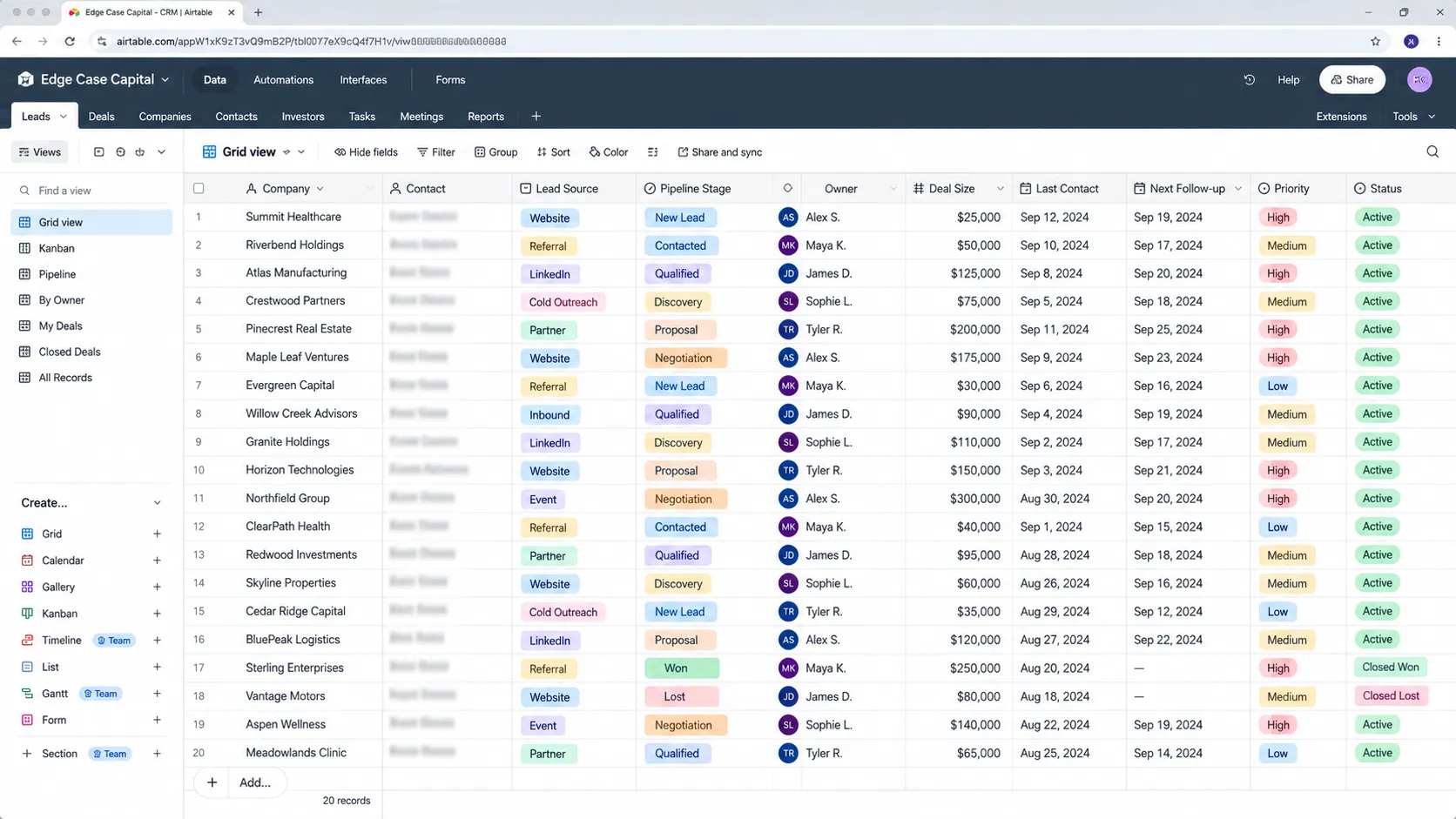
Linked tables for accounts, contacts, deals and activities, normalized so data lives in one place and relates correctly instead of being duplicated across a dozen long-text fields standing in for real relationships.
Lookups & rollups
Calculated fields that surface data across linked tables (deal totals per account, last-activity dates, stage counts), without manual re-entry, with the lookup-versus-rollup distinction handled correctly so fields don't need rebuilding as the schema grows.
Interfaces as the primary UI
Role-specific Interface Designer views built so day-to-day users work through a form-like layer and never see the raw table grid, where one accidental sort or filter change can look like the data itself is broken.
Automations
Airtable automations for routing, reminders, status changes and notifications, triggered by changes anywhere in the linked schema, with monthly run-count limits accounted for at the design stage.
Integrations
API, Zapier/Make and native connections to forms, email and other tools, built with the per-plan automation and API limits in mind so the integration doesn't quietly stop working at real usage volume.
Migration
Import, restructuring and de-duplication from spreadsheets, usually the point where a flat spreadsheet becomes a real relational base instead of just a nicer-looking version of the same flat structure.
Permissions & collaborator roles
Editor, commenter and read-only roles configured deliberately as the team grows past the one or two people who tested the original base, since per-seat editor costs compound faster than flat pricing once sales, onboarding and delivery all need write access.
Sync tables & external data sources
Sync integrations that pull data from other Airtable bases or external sources into read-only sync tables, useful when a CRM base needs visibility into data owned by another team's base without duplicating it manually.
Field types, validation and naming standards
Deliberate use of single-select, linked-record, date and currency field types instead of free text, plus a naming convention for tables and fields, so formulas stay readable, filters don't break and a new team member can understand the base without a guided tour.
Base architecture: one base or many
A decision, made explicitly, about whether CRM, delivery and finance data live in a single base or several connected through sync, weighing record limits, permission separation and how often teams need to see each other's data in real time.
Reporting, charts and dashboards
Interface dashboards, summary elements and chart blocks built on rollup fields that are validated against the underlying records, so leadership numbers can be traced back to the deals and accounts behind them instead of being trusted on faith.
A typical Airtable project timeline
Phase proportions are typical, not a guarantee. Actual timing depends on data volume, integration count and how much of the data model is custom.
- Week 1
- Schema design workshops: deciding which entities are genuinely separate linked tables (accounts, contacts, deals, activities) versus fields on an existing table, which is the single decision that determines whether the base holds up long-term.
- Weeks 2-4
- Table, lookup and rollup build, automation configuration with per-plan run limits accounted for, and the Interface Designer layer built so day-to-day users never touch the raw grid.
- Weeks 5-6
- Migration from spreadsheets with restructuring (not just import) into the new relational shape, plus API or Zapier/Make integrations to forms and email tools.
- Weeks 7-8
- Permissions and collaborator-role setup, user testing on the Interfaces specifically (not the underlying table), and go-live. A straightforward single-team base can land in 2-3 weeks; a multi-team relational system with several linked tables runs the full 8.
Common Airtable projects
- Relational base build for a team leaving spreadsheets
- Schema redesign for a base that became one giant unmanageable table
- Interface Designer build-out so non-technical users stop touching the base
- Airtable CRM and automation-tool integration
- Client or project tracker with linked-table CRM functionality
Where Airtable projects go wrong
One giant table instead of a real data model
Everything (contacts, deals, tasks, notes) gets crammed into a single table with long text fields standing in for what should be linked records, so lookups and rollups get patched on top instead of designed in from the start.
Users editing the base grid directly
Without an Interface Designer layer, non-technical team members work straight in the table, and one accidental sort or filter change looks like the data itself is broken.
No cap on automation runs or record growth
Bases get built without accounting for Airtable's per-plan record and automation-run limits, so the system works fine in a pilot and then hits a wall at real usage volume.
Underestimating per-seat editor cost as the team grows
A base that starts with one or two editors testing it adds real editor seats as sales, onboarding and delivery all need write access, and that per-seat cost compounds in a way that's easy to miss at the design stage when only a couple of people are using it.
Approaching storage or attachment ceilings without noticing
A CRM that logs activity history or attaches documents to every deal record can approach a lower tier's record and attachment-storage limits faster than expected, turning a feature request into an urgent tier-upgrade conversation instead of a planned one.
Formula fields that reference each other in long chains
A rollup depends on a formula that depends on a lookup that depends on another formula, so changing one field silently alters four others and nobody can explain why a number moved. Keeping calculation chains short, and documenting the ones that must be long, makes the base debuggable.
Duplicating records instead of linking them
The same company gets typed into three tables as text, so a name change or typo means editing it in three places. Real linked records make an account one row that everything else points to, which is the entire reason to choose a relational tool over a spreadsheet.
What does Airtable implementation cost?
Airtable's 2026 per-seat pricing on annual billing is about $20 on Team and $45 on Business, or $24 and $54 billed month to month, with Enterprise Scale starting around $60 per seat and negotiated through sales on annual contracts (per 2026 pricing guides). Seat cost compounds as sales, onboarding and delivery all need edit access, and record and automation limits scale by tier, so the right plan depends on schema and usage volume more than headcount. Partner build costs run roughly $1.5k for a straightforward base to $40k+ for a large multi-team relational system (single source, checked October 2026). We quote per project after a 30-minute call.
Certified across the platforms we implement
- salesforceCertified engineers
- HubSpotCertified engineers
- Dynamics 365Certified engineers
- ZohoCertified engineers
- PipedriveCertified engineers
- monday.comCertified engineers
- AirtableCertified engineers
- GoHighLevelCertified engineers
Our engineers hold certifications on all eight platforms we deliver. We work as an independent implementation firm: no reselling, no white-label, no offshore hand-off.More about the team →
Certifications, and what they actually mean
Airtable has no widely recognized formal certification program; there's no proctored exam analogous to Salesforce's Administrator credential to point to. That makes schema-design portfolio work the only real evidence worth evaluating: has the builder actually designed normalized linked tables with a clear lookup-versus-rollup distinction, or do their bases show the classic one-giant-table pattern with long-text fields standing in for real relationships. Because Airtable's low technical barrier means almost anyone can build something that looks functional, the differentiator is whether the schema holds up as the team and data grow. Ask to see a base they built a year or more ago and whether it's still structurally sound, not just a screenshot of a fresh build. Airtable does have community and partner ecosystems, and consultants who list themselves there can be a reasonable starting pool, but the listing itself proves little about relational design skill. Useful questions are concrete: how would you model a deal that involves several contacts and several products, when would you use a linked record instead of a single-select field, how do you prevent a rollup from double-counting, and what breaks when a linked field is deleted? A builder who can answer those without hesitation has usually been burned by them, which is the experience you want on your project.
How to tell if your Airtable base needs a rebuild vs. a fix
A messy-feeling Airtable base doesn't always mean starting the schema over. These signals separate a contained fix from a genuine rebuild.
Signal it's a fix: one automation stops running occasionally
An automation hitting an edge case or an intermittent run-limit issue is usually a targeted trigger fix, not evidence of a deeper schema problem.
Signal it's a rebuild: everything lives in one giant table
If contacts, deals, tasks and notes are all crammed into a single table with long-text fields standing in for what should be linked records, no automation fix solves the underlying reporting and data-integrity problems: the schema itself needs to be re-modeled into proper linked tables.
Signal it's a fix: one lookup or rollup field shows a stale value
An isolated calculation error is usually a formula or link-direction fix, addressable without touching the wider table structure.
Signal it's a rebuild: users are editing the raw grid and breaking things
If there's no Interface Designer layer and non-technical staff work directly in the table (where one accidental sort or filter change looks like data corruption), building a proper Interfaces layer is a structural addition, not a quick fix.
Signal it's a fix: the base is approaching a record or attachment limit on its current plan
A plan-tier ceiling is usually a licensing conversation and possibly some archiving, not a sign the schema itself is wrong.
Signal it's a rebuild: the base was built by trial and error with no documented relationships
A base that grew organically with undocumented, ad hoc linking between tables usually needs someone to map the actual relationships properly and rebuild the structure so future changes don't keep breaking existing rollups.
Signal it's a fix: one view or filter is hiding records
A saved view with an inherited filter that hides records is a two-minute correction, and usually the explanation when someone says data has gone missing from a base that is otherwise intact.
Signal it's a rebuild: the same entity is typed as text in several tables
When companies, contacts or products are entered as free text in multiple tables instead of linked records, consolidating them into a single linked table and re-pointing every dependent view and automation is a genuine restructuring project.
How Airtable compares
Airtable implementation FAQs
Will an Airtable CRM scale with us?
With a proper relational schema, yes, for a while. Airtable has record and automation limits; the audit will flag if you're approaching a point where a dedicated CRM makes more sense.
Can you rebuild a base that's become a mess?
Yes. Re-modelling the schema into proper linked tables, fixing rollups, and rebuilding interfaces on top is a common project.
How do people outside the team use it?
Through Interface Designer, forms and shared views, so external or read-only users don't touch the underlying base or its linked-table structure.
What's the difference between a lookup and a rollup, and does it matter?
A lookup pulls a value from a linked record; a rollup aggregates across multiple linked records with a formula. Getting this distinction right early avoids rebuilding fields later as the schema grows.
Can non-technical staff maintain the base after handover?
Day-to-day use through Interfaces, yes. Schema changes (new linked tables, altered rollups) usually still need someone who understands the relational structure, which we document at handover.
What does a typical Airtable project look like week by week?
The first week is schema design: deciding which entities are genuinely separate linked tables; the middle of a 2-8 week project builds the tables, rollups, automations and Interface Designer layer; the final stretch is migration, permissions setup and user testing on the Interfaces rather than the raw grid.
How does aibrevo scope an Airtable project differently than a generic quote?
Schema complexity (how many linked tables and rollups the data model actually needs) and whether a proper Interface Designer layer is required move the cost more than record count or seats, so we scope from the relational design, not a flat per-base fee.
What's included in post-launch support?
A post-launch window to adjust automations and interfaces once real usage surfaces edge cases, plus documentation so someone on your team who understands the relational structure can maintain it. Retained support is available beyond that.
How does an Airtable CRM integrate with forms, email and other tools we use?
Through native integrations, Airtable's API, and Zapier or Make for lighter-weight connections, commonly wired to intake forms, email tools and other bases via sync tables, scoped against the plan's API and automation-run limits so the integration holds up at real usage.
At what point should we consider a dedicated CRM instead of Airtable?
When record volume, automation-run needs or the number of concurrent editors starts pushing against plan ceilings regularly rather than occasionally; a proper build should flag this trajectory during the project so it's a planned move, not a surprise wall.
Couldn't we just build this ourselves since Airtable is marketed as no-code?
For a simple, single-table tracker, sure. Where teams get into trouble is exactly the schema-design decisions this page describes: normalizing into linked tables, choosing lookups versus rollups correctly, and building an Interfaces layer so non-technical users never touch the raw grid. Those decisions are cheap to get right at the start and expensive to unwind after a year of real usage.
We have an existing Airtable base that's become unmanageable. Is it worth fixing or should we start over?
Usually worth fixing rather than discarding: most unmanageable bases have real, migratable data trapped in a poor structure. We audit the existing schema first and re-model it into proper linked tables, preserving the data rather than starting from a blank base.
Why hire a partner instead of using an Airtable template from their template gallery?
Templates are a reasonable starting point for a generic use case, but they're built for nobody's specific process; a real CRM needs the schema, automations and Interfaces shaped around how your team actually tracks accounts, deals and delivery, which a template can't do out of the box.
What are Airtable's record limits and when do they matter?
Record limits per base scale by plan, and a CRM that logs every activity and email can reach them sooner than expected. They matter most for high-volume activity tables. We estimate growth during design and separate high-volume data into archivable tables or synced bases, so a plan ceiling becomes a planned upgrade.
How much does Airtable cost per seat in 2026?
On annual billing, Airtable's Team plan runs about $20 per seat per month and Business about $45, or roughly $24 and $54 billed monthly, with Enterprise Scale starting around $60 per seat and negotiated, per 2026 pricing guides. Because every editor is a paid seat, the total depends on how many people genuinely need write access.
Do read-only users and form submitters cost extra seats?
Generally, paid seats apply to people who edit or create records inside the base, while people submitting through shared forms or viewing shared views typically don't need one. Rules and limits change, so we verify against Airtable's current plan documentation when scoping, and design interfaces to keep paid editor seats to the people who need them.
How do we migrate from a spreadsheet into Airtable without just recreating the spreadsheet?
We first identify the entities hiding inside the sheet, such as companies, contacts, deals and products, then split them into linked tables and import each with a unique key. Repeated text values become linked records, and dates and amounts get proper field types, so the result is a relational base rather than a prettier grid.
Can Airtable automations replace Zapier or Make?
For workflows that stay inside Airtable, often yes: record-triggered actions, notifications and field updates. For chains across many external apps, Zapier or Make can be more flexible. The deciding factor is run limits, since native automations count against your plan, so we estimate monthly volume before choosing where each workflow lives.
Does Airtable make sense for a team that also needs a public-facing form or client portal?
Yes. Forms and Interfaces can be shared externally with the right permission settings, and sync tables let a client-facing view pull from the same underlying data without duplicating it. The scoping question is usually how much of the interaction needs to feel like a branded portal versus a functional form, since heavier portal needs sometimes point toward a dedicated tool layered on top.
Other platforms we implement
Scope your Airtable project
A 30-minute call with an engineer. You leave with a written read on your current setup and a clear recommendation, whether or not you hire us.
Book a 30-min call