
 By Alpit Patel and the aibrevo team · September 14, 2026 · Updated September 18, 2026 · 16 min read
Pipedrive vs Spreadsheet: Signals You've Actually Outgrown Excel
Concrete signs a sales team has outgrown spreadsheet tracking: unreliable forecasts, no rep visibility, version conflicts, and no follow-up automation.
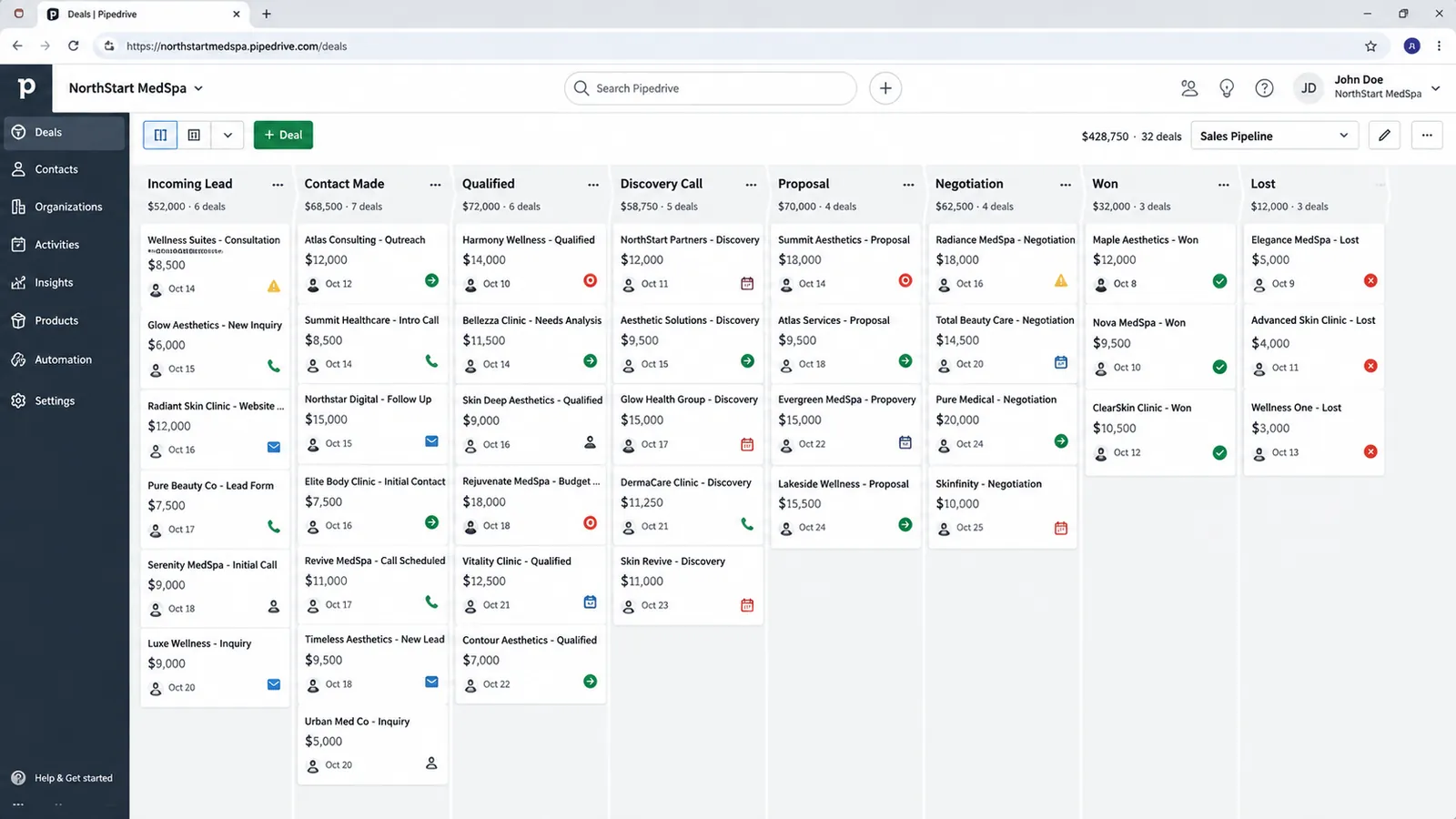
Part of the guide: Pipedrive guide
Key takeaways
- A spreadsheet has no native way to flag a stale deal; Pipedrive's rotting-deal rules automatically surface deals that have sat untouched in a stage too long, something you'd otherwise only catch by manually re-reading every row.
- Forecasting reliability tends to break down once deal volume across more than one rep makes manually re-checking every row for staleness or duplicate entries unrealistic; the exact point varies by team, not a fixed deal count.
- Version-control chaos, overwritten notes, deals duplicated across tabs, stage changes with no audit trail, is usually the first symptom teams notice, well before forecasting itself becomes visibly unreliable.
- Switching has a real cost: a spreadsheet has zero learning curve, while a CRM like Pipedrive needs real setup and rep adoption discipline (typically $1.5k-$16k through a partner, 2-6 weeks) before it pays off.
- A CRM doesn't fix inconsistent activity logging on its own; it just makes the inconsistency visible in a way a spreadsheet never could, which is a prerequisite to fixing it, not a fix by itself.
- A very small, simple sales motion, one or two reps, a handful of deals a month, a single clear stage progression, genuinely may not need to switch yet.
A sales team has outgrown a spreadsheet when the forecast stops matching what actually happens, when deals go quiet for weeks without anyone noticing, or when two reps have each edited the same row with conflicting information and neither can tell which version is current. These are the recurring ways a shared spreadsheet breaks down as a pipeline grows past the point where one person can hold the whole thing in their head. If none of that is happening yet, the spreadsheet is probably still fine.
The scale of the underlying problem is well documented outside of sales specifically: research on operational spreadsheets going back to Professor Raymond Panko’s audits, reaffirmed in 2026 industry surveys, finds that roughly 94% of real-world spreadsheets contain at least one error, and manual data entry carries a 1-4% error rate under normal conditions (DocuClipper human error research; DataHub Pro spreadsheet error statistics, 2026). A pipeline spreadsheet with 200 open deals and five hand-typed fields per row (stage, close date, value, contact, next step) has on the order of 1,000 individual data points where a fat-fingered entry, a stale value, or a copy-paste error can sit unnoticed until a forecast built on that data turns out to be wrong.
Stale forecast
A spreadsheet can't flag a deal whose numbers no longer reflect reality; Pipedrive's rotting-deal rules do it automatically.
No activity visibility
A spreadsheet shows a deal's state, not what a rep actually did; Pipedrive logs calls, emails and meetings against each deal.
Version chaos
Two reps editing one file silently overwrite each other; a CRM keeps a running history of stage changes and notes.
No follow-up automation
A "next follow-up date" column can't notify anyone; Pipedrive's reminders surface a due follow-up without manual checking.
What a spreadsheet can’t do that a real forecast report needs
Beyond flagging individual stale deals, there’s a structural gap in what a spreadsheet can report on at all. A pipeline report built from a spreadsheet is a snapshot: whatever the cells say right now, with no reliable way to see how the pipeline looked a month ago, whether deals are moving through stages faster or slower than they used to, or which rep’s deals tend to slip their close date versus which rep’s estimates hold up. Building that kind of trend analysis in a spreadsheet means someone manually archiving a copy of the sheet on a schedule and building comparison formulas across snapshots, a maintenance burden real enough that most teams don’t do it, and lose the ability to answer “is our pipeline actually getting healthier or not” as a result.
A CRM’s reporting layer, Pipedrive’s Insights and forecast views specifically, is built around this: deal-stage history, win/loss data with reasons attached, and time-in-stage tracked automatically as a byproduct of how the system works, not something anyone has to remember to snapshot. That turns “is our forecast reliable” from a subjective gut check into a comparable metric over time: forecasted value against actually closed value, tracked month over month, which is the number that actually tells a sales leader whether the pipeline’s numbers can be trusted, rather than whether they look reasonable on a given day.
Your forecast stops being reliable
The first real signal, and often the last one leadership notices, is that the forecast a spreadsheet produces stops matching what actually closes. A spreadsheet tallies whatever numbers are in the “expected close” column, but it has no mechanism to question whether those numbers still reflect reality. A deal marked “80% likely, closing this month” three months ago is still sitting there with the same values, because nothing in a spreadsheet ever forces a re-check.
No amount of training fixes this, because it is a structural limitation. A spreadsheet doesn’t know how long a deal has sat in a stage, doesn’t know when the last contact with a prospect happened, and can’t distinguish a deal that’s actively progressing from one that’s been abandoned. Pipedrive’s rotting-deal rules solve this specific problem: any deal that’s sat untouched in a stage past a threshold you set gets flagged automatically, no one has to remember to check. That’s not a feature a spreadsheet can replicate with formulas, because the underlying data (when did a human last meaningfully interact with this deal) isn’t something a static grid tracks at all.
In practice, forecasting reliability tends to degrade once deal volume across more than one rep passes the point where a manager can still eyeball the sheet and mentally adjust for the deals that look stale. Below that point, manual review still works well enough. Above it, the volume of rows makes manual review unrealistic, and the forecast starts reporting numbers that are technically in the cells but not true anymore. If your team regularly misses forecasted numbers because the forecast itself was stale, and not because deals fell through for a real reason, that’s your tipping point, whatever the pipeline volume.
You can’t see what your reps are actually doing
The second signal is a visibility gap: a spreadsheet shows the state of a deal, but not the activity that got it there. There’s no built-in way to see how many calls a rep made this week, how many emails went unanswered, or which deals had zero contact in the last ten days. A manager relying on a spreadsheet for pipeline oversight is relying on reps to self-report activity accurately in a separate channel, standup, Slack, memory, none of which are auditable.
This matters most when something goes wrong and no one can trace why. A deal stalls, and the question “did the rep follow up, or did they just forget?” has no answer in the sheet itself. A CRM built around activity tracking, which is Pipedrive’s core design premise for SMB sales-first teams of roughly 3-30 reps wanting a clean visual pipeline without enterprise overhead, logs calls, emails, and meetings against each deal as they happen. That gives a manager an actual record to look at instead of a self-reported summary.
A common mistake teams make even after switching to Pipedrive is logging activity inconsistently across reps, which still breaks activity-based forecasting even with the right tool in place. The tool doesn’t fix a habit problem by itself, but it makes the inconsistency visible: one rep with a full activity log next to one rep with three logged calls in a month is an obvious gap in Pipedrive, where in a spreadsheet that same gap is just an empty cell nobody thought to question.
Multiple reps editing one file creates version chaos
Before forecasting even becomes visibly unreliable, most teams notice this problem first: two reps working the same file start overwriting each other’s updates. One rep updates a deal’s stage while another has an older version open in a different tab, and the second save wins, silently erasing the first rep’s change. Notes get duplicated across tabs, a deal gets entered twice under slightly different company name spellings, and there’s no audit trail showing who changed what or when.
This is what happens when a tool built for a single user tracking their own data gets stretched to support a team. Shared spreadsheets have some version history built into most cloud tools now, but reconstructing “what actually happened to this deal over the last two weeks” from a version history log is a forensic exercise. A CRM’s deal record keeps a running history of stage changes, notes, and activity as a byproduct of how the tool works, so there’s nothing to dig for afterward.
This symptom tends to show up earlier than forecasting problems do, often as soon as a second rep starts actively working deals in the same file. If your team has already started keeping a shadow document (“the real numbers are in my personal copy, the shared sheet is out of date”) that’s a clear sign the shared spreadsheet has stopped functioning as a single source of truth.
There’s no automated way to remind anyone to follow up
A spreadsheet can hold a column called “next follow-up date,” but it can’t do anything with that date. It won’t notify a rep the morning a follow-up is due, won’t escalate to a manager if a follow-up gets missed, and won’t move a deal automatically based on time elapsed. Every follow-up in a spreadsheet-run pipeline depends on someone remembering to look at the right cell on the right day, across every open deal.
At small volume, that’s manageable. As deal count grows, missed follow-ups become an ongoing revenue leak: prospects who would have converted with a timely nudge go cold because the reminder that should have fired never did, because nothing was actually watching the calendar. Pipedrive’s activity reminders and automation tie a follow-up action directly to a deal and a rep, and surface it without anyone having to remember to check a spreadsheet column manually. Combined with rotting-deal rules, this closes a gap a spreadsheet structurally can’t: automated attention to time-based risk in the pipeline.
This gap compounds in a specific way spreadsheets don’t handle well: coverage during time off. When a rep is out sick or on vacation, a spreadsheet’s follow-up column just sits there, unwatched by anyone, until that rep is back and catches up on a backlog of stale rows. A CRM’s reminder and rotting-deal logic doesn’t stop working when a person does; a manager can reassign or reroute the flagged activity to someone else in the meantime, because the system, not a person’s memory, is what’s tracking the due date in the first place. It’s often the moment a team notices that the spreadsheet’s “automation” was always a person, and people take vacations.
The real tradeoff: switching isn’t free
Switching isn’t automatically the right call. A spreadsheet has a real advantage a CRM doesn’t: zero learning curve. Everyone already knows how to open a spreadsheet, add a row, and type into a cell. A CRM requires actual setup, deciding on pipeline stages, configuring fields, importing existing deals cleanly, and it requires reps to adopt new habits, logging calls and emails in a system instead of jotting a note in a cell they already had open.
Typical Pipedrive implementation cost through a partner runs $1.5k-$16k (the $1.5k-$3.5k small-build band is a median of published agency and partner price pages, checked October 2026; the mid-size and complex-migration figures up to $16k are earlier estimates, not re-verified in USD), with most projects completing in 2-6 weeks. That’s a real cost and a real timeline, and it only pays off if reps actually adopt the new habits the tool depends on. A CRM configured well but used inconsistently, activity logged by some reps and not others, deals updated sporadically, ends up about as unreliable as the spreadsheet it replaced, just with a bigger price tag attached. This is where the CRM consultant vs DIY setup tradeoff becomes relevant: getting the configuration and adoption plan right the first time matters more than which tool you pick.
A very small, simple sales motion, one or two reps, a handful of deals a month moving through one or two clear stages, may not need to switch yet. If nobody’s forecast is wrong, nobody’s overwriting anybody’s notes, and follow-ups aren’t slipping, the spreadsheet is doing its job. The signals in this piece, forecast unreliability, no activity visibility, version conflicts, missed follow-ups, are the triggers to watch, more than deal count or company size.
Spreadsheet vs Pipedrive, feature by feature
Laid out side by side, several things a growing sales team needs don’t exist in a spreadsheet at all, while others exist but work differently:
| Capability | Spreadsheet | Pipedrive |
|---|---|---|
| Stale-deal detection | None: depends on someone re-reading every row | Automatic rotting-deal rules per stage |
| Activity logging | Manual note in a cell, if anyone remembers | Calls, emails, meetings logged against the deal automatically or via integration |
| Follow-up reminders | A date column with no notification | Reminders tied to a rep’s activity feed and inbox |
| Change history | None natively; cloud version history is a forensic tool, not a report | Running audit trail of stage changes, notes, and activity per deal |
| Concurrent editing | Last save silently overwrites the previous one | Each user edits their own view; changes are attributed and logged |
| Trend reporting | Requires manual snapshotting and comparison formulas | Built-in Insights and forecast views tracked automatically over time |
| Mobile access | Usable but not built for quick field updates | Native mobile app built around logging activity on the go |
| Learning curve | Zero: everyone already knows spreadsheets | Real, but typically 1-2 weeks to basic comfort |
| Cost | Free (or an existing subscription) | $1.5k-$16k implementation plus monthly license |
Pay most attention to the rows marked “none” on the spreadsheet side. A slower manual process can be sped up with better habits; a capability that structurally doesn’t exist (automatic stale-deal detection, an audit trail, real-time reminders) can’t be trained into a grid of cells no matter how disciplined the team is.
Field sales and mobile access is a spreadsheet’s other blind spot
A common trigger for switching: a spreadsheet is awkward to update from a phone between meetings, which matters a lot for any team with reps who spend real time outside the office: field sales, on-site services, real estate. Opening a spreadsheet app, finding the right row among dozens or hundreds, and typing an update into a narrow mobile cell view is friction that adds up across a day of client visits, and the realistic outcome is that reps defer the update until they’re back at a laptop, at which point they’re recalling a conversation from six hours earlier instead of logging it in the moment.
Pipedrive’s mobile app is built around the assumption that activity gets logged right after it happens. A call log, a quick note, or a stage change takes a few taps from a deal’s own screen rather than requiring the rep to locate the right row in a much larger, less navigable file. For a team that’s mostly desk-based, this gap matters less. For a team spending meaningful time in the field, it’s often the practical tipping point that shows up before the forecasting problems described above ever become visible, since same-day activity logging is what those forecasting features depend on in the first place.
What configuring rotting-deal rules and reminders actually involves
Setting up the automation that makes Pipedrive’s advantage real takes a handful of specific configuration decisions that determine whether the automation catches real problems or just adds noise. Rotting-deal thresholds are set per stage, not globally, because a deal sitting untouched for ten days in an early “contacted” stage means something different than the same ten days in a late “contract sent” stage; setting one threshold for every stage either flags too many early-stage deals as stale or misses a dead late-stage deal for too long. Activity reminders work the same way: they’re tied to a specific activity type (call, email, meeting, task) and a due date, and they surface on a rep’s own activity feed and inbox rather than requiring anyone to check a shared file.
The setup work that matters here is deciding these thresholds deliberately, stage by stage, based on how the specific sales process moves, rather than accepting defaults built for a generic sales cycle. A team with a fast, high-volume, low-ticket sales motion needs tighter rotting-deal thresholds than a team selling a six-month enterprise contract, and importing the wrong one from a template guide (including this one) produces the same false-positive fatigue that made the version-chaos spreadsheet unreliable in the first place: reps start ignoring flags that don’t match reality, which defeats the entire point of automating the check.
Migrating existing spreadsheet data without carrying the mess forward
Moving off a spreadsheet is also a natural moment to fix the data problems the spreadsheet made invisible. A straight CSV import that maps every existing column to a Pipedrive field brings over every inconsistency along with it: three spellings of the same company name, duplicate rows from copy-paste errors, stage labels that drifted from their original meaning over time. Cleaning the source data before import, deduplicating by company name and email domain, standardizing stage labels to the smaller, clearer set the new pipeline will actually use, and dropping stale rows rather than importing them as “reference” costs real time up front but avoids relaunching the same chaos the switch was meant to fix inside a system that’s supposed to prevent it.
Making the call
If two or more of these signals are showing up regularly, the spreadsheet has likely become the bottleneck. The how to choose a CRM guide walks through evaluating platforms once you’ve decided to move, how to set up Pipedrive covers the setup itself step by step, and Pipedrive implementation services covers what a structured setup looks like specifically for teams making this exact jump from spreadsheet tracking. Cost is often the first question teams ask at this point, and the pricing page lays out what a realistic implementation budget looks like before you commit to a timeline.
The decision comes down to whether the specific failure modes a spreadsheet can’t structurally fix, stale deals nobody catches, activity nobody can see, versions that overwrite each other, follow-ups that fall through, are costing your team deals right now. If they are, you’ve outgrown the spreadsheet. If they aren’t, there’s no rush.