monday.com · Solution guide
monday.com App Development: Custom monday Apps for monday CRM, Private or Marketplace
Written scope and quote after the call. NDA on request. You own the code.
Quick answer
monday.com app development means building board views, item views, dashboard widgets, column extensions, automation blocks and other app features with the monday apps framework, then installing the app privately in your account, sharing it with chosen accounts or listing it on the marketplace. This page explains what each feature does in monday CRM, private versus marketplace apps, hosting on monday code and its limits, the API limits a custom app has to live within, how we build one and how long it usually takes.
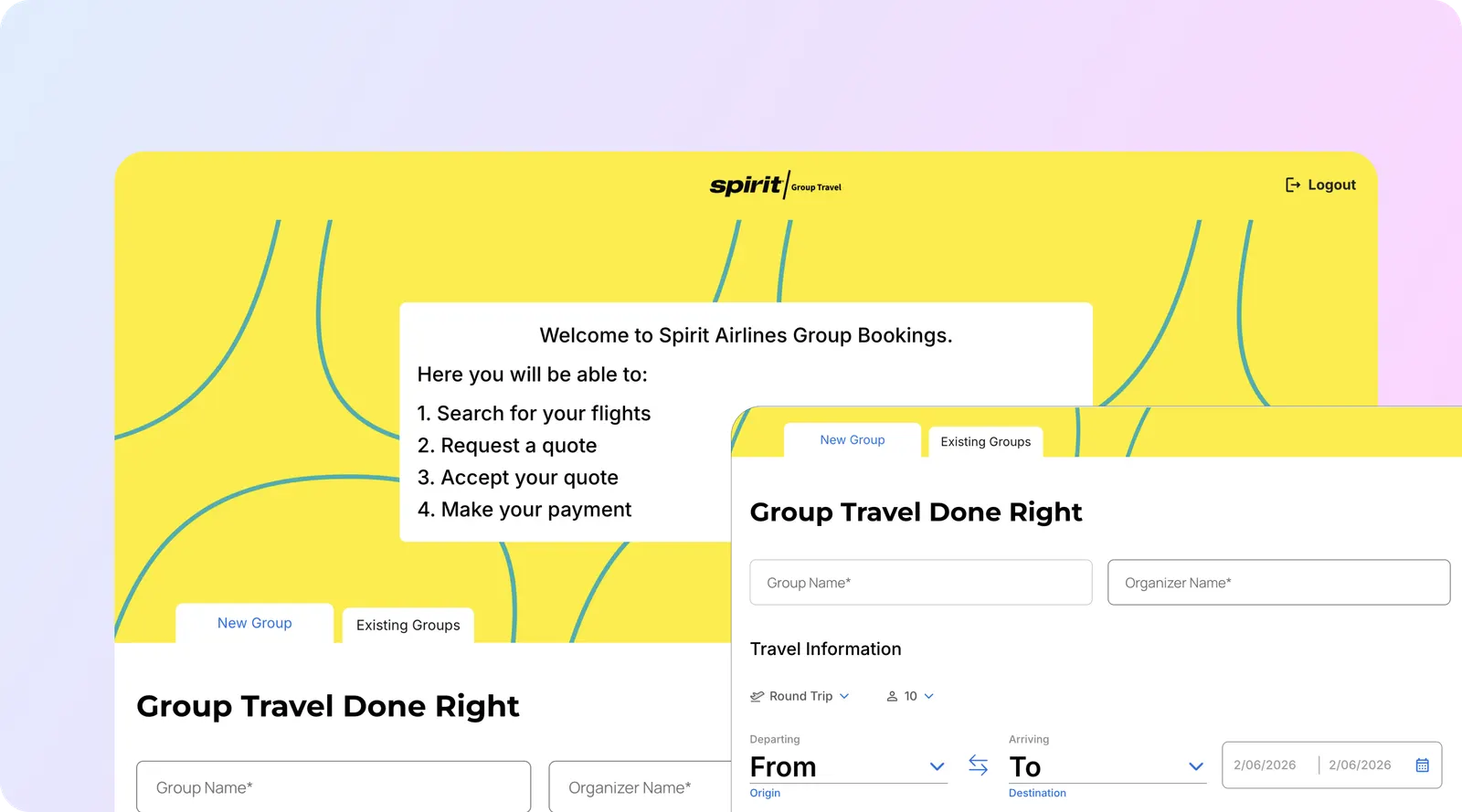
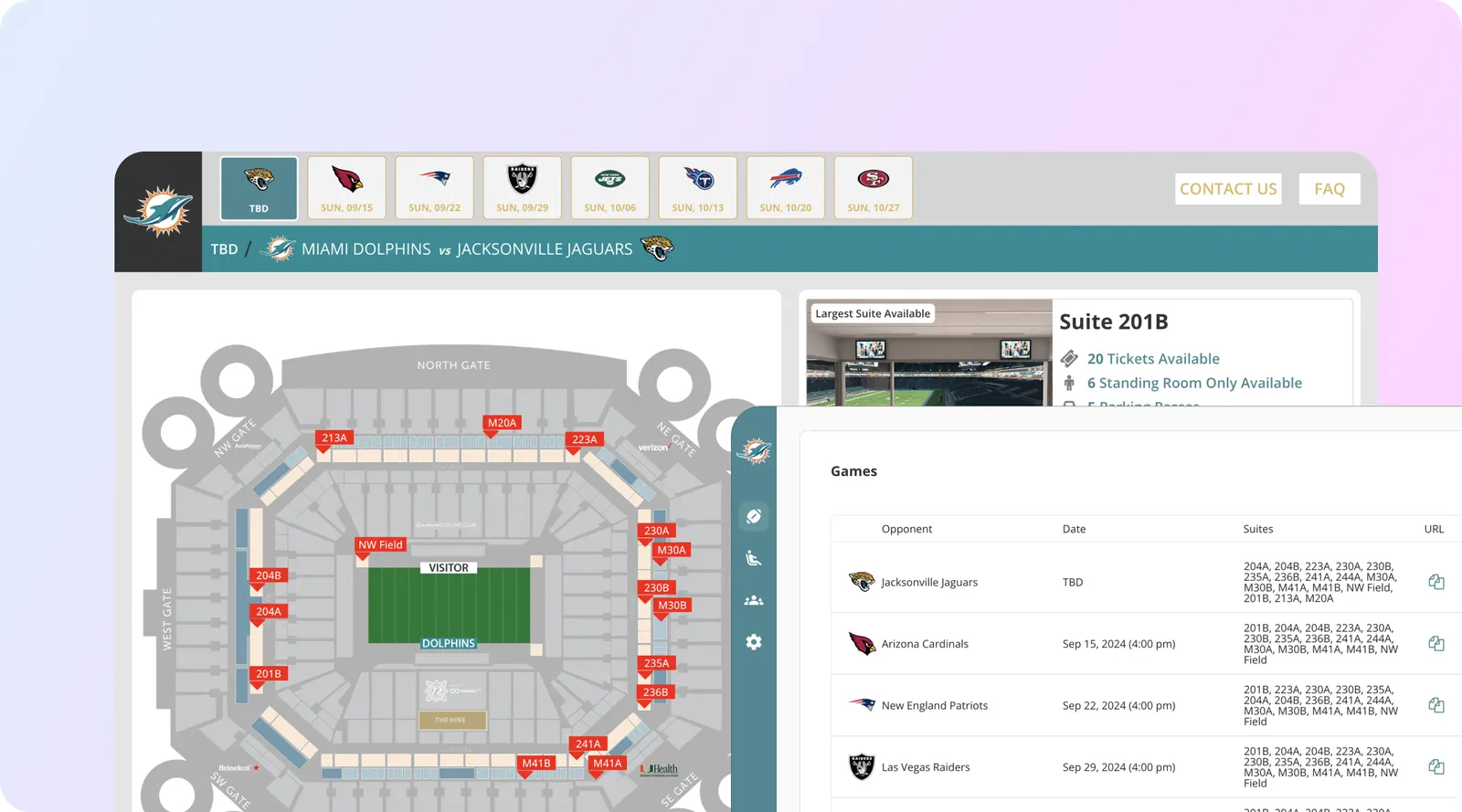
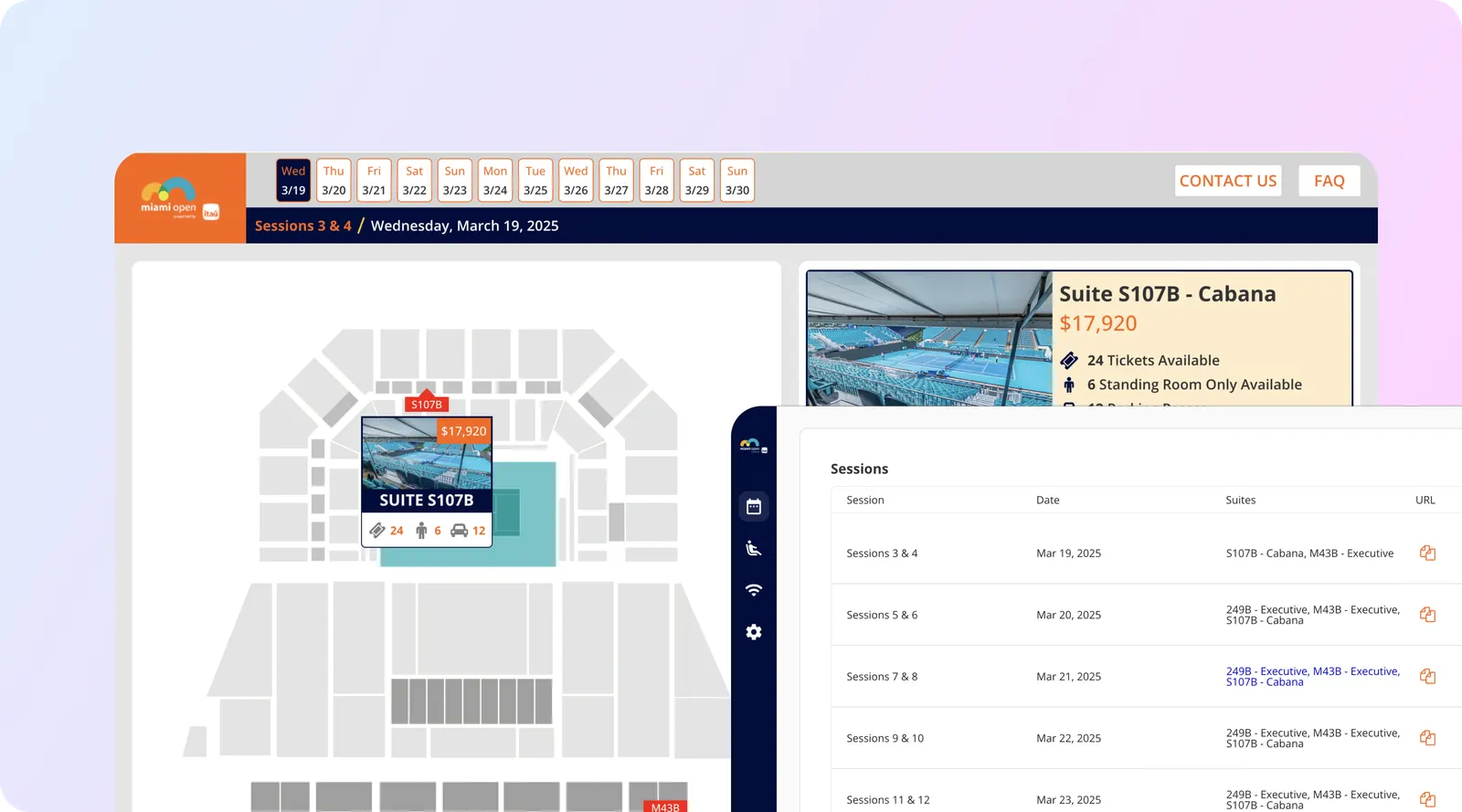
Builds like this
Part of the guide: monday.com services
Key takeaways
- The monday apps framework supports board views, item views, board menu features, column extensions and column views, dashboard widgets, custom objects, account settings and administration views, doc actions, AI assistant and sidekick tools, automation blocks for monday workflows, and workspace templates (monday developer docs, checked Oct 31, 2026).
- Private apps work only inside your own monday account. Public apps can be shared with chosen accounts by link. Marketplace apps pass a four-phase review, must use monday's own billing, and monday says apps built mainly with no-code tools or AI-generated vibe code are not eligible.
- monday code hosting is free for now (monday says it may be charged later), runs 1 vCPU and 512 MiB per instance with a 300-second request timeout, and allows up to 10 private apps per account. Private apps get 450 runtime minutes a day for the first 100 seats plus 4.5 per extra seat.
- Calls from private and public apps count toward the account's daily API limit (1,000 on Basic and Standard, 10,000 on Pro, 25,000 on Enterprise); marketplace apps do not. A single query is capped at 5 million complexity points.
- Legacy recipe sentence integrations had to move to automation blocks by April 30, 2026. Any older custom integration you inherit should be checked against that change.
A custom monday app is software that runs inside monday.com: a board view that lays out a deal the way your sales team works, a widget that totals pipeline across several boards, a button on an item that generates a quote in another system, or an automation block that pushes won deals to billing. monday.com app development means building those features with the monday apps framework, hosting them on monday code or your own servers, and installing them privately, sharing them with chosen accounts, or listing them on the marketplace. A typical first CRM app is one or two features, one connected system and a private install. This page covers what you can build, which kind of app to choose, the hosting and API limits that shape the design, and how our in-house engineers build and hand one over.
Sources: monday developer docs on monday code hosting, quotas and limits, rate limits and marketplace submission, checked Oct 31, 2026.
What can you build with the monday apps framework?
An app is one or more app features, and each feature decides where the app appears and what it can touch. monday’s app features reference and What is a monday app? (checked Oct 31, 2026) list the options below. The right column is how we usually apply each one in monday CRM.
| App feature | Where it appears | Typical monday CRM use |
|---|---|---|
| Board view | A tab under the board title, added from the Views Center | A deal desk view on the Deals board with stage, margin and approvals side by side |
| Item view | The item’s updates section, one item at a time | A customer 360 panel on a deal: invoices, tickets and product usage from other systems |
| Board menu features | Actions on a group, an item or several items | “Create quote” or “send to onboarding” on selected deals |
| Column extension and column view | Inside a column, with dialogs for status, dropdown, formula and people columns | Address lookup, pricing calculator or validation on a column |
| Dashboard widget | Dashboards, across several boards | Pipeline by territory with your own forecast logic |
| Custom objects | Left-pane menu, outside any one board | A commission statement screen for reps |
| Account settings and administration views | Account-level settings | Connection settings and field mapping for your integration |
| Doc actions | monday workdocs | Turning a proposal doc into deal line items |
| AI assistant and sidekick tool | AI surfaces in monday | Your own AI action, such as summarising a deal from your data |
| Automation blocks (monday workflows) | monday’s automation and workflow builders | Custom triggers and actions, such as “when deal is won, create the customer in billing” |
| Workspace templates | Left-pane menu, installed as a whole workspace | A packaged CRM setup, alongside at least one other feature for marketplace apps |
Source: monday developer docs, checked Oct 31, 2026; CRM uses are aibrevo examples. On mobile, monday says integrations, board views and item views are supported. If you only need records to move between monday and another tool, you may not need an app at all: our monday CRM API integration guide covers token-based integrations, and CRM integration services covers two-way sync work.
What happened to monday recipes and the sentence builder?
They are being replaced. monday’s automation migration overview (checked Oct 31, 2026) says apps using the legacy “Integration for sentence builder” feature had to move to automation blocks for monday workflows before April 30, 2026, and that recipes map to automation templates. Existing automations keep running only while the old backend stays up, so monday warns not to shut it down. If you inherited a custom integration built on recipes, check which infrastructure it uses before you change anything. New integration apps should be built as automation blocks, with credentials handled through monday’s credentials feature instead of the deprecated authorization URL.
Private app, shared app or marketplace app: which one do you need?
Most monday CRM projects need a private app. The other two make sense when the app serves accounts other than yours. The table compares them using monday’s install and share guide and submission guide, checked Oct 31, 2026.
| Question | Private app | Public app, shared by link | Marketplace app |
|---|---|---|---|
| Who can install it | Your account only | Your account plus accounts you share it with; you can restrict to listed accounts | Any monday.com account |
| Review by monday | None | None; users see a banner that monday hasn’t vetted it | Four-phase review covering product, engineering, security, privacy, legal, support and documentation |
| Billing | Not applicable | Your own arrangement | Must use monday’s built-in monetization |
| Counts toward the account’s daily API limit | Yes | Yes | No |
| monday code daily runtime | 450 minutes for the first 100 seats, then 4.5 per seat | 600 minutes for the first 100 seats, then 6 per seat | 1,200 minutes for the first 100 seats, then 12 per seat |
| Good fit | Internal CRM tools | An agency serving several client accounts | A product you sell to monday users |
Sources: monday developer docs on sharing, submission, monetization, rate limits and monday code quotas, checked Oct 31, 2026. Two marketplace rules catch teams out. monday says new apps “built primarily using no-code platforms or AI-generated vibe code” are not eligible, and that submissions without clear unique value, or that copy existing marketplace apps, may be declined. Apps must also check a user’s subscription and gate features themselves; monday notes that failing to enforce this can mean customers use the app for free.
Should you host on monday code or on your own servers?
For a private CRM app, monday code is usually the simpler choice. monday’s hosting overview (checked Oct 31, 2026) says it is free of charge for now, may be charged in future, and lists GDPR, HIPAA, ISO 27001 and SOC 2 compliance. It comes with a CLI, JavaScript and Python SDKs, key-value and secret storage, environment variables, a queue, a job scheduler, a document database, object storage, logs, monitoring, alerts and hosting in the US, EU or AU region. To use it you need a confirmed email and a developer account or a paid plan.
The limits matter for design. monday’s quotas page (checked Oct 31, 2026) gives each instance 1 virtual CPU, 512 MiB of memory and up to 80 concurrent requests, a 300-second request timeout, and at most 10 instances per region. A private app installed on 125 seats gets 562.5 runtime minutes a day, counted across all regions. That is plenty for a board view or a few automation blocks, and tight for a nightly job that re-processes thousands of items. One trap: if your account has IP restrictions, monday code apps are blocked unless the app opts into monday’s networking feature and its static IPs are allowed.
We host elsewhere when the app needs long-running jobs past 300 seconds, a database you already run, data that must stay in your own cloud, or more than 10 private apps.
Which monday API limits does a custom app have to respect?
Every app that reads or writes board data goes through monday’s GraphQL API, and the rate-limits page (updated Oct 28, 2026, checked Oct 31, 2026) stacks several limits:
| Limit | Value |
|---|---|
| Single query | 5,000,000 complexity points |
| App tokens, per minute | 5M complexity points for reads and 5M for writes |
| Daily calls, by plan (resets midnight UTC) | Free 200; Basic and Standard 1,000; Pro 10,000; Enterprise 25,000 |
| Queries per minute | Enterprise 5,000; Pro 2,500; others 1,000 |
| Concurrent requests | Enterprise 250; Pro 100; others 40 |
| Per IP address | 5,000 requests per 10 seconds |
The design consequence: a private app on a Standard account has 1,000 calls a day to share with every other token-based integration in that account. We size this before we write code, by counting calls per user action and per scheduled job, and we use items_page cursors and lean queries to keep complexity down. The full mechanics, including versioning and webhooks, are in our monday CRM API integration guide; what counts toward the daily cap is on the daily API call limit page; and how monday compares with HubSpot and Pipedrive is in CRM API rate limits compared. Automation actions have their own monthly caps by plan, covered in monday.com automation rate limits.
monday’s platform limits also shape what an app can show: 10,000 items per board, 100 subitems per item, 200 connected boards per board and 30 widgets per dashboard (checked Oct 31, 2026).
Is monday vibe enough, or do you need a coded app?
monday vibe builds apps from prompts and is listed on monday CRM’s Standard, Pro and Ultimate plans (Ultimate is the plan monday’s API docs call Enterprise) (monday CRM pricing, checked Oct 31, 2026). monday’s support pages say building uses AI credits per message, apps that call AI use credits each time they run, and publishing needs a paid Vibe app package; monday’s own examples put a simple dashboard at about 140 credits and a large operational app at about 3,000 (AI Models and Credits, checked Oct 31, 2026). Use vibe for an internal view your team can maintain by prompting. Choose a coded app when you need code review and version control, a connection to systems monday doesn’t reach, a marketplace listing, or behaviour you must be able to test the same way every time.
How we build a custom monday app
Our in-house team of 16 engineers, led by co-founder and CTO Shivam, builds monday apps in this order. Each project is scoped and quoted per build after the free call, and the written scope names the app features, the hosting choice, the expected API calls per day, the exclusions and what you own at handover.
1. Discovery
Which screen or action is missing, who uses it, which boards and outside systems it touches. You can check: a one-page spec with the app features named.
2. Data model and auth
Boards, columns and permissions the app reads and writes, OAuth scopes kept to the minimum, secrets in secure storage. You can check: a scope and permissions list.
3. Build in a developer account
monday's free developer accounts give 10 seats, 1,000 items per product and a 10M complexity budget per minute for testing. You can check: a working version in a sandbox.
4. Test on real records
Install on a copy of your real boards, run each feature against expected results, measure API calls per action. You can check: a test log and a call count per action.
5. Guardrails
Backoff on retry_in_seconds, confirmation before bulk writes, logs and monday code alerts, personal data kept out of logs. You can check: the alert policy and log samples.
6. Release and handover
Promote the version to live, install, train the admin, hand over the repository and docs. You can check: the app running in your account and the repo in your name.
How long does monday.com app development take?
As typical scoping ranges, not commitments: a single board view, item view or widget reading monday data usually takes one to three weeks; an app with automation blocks that writes to another system usually takes three to six weeks; and a marketplace app adds monetization, the review checklist and review rounds on top of the build. Time goes mostly into agreeing the data model and testing on real records, not into the screens. A firm timeline is part of the written scope after the call.
What should you check before commissioning a monday app?
- Do you need an app? A native automation, an integration from the marketplace or a token-based script may do the job. We say so when that’s the case.
- Product and plan. monday CRM and monday work management are separate products with separate plans, and plan tier sets your API and automation limits. Check monday CRM plan limits first.
- Who owns the code and the Developer Center app. Ask for the app to be created under an account you control and the repository transferred to you.
- Personal data and region. Decide which fields the app stores, where, and in which monday code region.
- API versioning. monday versions its API by date. Ask how the app will be kept current and who watches release notes.
Who is a custom monday app for, and who doesn’t need one?
It suits teams on monday CRM whose process needs a screen or an action monday doesn’t have, agencies that want one tool across several client accounts, and software companies that want to sell to monday’s users. It is not worth it for a team that hasn’t settled its board structure, since the app will be rebuilt each time the boards change; start with monday CRM implementation instead. If the gap is judgment work rather than a missing screen, such as triaging leads or reviewing stale deals, look at monday.com AI agents first.
Have a gap in monday CRM that needs an app? Book a free 30-minute call with the board, the screen or action you're missing and the systems it should talk to, or send a message. We tell you whether it needs an app, an integration or a native setting before we quote.
Sources
All pages opened on Oct 31, 2026.
- monday developers, What is a monday app? and App features: feature types, private, public and marketplace apps, developer accounts, mobile support.
- monday developers, Install and share your apps, Submit your app to the marketplace and Monetization: sharing, review phases, eligibility, billing rules.
- monday developers, Host your app on monday code and Quotas and limits: hosting features, pricing note, instance limits, runtime minutes, 10 private apps.
- monday developers, Automation features migration overview: sentence builder deprecation and April 30, 2026 deadline.
- monday developers, Rate limits and Limits: API and platform limits.
- monday.com, monday CRM pricing, and monday.com support, AI Models and Credits: vibe availability and credit examples.