
 By Alpit Patel and the aibrevo team · September 16, 2026 · Updated October 31, 2026 · 15 min read
HubSpot to GoHighLevel Migration: A Complete Guide
How to migrate from HubSpot to GoHighLevel: why businesses switch, how the data models differ, a step-by-step migration plan, and what commonly breaks along the way.
Part of the guide: Hire a GoHighLevel expert: prices, deliverables, locations
Key takeaways
- HubSpot's lifecycle stages and deal pipelines don't map one-to-one onto GoHighLevel's opportunities and pipelines. GoHighLevel has no native lifecycle-stage concept, so that logic has to be rebuilt using tags and pipeline stages instead of ported directly.
- The most common reason businesses make this specific move is cost at scale: HubSpot's per-Hub, per-seat, per-contact-tier pricing grows with the business, while GoHighLevel's flat subscription plus usage-based communications wallet is more predictable for agencies and businesses running high contact volume or heavy SMS/call activity.
- Phone/SMS number porting and email-sending-domain re-authentication (SPF, DKIM, DMARC) are cutover-day risks specific to this migration direction, since GoHighLevel needs its own verified sending identity, not a copy of HubSpot's.
- HubSpot's native reporting (custom report builder, revenue attribution, multi-touch analytics) and many of its deep native integrations don't have a direct GoHighLevel equivalent. Some workflows and dashboards have to be rebuilt with a different tool, not migrated as-is.
- A parallel-run period, where both systems stay live and new leads flow into GoHighLevel while HubSpot stays in read-only for historical lookups, catches mapping errors before they become a permanent gap in reporting.
- Budget overrun risk on this migration mirrors data-migration projects broadly, GoHighLevel-specific or not: Bloor Research found 84% of data migration projects miss objectives or significantly overrun time and budget, which is why mapping and workflow rebuild, not the data export itself, deserve the bulk of the planning time.
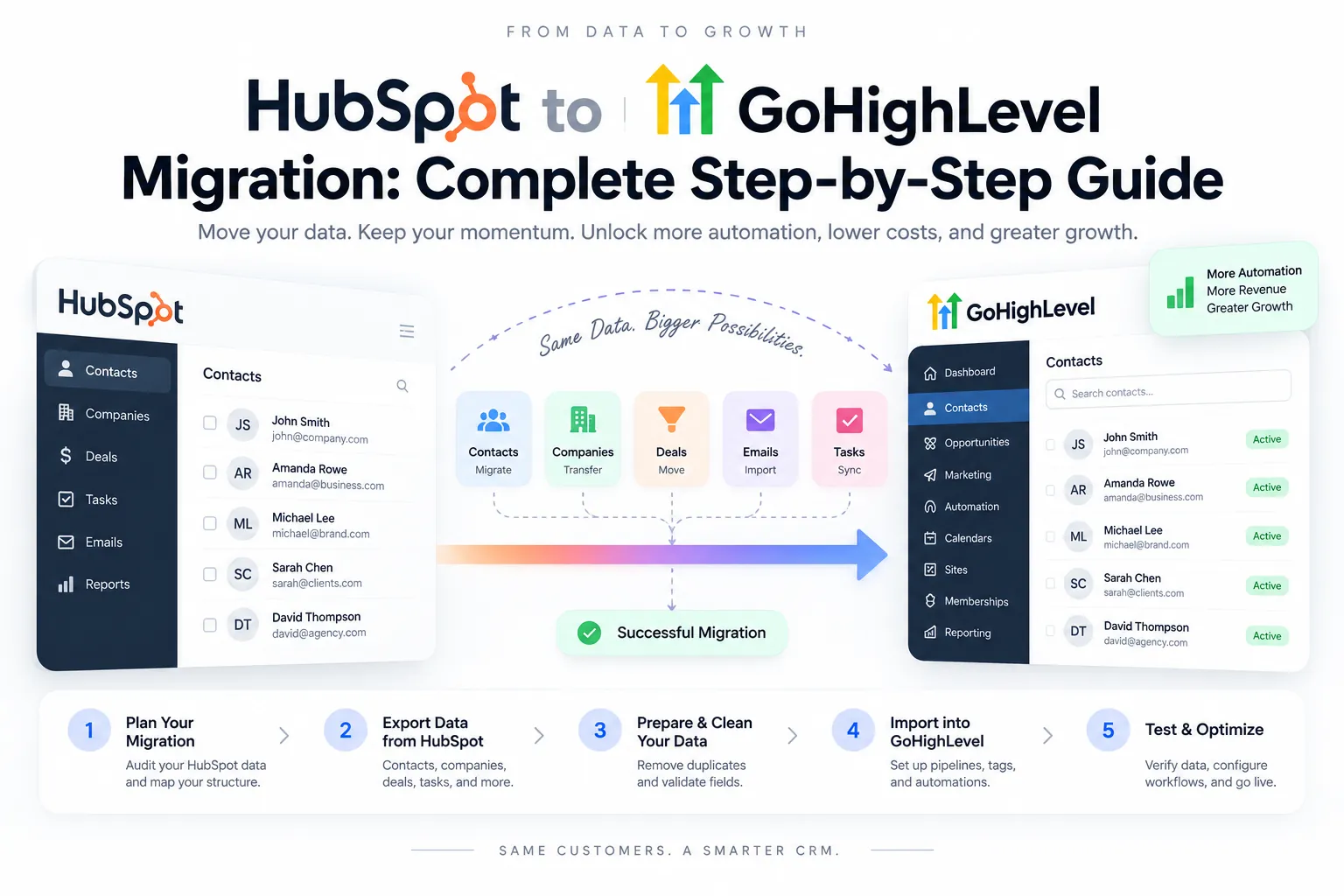
Businesses migrating from HubSpot to GoHighLevel are almost always chasing one of two things: a lower, more predictable bill as their contact list and Hub usage grow, or an all-in-one platform that bundles CRM, funnels, email, and phone/SMS without stitching together separate tools and integrations. In concept the migration is simple: export data, rebuild pipelines and automations, cut over. But GoHighLevel’s data model differs enough from HubSpot’s that a literal one-to-one import misses real functionality. This guide covers why the switch happens, what differs between the two platforms, a realistic step-by-step plan, and what commonly gets lost in this specific migration direction.
If you’re earlier in the decision and haven’t fully committed to GoHighLevel yet, the GoHighLevel agency setup guide covers what a properly built GoHighLevel account looks like once you’re there. If you’re moving the other direction, into HubSpot, the migrating to HubSpot guide covers that path instead. For the GoHighLevel side of that move, including the notes and conversation history a CSV export leaves behind, see how to migrate from GoHighLevel. Coming from Salesforce instead? The Salesforce to GoHighLevel migration guide maps its objects the same way.
Why businesses move from HubSpot to GoHighLevel
Cost at scale
HubSpot prices by Hub (Marketing, Sales, Service, Operations), by seat, and by marketing-contact tier, which means the bill grows on three separate axes as a business adds contacts, users, or Hub functionality. A business that started on a low-tier HubSpot plan and later needed marketing automation, more seats, and a bigger contact allowance can find its subscription cost has multiplied without the underlying business growing at the same rate.
GoHighLevel’s pricing model is structurally different: a flat monthly subscription covers the platform itself (CRM, pipelines, funnels, calendars, workflow automation), with calling, texting and email sending billed through a separate usage-based wallet. For a business with a large contact list but moderate messaging volume, this often comes out meaningfully cheaper than HubSpot’s marketing-contact-tier pricing, since GoHighLevel doesn’t charge more for storing more contacts.
The gap is concrete enough to put a number on for a specific, common case: a small agency managing several client accounts. As of both platforms’ published pricing checked in September 2026, HubSpot’s Marketing Hub Professional tier runs roughly $890/month before contact overages, additional seats or onboarding fees, which typically add another $3,000-$6,000 in year one. GoHighLevel’s Founder (formerly Agency Pro) plan, which includes white-label SaaS mode and unlimited sub-accounts, runs $497/month flat. For an agency running five client accounts that would each need their own HubSpot subscription to stay properly separated, that’s a difference of roughly $53,400 a year on HubSpot versus $5,964 a year on GoHighLevel. The math changes with plan tier and contact volume, but the gap points the same way, which is why cost is the most common driver of this migration.
All-in-one consolidation
HubSpot is built as a suite of separate Hubs that share a common contact record, but achieving CRM, email marketing, funnel/landing pages, and phone/SMS in one HubSpot subscription usually means paying for multiple Hubs at once. GoHighLevel was built from the start as a single product covering CRM, funnels, websites, calendars, email, and native phone/SMS, without needing to license separate Hub-equivalents for each function. Businesses that were stitching together HubSpot plus a separate phone system plus a separate funnel builder often find that consolidation is a reason to switch on its own, apart from pricing.
Agency and reseller use cases
GoHighLevel supports white-label SaaS reselling: an agency can run client sub-accounts under its own brand, with its own billing, without clients ever seeing the GoHighLevel name. HubSpot doesn’t offer a comparable multi-tenant, resell-ready structure aimed at agencies managing many client accounts under one roof. Agencies serving small-business clients on HubSpot, where per-client Hub and seat costs add up quickly, commonly migrate specifically to get this reseller model. The GoHighLevel implementation services page covers what a properly scoped agency build includes if this is the primary driver.
How the data models actually differ
A literal field-by-field import from HubSpot to GoHighLevel produces a broken account, because several core concepts don’t have direct equivalents. Understanding these differences before touching data prevents a lot of rework later.
Lifecycle stages vs. pipelines and opportunities
HubSpot organizes contacts through lifecycle stages (subscriber, lead, MQL, SQL, opportunity, customer) that sit independently of any specific deal. GoHighLevel has no native lifecycle-stage field. Instead, GoHighLevel tracks a contact’s sales status through pipeline stage on an opportunity record, plus whatever tags are applied to the contact directly.
This means lifecycle-stage logic has to be reconstructed rather than imported. A HubSpot contact sitting at “MQL” with no open deal has to become a GoHighLevel contact carrying a tag (something like mql or qualified-lead) since there’s no opportunity to attach that status to until a pipeline stage actually applies. Deciding this tagging convention before import, not after, avoids a database full of contacts with no clear indication of where they stood in the funnel.
Deals vs. opportunities
HubSpot deals and GoHighLevel opportunities are functionally similar, both represent a potential sale moving through stages, but the surrounding structure differs. HubSpot deals can be associated with multiple contacts and companies and carry their own deal-specific properties. GoHighLevel opportunities live inside a pipeline attached to a single contact record, with custom fields available at the opportunity level but a less flexible association model for multiple stakeholders on one deal.
For B2B businesses where a single sale involves several contacts at one company, plan for this explicitly: GoHighLevel handles the primary contact and pipeline cleanly, but multi-stakeholder deal tracking needs a workaround, typically using custom fields or notes to record the other stakeholders involved, since there’s no native multi-contact association on one opportunity the way HubSpot supports it.
Custom properties vs. custom fields
HubSpot’s custom properties are typed (single-line text, dropdown, date, number, calculation) and can be scoped to contacts, companies, deals, or tickets separately. GoHighLevel’s custom fields serve the same underlying purpose but with a simpler type system and are generally scoped at the contact or opportunity level, without a separate “company” object carrying its own field set the way HubSpot’s companies do.
Businesses with a heavily built-out HubSpot property set (particularly calculated properties that pull from other fields) need to identify which custom properties are actually load-bearing for reporting or automation, and which accumulated over time but aren’t actively used. Migrating every property as-is usually isn’t worth the effort; auditing first and rebuilding only what’s used keeps the new GoHighLevel account cleaner than the HubSpot account it’s replacing.
Workflows: different triggers, different logic
HubSpot workflows run on a broad set of enrollment triggers (property changes, form submissions, list membership, deal stage changes) with branching logic and delay steps. GoHighLevel workflows cover similar ground, tag-based triggers, form submissions, pipeline stage changes, appointment events, but the trigger catalog and the way conditions are evaluated differ enough that a HubSpot workflow can’t be exported and imported as a working GoHighLevel workflow.
Rebuilding automation is one of the largest line items in this migration. The efficient approach is the same one that applies to any CRM migration: list out what each HubSpot workflow actually does in plain language (“notify the rep when a demo is booked,” “tag a contact as cold after 14 days of no reply”) rather than trying to translate HubSpot’s specific trigger syntax step by step, then rebuild that logic natively using GoHighLevel’s own workflow triggers and actions.
A step-by-step migration plan
Workflow rebuild takes most of the time in a HubSpot-to-GoHighLevel migration, and data export takes comparatively little. Moving records is mechanical; recreating HubSpot’s automation logic natively inside GoHighLevel is the part that takes real hours, because nothing exports and imports directly the way contacts and deals do.
A typical time split across the eight steps below for a mid-size HubSpot-to-GoHighLevel migration. This is illustrative, not a fixed schedule: an account with heavy custom automation shifts even more of the timeline into the workflow-rebuild phase, while a lean HubSpot setup with only a few workflows compresses it.
1. Export and audit HubSpot data
Export contacts, companies, deals, and any custom objects from HubSpot before doing anything else. Use this export as an audit opportunity: identify duplicate contacts, unused custom properties, and deals stuck in stale pipeline stages that don’t reflect an active sales process. Cleaning data before it moves is always cheaper than cleaning it after it’s live in a new system: a widely-cited Bloor Research analysis of data migration projects found that poor source-data quality alone drives roughly 53% of migration cost and schedule overruns, and separate industry tracking puts the share of migrations that end up over budget or over schedule at more than 80%. Neither platform’s export tools fix that on their own; the audit does.
2. Build the contact, company, and deal mapping
Create an explicit mapping document: which HubSpot lifecycle stage becomes which GoHighLevel tag, which HubSpot custom property becomes which GoHighLevel custom field (and which get dropped), and how HubSpot deal stages translate into GoHighLevel pipeline stages. Every later step depends on this mapping being right.
3. Rebuild pipelines and opportunity stages
Build GoHighLevel pipelines to match the real sales process, not a literal copy of HubSpot’s deal-stage names. This is a natural point to fix stages that had drifted from how deals actually moved in HubSpot, the same way any CRM migration is a chance to correct a pipeline that stopped reflecting reality.
4. Import contacts, companies, and opportunities
Run the import using GoHighLevel’s CSV import tools (or the API for larger or more complex datasets), following the mapping built in step 2. Import in batches and validate a sample against the HubSpot source after each batch rather than importing the entire database in one pass and discovering an error at the end.
5. Rebuild automation and workflows
Recreate each HubSpot workflow’s underlying logic inside GoHighLevel’s workflow builder, working from the plain-language action list described earlier rather than translating trigger syntax directly. Test every rebuilt workflow with real or realistic test contacts before relying on it in production, particularly checking for missing exit conditions, since a workflow that fires repeatedly on a re-triggered tag is one of the fastest ways a new account starts looking spammy to leads and to carriers.
6. Port phone numbers and reconfigure SMS
Start the phone number porting process early, well before cutover day, since porting between carriers takes real lead time and can’t be rushed at the last minute. Reconfigure SMS templates and compliance settings (opt-in language, quiet hours where applicable) natively in GoHighLevel, since HubSpot’s settings don’t transfer automatically.
7. Re-authenticate the email sending domain
Set up SPF, DKIM, and DMARC records for the sending domain specifically for GoHighLevel, following GoHighLevel’s domain authentication documentation. This is a separate authentication process from whatever was configured for HubSpot, and running both systems’ authentication simultaneously during a parallel-run period needs care to avoid conflicting DNS records that hurt deliverability for either system.
8. Run a parallel-run period, then cut over
Keep HubSpot live and read-only accessible while GoHighLevel goes live for new activity, routing new leads and new deals into GoHighLevel first while validating the migrated data against the HubSpot source. A parallel-run period of two to four weeks is usually enough to catch mapping errors and workflow gaps before fully decommissioning HubSpot. Keep the HubSpot account accessible (even downgraded to a lower tier) for a defined retention window rather than canceling immediately, since it’s the only place to check a discrepancy against if one surfaces after cutover.
What commonly breaks or gets lost in this migration
Marketing email templates
HubSpot’s drag-and-drop email templates don’t transfer to GoHighLevel’s email builder. Templates need to be rebuilt from scratch in GoHighLevel’s editor, and businesses with a large library of HubSpot templates should prioritize rebuilding the handful that are actually used in active nurture sequences rather than trying to recreate every template that ever existed in the account.
HubSpot-native reporting
HubSpot’s custom report builder, multi-touch revenue attribution, and some of its built-in dashboards don’t have a direct GoHighLevel equivalent. GoHighLevel has its own reporting dashboards covering pipeline, campaign, and call performance, but a business relying heavily on HubSpot’s more sophisticated attribution modeling should confirm what reporting gap they’re accepting, or plan to supplement with a separate analytics tool, before committing to the switch.
Deep native integrations
Integrations built specifically for the HubSpot ecosystem, particularly niche tools with a purpose-built HubSpot connector, often don’t have an equivalent GoHighLevel integration. GoHighLevel connects to many tools through Zapier, native integrations, and its own API, so check each business-critical integration individually against GoHighLevel’s integration marketplace and API documentation before migrating, since not everything HubSpot connected to will connect the same way on the other side.
How do the two platforms’ AI features compare once you’re on the other side?
They’re built to solve different problems, which matters if AI capability is part of why you’re evaluating this move. HubSpot’s Breeze AI suite, as of 2026, centers on Content Agent (landing pages, blog drafts, case studies written in your brand voice from CRM data), Prospecting Agent (researching and personalizing outbound sequences), Customer Agent (24/7 support responses trained on your knowledge base), and Data Agent (monitoring CRM records for gaps, duplicates and stale fields). These are marketing- and content-generation-oriented tools layered on top of HubSpot’s existing Hubs.
GoHighLevel’s AI tooling takes a different shape, centered on conversational AI that handles live inbound and outbound calls and chat, plus AI features embedded directly inside workflow automation rather than as a separate content-generation layer. A business relying heavily on Breeze’s Content Agent to produce marketing material, or Data Agent to keep CRM hygiene automated, is not migrating into an equivalent tool on GoHighLevel’s side; that content and enrichment work needs a different solution, whether that’s a separate tool or a manually maintained process. Conversely, a business whose real interest is automating call handling and lead response gets a purpose-built tool on GoHighLevel that HubSpot doesn’t offer natively. Neither platform’s AI layer should be assumed as a like-for-like swap; confirming which specific AI-driven workflow matters to your team, and testing its GoHighLevel equivalent (or lack of one) during the parallel-run period, avoids discovering the gap after HubSpot is decommissioned.
How much budget and schedule risk should you plan for?
Plan for more than the phase checklist above suggests. A widely-cited Bloor Research analysis of data migration projects found that 84% of data migration projects either miss their stated objectives or significantly overrun their original time and budget estimates, with average cost overruns near 30% and schedule slippage averaging around 41%. That research covers data migration broadly, not CRM migrations specifically and not GoHighLevel by name, but the underlying mechanism, source-data quality problems and underestimated rebuild work surfacing mid-project rather than in the original scope, applies directly to a HubSpot-to-GoHighLevel move.
The data export and CSV import steps are the least risky part of the project, and treating them as the bulk of the work is the planning mistake behind that 84% figure. Workflow rebuild, lifecycle-tag mapping, and validation are where the real schedule risk sits, which is consistent with the time-split chart earlier in this guide showing workflow and automation rebuild consuming roughly 40% of a typical project’s effort. Budgeting extra contingency time specifically around automation rebuild, rather than padding every phase equally, is the more accurate way to protect a project timeline against this kind of overrun.
What about integrations that were built specifically for HubSpot’s app marketplace?
They generally have to be replaced. HubSpot’s App Marketplace has thousands of listed integrations built specifically against HubSpot’s API and object model, and GoHighLevel’s own marketplace, while growing, is a smaller, differently structured ecosystem built around GoHighLevel’s sub-account and snapshot architecture rather than HubSpot’s Hub structure. A tool that connected to HubSpot through a purpose-built native app almost never has a drop-in GoHighLevel equivalent from the same vendor; the more common path is connecting through Zapier, Make, or GoHighLevel’s own REST API instead.
Before committing to migrate, list the HubSpot-connected integrations that are business-critical, skipping the ones connected once and forgotten, and check each against GoHighLevel’s marketplace and API documentation. A niche vertical-specific tool with a dedicated HubSpot connector (an industry-specific quoting tool, a specialized e-signature workflow) is the most likely category to have no direct GoHighLevel equivalent, and it’s better to discover that gap during the planning phase in step 2 above than after cutover, when the business is already relying on GoHighLevel as its system of record.
Getting the migration scoped correctly
The technical steps here are consistent across most HubSpot-to-GoHighLevel migrations, but the effort involved scales with how much automation, how many custom properties, and how many integrations a given HubSpot account has accumulated. A business with a lean HubSpot setup and a few workflows can often complete this migration in a couple of weeks; an agency migrating several client accounts with deep custom automation should budget considerably more time for the workflow-rebuild phase specifically.
For a look at what a properly scoped GoHighLevel build costs once the migration is complete, the GoHighLevel implementation cost guide breaks down the single-business, white-label SaaS, and multi-location pricing tiers. And if inbound call handling or missed-lead follow-up is part of what you’re hoping to improve with the move, the best AI voice agent platforms for GoHighLevel guide covers how voice AI fits into a GoHighLevel account once the migration is done.