
 By Alpit Patel and the aibrevo team · September 14, 2026 · Updated October 31, 2026 · 16 min read
GoHighLevel for Agencies: The Complete Setup Guide
How to set up GoHighLevel properly for a marketing agency: sub-accounts, snapshots, workflows, funnels, white-label SaaS, multi-location, and real pricing.
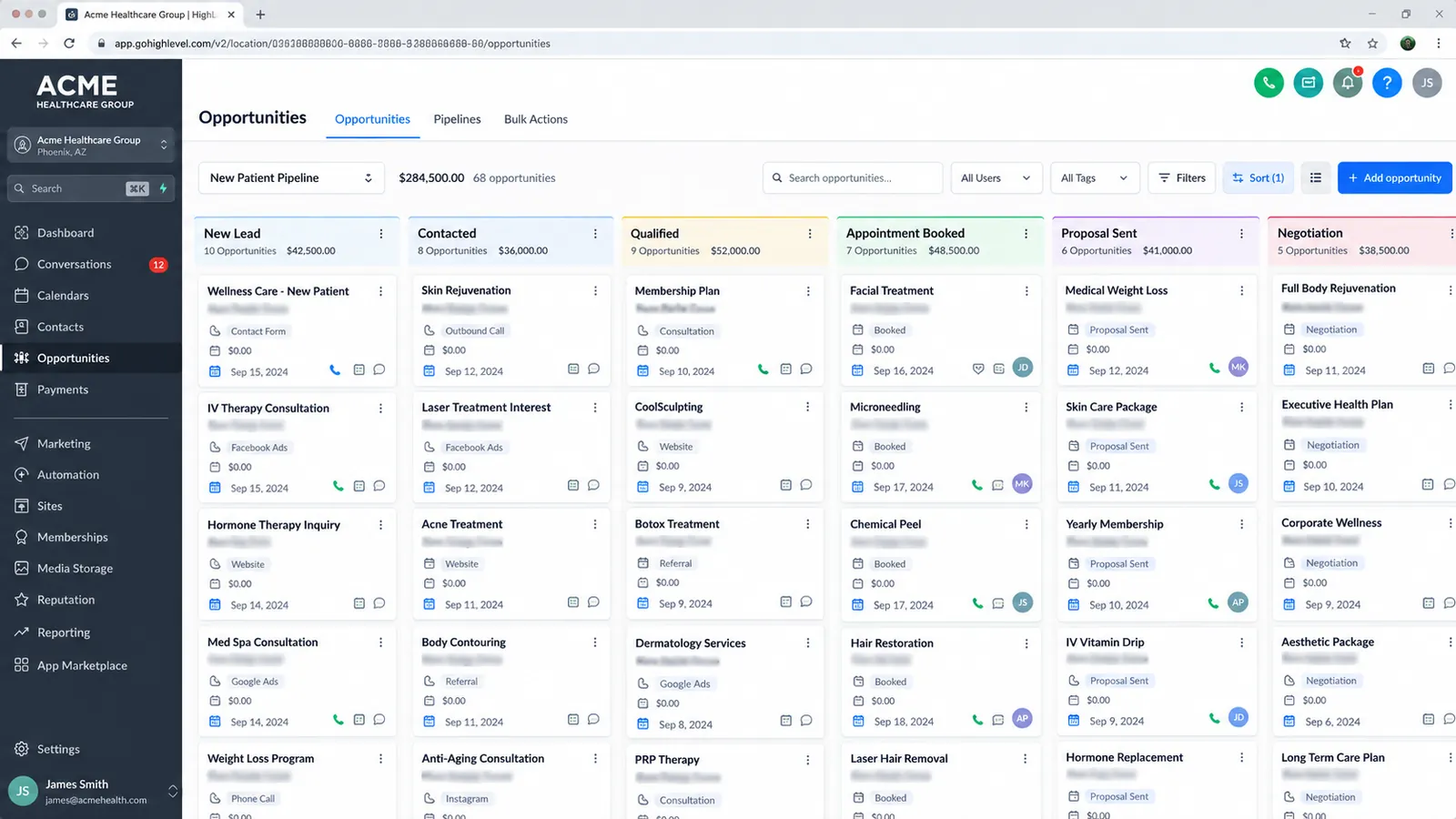
Part of the guide: GoHighLevel setup guide
Key takeaways
- Sub-account and snapshot architecture is the foundation everything else depends on. A snapshot cloned without adapting pipeline stages, tags and triggers to the real sales process is the single most common reason reps work around GoHighLevel instead of with it.
- Every workflow needs an explicit re-entry and exit condition. Without one, a contact can receive the same sequence of texts and emails repeatedly, which is the fastest way an account starts looking spammy to leads and to carriers.
- GoHighLevel's flat subscription doesn't include calling, texting or email sending. Those run through a separate usage-based wallet (US SMS, for example, is $0.00747 per segment plus a carrier fee), and a sub-account running heavy SMS campaigns can rack up real charges well beyond the setup fee if nobody budgeted for it.
- White-label SaaS reselling needs SaaS Mode (Founder, formerly Agency Pro, $497/month), a branded app and rebilling infrastructure configured and tested before the reseller pitch goes to a client. Agencies that skip this step turn a straightforward launch into a scramble.
- aibrevo publishes fixed GoHighLevel pricing because the scope options are standardized: $1,499 to $4,999 for a single-business setup, and $3,999 to $6,999 for white-label SaaS, while multi-location is quoted by number of locations, with timelines running 1-6 weeks depending on tier.
- Multi-location rollouts require a deliberate decision about which assets are shared across locations and which stay isolated per sub-account. Phone numbers and usage budgets should almost never be shared, even when templates are.
Setting up GoHighLevel properly for an agency means building a snapshot around your actual sales process; wiring workflows with explicit re-entry and exit conditions so leads don’t get double-messaged; connecting funnels and forms directly into the CRM; and, if you plan to resell the platform, configuring white-label billing before you sell that pitch to a client. Get the sub-account and snapshot architecture right first, because every automation, funnel and reporting dashboard downstream depends on that foundation holding up. This guide covers each layer in order, plus the pricing and pitfalls that determine whether a GoHighLevel build actually works for an agency or becomes a liability six months in.
If you’re evaluating whether to build this yourself or bring in outside help, the GoHighLevel implementation services page covers what a fully scoped project includes.
Sub-account and snapshot architecture is the foundation
Every GoHighLevel build starts with two decisions: how sub-accounts are structured, and what snapshot gets deployed into them. Get these wrong and every workflow, funnel and report built on top inherits the problem.
A sub-account is a client’s individual workspace inside GoHighLevel, with its own pipelines, contacts, calendars and phone numbers. A snapshot is the reusable template you deploy into a new sub-account so you’re not rebuilding pipelines, automations and forms from scratch every time you onboard a client. The two concepts work together: a well-designed snapshot deployed into a properly isolated sub-account is what makes a GoHighLevel agency setup scale past two or three clients without turning into a maintenance burden.
The single most common mistake here is cloning a snapshot without adapting it. Agencies import a generic or purchased snapshot as-is, and the pipeline stages, tags and triggers don’t match the client’s actual sales process. Reps end up working around the tool instead of with it, manually tracking status in a spreadsheet because the CRM’s stages don’t reflect how deals really move. The fix takes deliberate time: pull a sample of how deals actually progress for this specific client or vertical, and build (or adapt) the snapshot’s stages, tags and triggers around that reality before deploying it.
Most DIY builds skip the adaptation step because the snapshot marketplace makes a cloned snapshot look finished. It is only a starting template.
For a deeper walkthrough of how sub-accounts and snapshots interact, including when to build a custom snapshot versus adapt a purchased one, see the dedicated guides on sub-accounts and snapshots.
Build workflows with explicit re-entry and exit conditions
Automation is where GoHighLevel earns its reputation, and it’s also where the most damage happens when it’s built carelessly. Lead capture, nurture sequences, appointment booking, no-show recovery and review requests all run as workflows, and every one of them needs an explicit re-entry condition (when can this contact restart the workflow) and an explicit exit condition (when does this contact stop receiving it).
The common failure mode: a nurture workflow fires again every time a contact re-enters a trigger tag, so the same lead gets the same sequence of texts and emails repeatedly. From the lead’s side, that looks like spam. From a deliverability standpoint, repeated unsolicited messaging is exactly the pattern that gets numbers and sending domains flagged. This is usually a narrow, fixable problem. A workflow occasionally sending a duplicate message almost always has a missing exit condition on that specific workflow, and the automation layer does not need to be torn down.
Building workflows correctly starts with the exit condition. Before building the sequence, decide explicitly what should stop it: the contact books an appointment, replies with a specific keyword, gets tagged as “customer,” or hits a maximum message count. Only after that’s defined does the trigger and message sequence get built around it. Custom values and merge fields matter here too. Personalization (a contact’s name, their specific service interest, their location for a multi-location build) needs to be configured so templates populate correctly per contact and per sub-account, so nobody has to hand-edit each message.
The re-entry and exit review is cheap to run in a GoHighLevel testing pass and expensive to discover in production.
Connect funnels and sites to the CRM as well as an inbox
Funnels and website builds only pay off when they’re tied into the CRM and its automations. A form submission or a booking flow that lands in a disconnected inbox leaves you with a website and a contact form, with no CRM behind it. The value of building funnels inside GoHighLevel, versus a separate site builder, is that a form fill or booking immediately creates or updates a contact record, drops it into the right pipeline stage, and can trigger the appropriate automation, all without a manual handoff step.
This is also where a form or funnel misconfiguration shows up if testing is skipped: a form submitting to the wrong pipeline, or a funnel step that doesn’t fire the follow-up automation it’s supposed to. That’s a contained, quick fix, but it only gets caught if someone tests the full path from form submission to pipeline stage to automation trigger before go-live, since a funnel that renders correctly can still miss its follow-up automation.
For agencies running review-request or no-show-recovery automations off a booking funnel, the connection between funnel completion and workflow trigger deserves specific attention during testing, since it’s the step most likely to be missed when a build is rushed toward a launch date.
White-label SaaS reselling: SaaS Mode, the branded app, and billing infrastructure
Reselling GoHighLevel under your own brand is one of the platform’s main features for agencies, and the place where scope gets underestimated most. SaaS Mode is GoHighLevel’s add-on for this: it handles sub-account provisioning, plan tiers, and automated client billing so an agency can sell access to the platform as its own product under its own name. Agencies that would rather refer clients to HighLevel than resell it can compare that route in our affiliate and reseller program guide.
Doing this properly requires three pieces working together: SaaS Mode itself configured with your plan tiers and pricing, a branded mobile app so clients experience the platform as yours, and rebilling infrastructure that actually charges clients correctly for their plan and any usage overages. The mistake agencies make consistently is selling the white-label pitch to a client before any of this is configured and tested. It sounds like a straightforward reseller launch on a sales call, and then becomes a scramble once the agency realizes SaaS Mode and their own billing logic need real setup time.
The fix is sequencing: configure and test SaaS Mode, the branded app, and rebilling against a real (or realistic test) sub-account before the reseller offer goes to a single client. That includes confirming what happens when a client’s usage-based costs (see below) exceed their plan tier, since that’s exactly the scenario a half-tested billing setup gets wrong. If white-label billing was never fully configured before launch, that is a foundational gap that needs real setup work, the same category of problem as a pipeline that was never adapted to the real sales process.
Plan tier decides whether the reseller pitch makes money, and almost every write-up of GoHighLevel white-labeling glosses over it. SaaS Mode itself sits on GoHighLevel’s $497/mo Founder tier, which the pricing page lists as “Rebill Phone & Email with Markup”, the mechanism an agency needs to charge clients more than the platform costs to run. The $297/mo Unlimited tier lists “Rebill Phone & Email (no markup)”: an agency on Unlimited can pass phone and email usage charges straight through to a client without adding a margin on top. All three plans are month-to-month. An agency that builds a white-label pitch assuming “SaaS Mode” is a feature it can add to a cheaper tier later will find that the margin it planned to earn does not exist until it is on Founder. Pricing verified directly from gohighlevel.com/pricing:
| Tier | Price range | What it includes |
|---|---|---|
| Single-business setup | $1,499–$4,999 | One sub-account, one snapshot, standard automations |
| White-label SaaS | $3,999–$6,999 | SaaS Mode, branded app, client billing/rebilling infrastructure |
| Multi-location | Quoted by number of locations | Shared snapshot, isolated numbers and wallets per location, central reporting |
aibrevo's published GoHighLevel setup pricing, the one platform where these ranges are quoted upfront rather than scoped per project.
How GoHighLevel’s white-label model compares to Vendasta, ActiveCampaign and HubSpot
Agencies evaluating GoHighLevel against other “white-label-friendly” platforms often get an inaccurate picture, because most comparison content treats HubSpot as a generic alternative on the same axis as GoHighLevel, Vendasta and ActiveCampaign. HubSpot’s Solutions Partner Program, under its 2026 entry policy, has required a $400/month Partner Program Membership since July 15, 2026, waived for partners whose net HubSpot subscriptions reach $400/month. The program is built around partners selling and delivering services on HubSpot-branded software, and partners do not resell a rebranded version of the platform. That makes it a services-referral partnership with no white-label resale model, so it shouldn’t be compared to GoHighLevel or Vendasta as though it had one.
| Platform | Entry price | White-label capability | Contract terms |
|---|---|---|---|
| GoHighLevel | $97/mo (Starter) | Markup-capable rebilling requires Founder ($497/mo); the $297/mo Unlimited tier allows rebilling at cost only | Month-to-month, all tiers |
| Vendasta | $99/mo (Starter) | White-label client portal available on Professional ($499/mo) and Premium ($999/mo) | Professional and Premium require a 1-year contract |
| ActiveCampaign | Discount off list price by active client accounts: 25% at 2+, 35% at 25+, 45% at 50+, 55% at 100+ | White-label under the agency’s own brand and domain, per its White Label Reseller Program terms | Agreement last updated June 27, 2019; ActiveCampaign can revise discounts at any time |
| HubSpot | $400/mo Partner Program Membership, waived at $400/mo net product spend | Not a white-label or resale model; partners deliver services on HubSpot-branded software | Ongoing partner agreement, not a reseller license |
The practical takeaway for an agency comparing these four: GoHighLevel and Vendasta both let you put your own brand on the platform the client sees, with GoHighLevel’s month-to-month terms against Vendasta’s one-year lock-in on the tiers that include white-labeling. ActiveCampaign’s reseller path is published, but the discount schedule dates from a 2019 agreement, so confirm current terms before building a pitch on it. HubSpot’s partner program solves a different problem entirely, referral revenue and co-selling, and shouldn’t be the fallback pick for an agency specifically trying to resell a rebranded CRM.
Multi-location rollouts: what to share, what to isolate
Agencies and franchises running GoHighLevel across multiple locations face a structural question early on: which assets are shared across sub-accounts, and which stay isolated. Get this wrong in either direction and it either creates a maintenance nightmare (rebuilding the same automation ten times) or a data-leakage problem (one client’s change silently affecting another). Agencies with European clients should also read is GoHighLevel GDPR compliant, since keeping each client in its own sub-account is part of that. Each location usually connects its own Google Business Profile; see does GoHighLevel connect to Google Business Profile.
Templates, snapshots and the overall workflow structure are reasonable to share across locations, since they define process and contain no client-specific data. A snapshot built once for a home-services vertical can deploy across every franchise location without adaptation to the base template. Phone numbers, usage budgets and account-specific custom values should almost always stay isolated per sub-account. Sharing a phone number across locations means calls and texts from one location’s activity show up mixed with another’s; sharing usage budgets means one location’s heavy SMS campaign can eat into another’s allocation without either location’s manager knowing why.
The more general version of this mistake, sub-accounts sharing assets that should be isolated, is common even outside multi-location builds. Templates, custom values or phone numbers get shared across client sub-accounts to save setup time, and a change made for one client silently changes what another client sees. If this is already happening in an existing account, it’s a structural problem that needs a rebuild of the shared-asset architecture, and correcting a single sub-account will not fix it. Central reporting that rolls up performance across locations is worth building deliberately on top of this structure once the isolation boundaries are set correctly; retrofitting it onto an account where sharing decisions were made ad hoc is the harder route.
Budget for usage-based costs on top of the flat subscription
GoHighLevel’s subscription price covers the platform itself; it does not cover calling, texting or email sending. Those run through a separate usage-based wallet, billed on top of the flat monthly fee. This distinction matters most for agencies running client sub-accounts with meaningful SMS or call volume, because a busy sub-account can generate real wallet charges well beyond the setup fee if nobody estimated volume during scoping. Agencies still on their own Twilio account should read Twilio vs LC Phone before planning rebilling.
An unexpected wallet charge one month is usually a monitoring and budgeting issue, solved by setting usage alerts and reviewing which campaigns are driving the cost. The underlying workflow logic does not need to be rebuilt. The practical fix is proactive: estimate expected SMS, call and email volume during the scoping phase, configure usage alerts where GoHighLevel supports them, and flag campaigns likely to drive heavy volume (aggressive nurture sequences, high-frequency review requests) before launch, so the cost does not first show up on an invoice.
For agencies reselling the platform under white-label SaaS, this gets an extra layer of complexity: usage costs need to be passed through to clients accurately via the rebilling infrastructure covered above, which is one more reason that billing setup needs real testing before the reseller pitch goes out.
What a GoHighLevel agency setup actually costs
GoHighLevel is one of the few platforms where publishing fixed price tiers makes sense, because the scope options are standardized, where an enterprise CRM build is open-ended. A single-business setup (snapshot, pipelines, workflows, funnels tied into the CRM) typically runs $1,499 to $4,999. A white-label SaaS build, layering in the SaaS configurator, branded app, billing and rebilling infrastructure, runs $3,999 to $6,999. A multi-location rollout with a shared snapshot and properly isolated sub-accounts is quoted by number of locations, in writing, after a call. Template-based setups are commonly sold for $500 to $2,000 (see the expert pricing benchmark); our single-business band sits at or above that, our SaaS band sits inside the market range, and our builds include A2P 10DLC filing, number porting, sending-domain authentication and a recorded walkthrough, with the client owning the account.
Timeline scales with tier. A single-business setup often lands in 1-2 weeks: snapshot build in the first few days (adapting pipeline stages, tags and triggers to the real sales process), automation and funnel configuration through the middle, testing and go-live at the end. White-label SaaS and multi-location builds extend to 3-6 weeks, because billing infrastructure or sub-account architecture adds real setup time before the first client sub-account or location goes live. The full breakdown of what pushes a project toward the top of each range, along with the week-by-week phase structure, is in the GoHighLevel implementation cost guide.
A typical single-business GoHighLevel setup's time split across its 1-2 week timeline. This is illustrative of a standard build, not a fixed rule: white-label SaaS and multi-location tiers shift more of the timeline into billing setup and sub-account provisioning instead.
A well-built single-business setup can take white-label reselling later. Provided the original build used reasonable naming conventions and a clean pipeline structure, the SaaS configurator, billing and rebilling infrastructure layer on top cleanly without a rebuild. If you’re comparing this against a broader implementation budget across platforms, the pricing page has the full picture of how we structure projects across GoHighLevel and other CRMs.
Finding a GoHighLevel expert who won’t create these problems
HighLevel does run its own certification: the HighLevel Certified Admin program includes a live proctored exam, a badge valid for two years (renewed by earning at least two skills badges a year), and a listing in the HighLevel Certified Directory, for $97 a month or $970 a year. It’s a vendor-run credential, and plenty of people market themselves as a “GoHighLevel expert” without it, sometimes on the strength of a single agency launch. Our comparison of GoHighLevel experts, agencies and freelancers covers how to weigh each option.
The more reliable signal is direct evidence tied to the specific failure points covered above: snapshots someone has actually built and adapted beyond a simple clone, workflows with visibly clean re-entry and exit logic, and, if white-label is in scope, whether they’ve configured and tested SaaS Mode and rebilling before, on top of the CRM side of a build. Ask specifically about sub-account isolation and usage-cost management on any past project, since those are the two areas where inexperienced builds most often go wrong, and the hardest to fix once a client base is live on a flawed structure.
Rebuild or fix: reading the signals correctly
Not every GoHighLevel problem calls for tearing the account down and starting over. A workflow occasionally sending a duplicate message is a missing exit condition, fixed by adding the right trigger to that one workflow. An unexpected wallet charge one month is a budgeting and monitoring gap, fixed with usage alerts and a review of which campaign drove the cost. A form submitting to the wrong pipeline is a contained mapping fix.
Pipeline stages that don’t match how the business actually sells, sub-accounts sharing templates or phone numbers that should be isolated, and white-label billing that was never fully configured before launch are a different category. Each of those is a structural gap, and patching around it usually costs more in the long run than doing the underlying rebuild once, correctly. Distinguishing between the two categories before committing to a scope of work is worth the diagnostic time it takes.
The bottom line for agencies setting up GoHighLevel
GoHighLevel rewards agencies that treat the sub-account and snapshot layer as real architecture, and it punishes the ones that clone and launch quickly or skip re-entry/exit logic, sub-account isolation, or white-label billing testing to move faster. Every pitfall covered here (the cloned snapshot, the duplicate-sending workflow, the shared phone number, the underbudgeted usage wallet, the untested rebilling setup) is avoidable with deliberate setup time, and every one of them is expensive to discover after clients are already live on the platform. If you’re scoping a build, start with the GoHighLevel implementation services page for what a properly structured project includes at each pricing tier.
Sources
- HighLevel, pricing page (plan prices, sub-account limits, rebilling with or without markup, SaaS Mode, month-to-month terms). Checked October 7, 2026.
- HighLevel, Certification Program. Checked October 7, 2026.
- HighLevel Help Center, “How to Calculate SMS and MMS Costs” (US base rate $0.00747 per segment), and the Twilio US SMS pricing page it points to for carrier fees. Checked October 7, 2026.
- Vendasta, pricing page. Checked October 7, 2026.
- ActiveCampaign, Reseller Partner Agreement, last updated June 27, 2019. Checked October 7, 2026.
- HubSpot, 2026 entry and tiers policy for Solutions Partners. Checked October 7, 2026.