
 By Alpit Patel and the aibrevo team · September 14, 2026 · Updated October 13, 2026 · 14 min read
GoHighLevel Snapshots Explained: What They Are and How to Build One That Works
What a GoHighLevel snapshot is, why cloning one generically breaks sales workflows, and how to build snapshots that adapt cleanly across clients or locations.
Part of the guide: GoHighLevel setup guide
Key takeaways
- A GoHighLevel snapshot is a reusable template that bundles pipelines, automations, calendars, forms and tags into one package that can be deployed into a new sub-account in minutes instead of built from scratch.
- The most common snapshot mistake is cloning one as-is without adapting pipeline stages, tags and triggers to the real sales process: reps then work around a tool that doesn't match how they actually sell.
- Snapshots are the mechanism that let an agency roll out one consistent standard across many locations or clients at once, rather than each site building its own informal process.
- In an illustrative 14-location home-services franchise case, a shared automation snapshot with round-robin routing brought speed-to-lead under two minutes at every location, replacing 14 inconsistent manual processes.
- Workflows built without a re-entry or exit condition will re-fire the same sequence on a contact repeatedly, which is the single most common cause of a GoHighLevel account looking spammy.
- A niche, industry-specific snapshot earns its build cost once a template gets reused across enough same-industry clients that the shared pipeline stages and triggers actually hold up; general snapshots make more sense for a smaller or more varied client base.
- GoHighLevel's global snapshot push overwrites any custom changes a sub-account made to a shared workflow or funnel unless that asset was duplicated first, per HighLevel's own support documentation, a detail that catches agencies off guard the first time a client complains a customization disappeared.
- Deploying snapshots or pulling reports programmatically across many sub-accounts runs into GoHighLevel's published API rate limits (500 requests per 10 seconds per sub-account on standard API keys), which matters once an agency is managing dozens of locations at once.
A GoHighLevel snapshot is a reusable template that bundles pipelines, automations, calendars, forms and tags into one package, so a new client or location can start with a working setup instead of an empty account. Snapshots are how an agency avoids rebuilding the same pipeline and workflow logic by hand every time it onboards someone new. Used well, a snapshot is the difference between a consistent, tested standard and 14 different people improvising their own version of the same process.
The rest of this covers where snapshots go wrong in practice and what separates one that saves real time from one that just moves the same problems to a new account faster. The account-isolation questions behind that are covered in GoHighLevel Sub-Accounts Explained.
What’s the core mistake when cloning a snapshot?
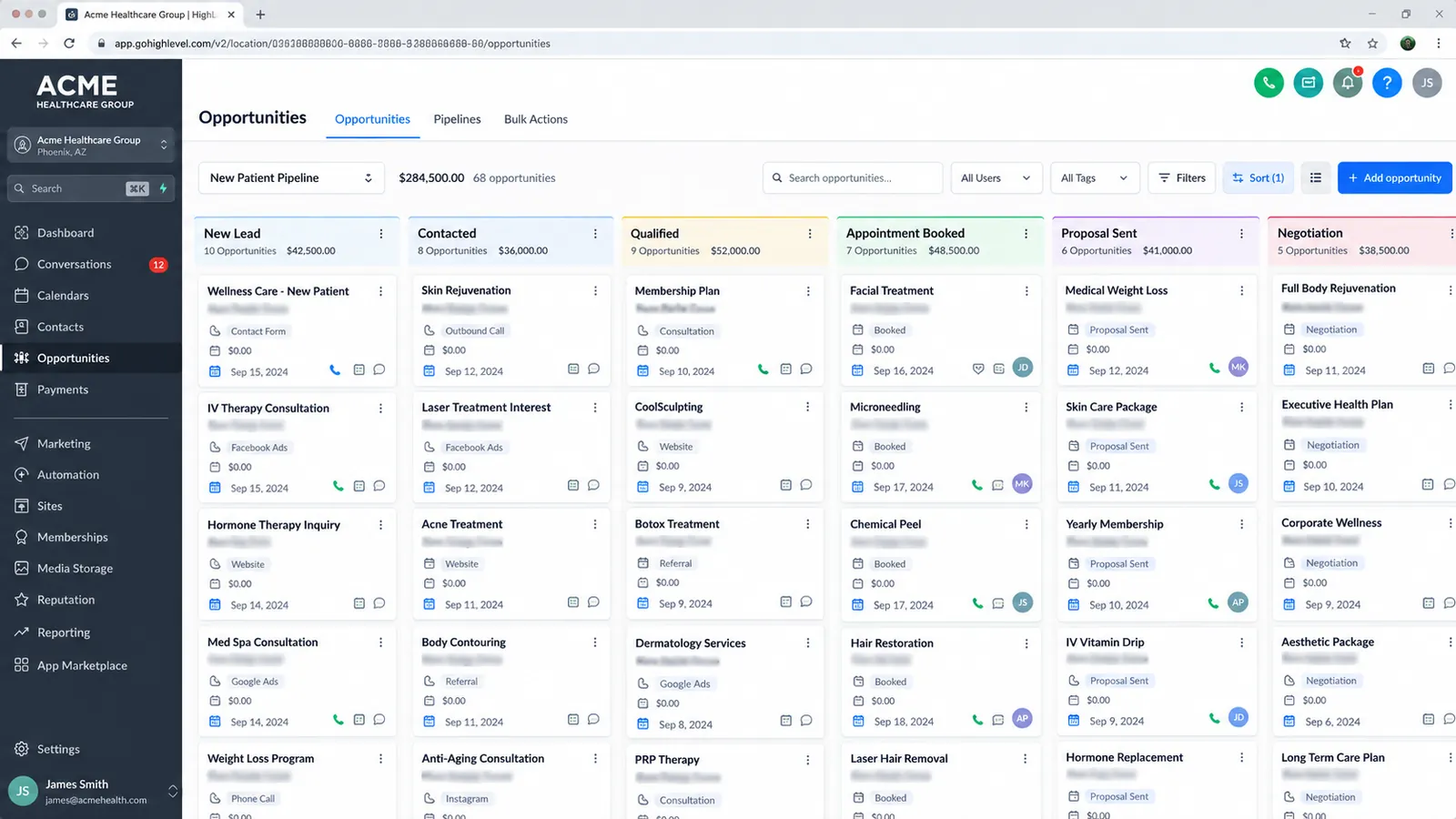
The most common snapshot failure is a snapshot deployed as it was built, without adjusting it to how the new client or location actually sells. An agency imports a generic or purchased snapshot as-is, and the pipeline stages, tags and triggers inside it reflect the process of whoever built the original template.
The symptom shows up fast: reps stop trusting the pipeline. If a snapshot’s stages assume a five-touch sales cycle and the new client actually closes most deals on the first call, reps either skip stages they were told to use or invent their own tracking outside the tool, usually a spreadsheet or a sticky note. Once that happens, the pipeline stops being a source of truth, and nobody’s automation is firing against accurate data anyway, because the tags that trigger it were never renamed to match what the team actually calls each stage of the deal.
The fix is simple but needs deliberate time before go-live. Before deploying a snapshot into any new account, walk through the pipeline stages with whoever actually runs the sales process there and ask a direct question: does each stage name match a real, distinct point in how a deal moves? Rename or reorder stages that don’t. Then check every tag and trigger tied to a stage change, since a workflow keyed to a tag that no longer matches the renamed stage will silently stop firing, and that failure mode is much harder to spot than a stage name that’s obviously wrong. This adaptation pass is usually a fraction of the time it took to build the original snapshot, but skipping it turns a time-saving template into a tool people avoid. Clone a generic snapshot into a new account without the stage and tag pass and the sales team is likely to stop using the pipeline within the first two weeks. Services for adapting and deploying GoHighLevel snapshots cover this kind of pre-launch adaptation work as well as the initial build.
How do snapshots roll out one standard across many locations or clients?
A snapshot pays off most at scale. Once a snapshot is built and adapted correctly, it becomes the mechanism for deploying the same tested standard, the same lead-routing logic, the same automated response sequence, into every location or client an agency manages, instead of each site building its own version from scratch.
This matters most when consistency itself is the point. Consider an illustrative case: a 14-location home-services franchise where each location had been handling leads its own way, some responding within minutes, others not until someone happened to check a shared inbox. There was no consistent automation and no shared standard for how fast a new lead got a response, which meant corporate had no reliable way to tell which locations were losing leads to slow follow-up.
The fix in that scenario was a single shared automation snapshot, built once and deployed identically into every location’s sub-account, with round-robin routing configured so a lead from a given service area reached an available rep at the right location automatically. Instant SMS and call-routing automation gave every new lead a first response within minutes, before a human even saw it. Deployed across all 14 locations, that one standard brought speed-to-lead under two minutes everywhere, regardless of which local team took the call. The full write-up of that engagement is an illustrative, anonymized example of the pattern, not a named client case. It shows what a snapshot is for at scale: guaranteeing the same standard holds everywhere without corporate checking every location by hand.
Deploying identically still leaves some local work. Even in a multi-location rollout built around one shared snapshot, each location typically needs its service area, team size and local business hours reflected in the routing logic. The snapshot carries the standard; the local admin still owns a short list of settings that have to match their specific location.
How do you build re-entry and exit conditions correctly?
A workflow without a defined exit or re-entry condition will keep firing on the same contact every time they meet the trigger criteria again, sending the same sequence of texts or emails repeatedly. This is one of the most common automation mistakes in GoHighLevel accounts, and it’s usually invisible to whoever built the workflow until a contact complains about getting the same text three times in a week.
The mechanics are simple once you know to check for them. Every workflow trigger has a re-entry setting, and by default some triggers will let a contact who already completed a workflow start it again the moment they re-qualify, for example if a “new lead” trigger fires again because the same contact filled out a second form. Without an explicit exit condition, such as “stage changed” or “appointment booked” or “tag removed,” the workflow has no signal that the contact’s situation has moved on, so it treats them as a fresh entrant every time.
The practical build habit: for every workflow that sends outbound messages, ask what should stop a contact from receiving this sequence again, and build that as an explicit exit condition rather than leaving re-entry on by default. A booked-appointment workflow should exit the moment an appointment is booked, not keep sending “book now” texts to someone who already has one on the calendar. A nurture sequence tied to a pipeline stage should exit as soon as the contact moves to the next stage, not continue running in parallel with whatever automation the new stage triggers. Getting this wrong annoys contacts and also makes reporting harder to trust, since a contact stuck looping through the same workflow looks like repeated engagement in the data when it’s really a broken exit condition.
Missing exit conditions tend to cluster in the workflows agencies build fastest under deadline pressure, since re-entry defaults are easy to overlook when the priority is getting a snapshot shipped.
When should you build a niche snapshot versus adapting a general one?
Whether a niche, industry-specific snapshot is worth building comes down to how much reuse it will get. A snapshot built specifically for, say, home-services franchises can bake in pipeline stages, tags and automation triggers that match that industry’s real sales pattern (service call booked, quote sent, job scheduled, job completed) closely enough that new accounts in that same industry need only minor adaptation. That upfront specificity pays for itself once the same niche snapshot gets deployed across enough same-industry clients or locations, since each new deployment only needs the light per-account adaptation pass covered earlier rather than a from-scratch pipeline build.
A general snapshot makes more sense when the client base is varied enough that a niche template wouldn’t fit most of them anyway. If an agency serves a mix of industries with different sales cycles, professional services, e-commerce, local retail, maintaining several niche snapshots (or forcing all of them into one industry-specific template) usually costs more than it saves. In that case, one well-structured general snapshot, built around common needs like lead capture, calendar booking and basic follow-up automation, adapted more heavily per client, is the more sustainable choice.
The decision point is reuse volume: build niche once the same industry pattern is going to be deployed repeatedly, and stay general when each new client’s process is different enough that a niche template’s assumptions would need stripping out more often than they’d get used. Pricing for snapshot build and adaptation work generally reflects that difference, since a niche snapshot with heavy reuse spreads its build cost across more deployments than a one-off general adaptation does.
What does GoHighLevel’s snapshot marketplace add on top of building your own?
A growing marketplace of pre-built snapshots exists alongside GoHighLevel’s own free template library, sold by third-party creators who specialize in specific niches, and it helps to know what that marketplace buys an agency before treating it as a shortcut around the adaptation work covered above.
A marketplace snapshot’s value is starting further along than a blank sub-account: pipeline stages, tag structures and workflow logic for a given niche, arrived at by someone who’s already iterated on that industry’s sales process across multiple clients. That’s a head start over building the same structure from nothing. It doesn’t exempt the buyer from the adaptation pass. A marketplace snapshot built for, say, general home-services businesses still needs its stage names, triggers and calendar setup checked against the specific business it’s being deployed into, the same way a purchased template in any other category needs fitting to the buyer before it’s actually usable. Treat a marketplace snapshot as a faster starting draft and budget the same short adaptation pass this guide covers for any snapshot, purchased or self-built.
Quality also varies widely across marketplace creators, and there’s no standardized review or certification process the way there is for, say, an app store. Checking a snapshot’s build against the reasoning in this guide, does each pipeline stage reflect a real, distinct point in a deal’s progress, does every trigger have an explicit exit condition, matters more than which marketplace listing it came from.
How does pushing a snapshot update actually work, and what does it overwrite?
Pushing an update sends the current state of a master snapshot out to every sub-account that previously loaded it. According to HighLevel’s own support documentation on pushing and loading snapshot updates, the agency refreshes the snapshot from its source sub-account, then pushes that refreshed version out, and any sub-account that already has that snapshot loaded receives the update.
What catches agencies off guard is what happens to a sub-account’s own customizations. New assets added to the snapshot get added to every sub-account that receives the push. But existing assets, a workflow, a campaign, a funnel, that a sub-account already has get overwritten with the version currently in the snapshot, not merged with it. If a client’s team edited that workflow after it was first deployed, tightened a follow-up delay, changed a message, added a step, that edit is gone the moment the next global push lands, unless the sub-account duplicated the asset first so the push has a separate, untouched copy to overwrite instead.
This is documented behavior, and it is a common source of clients asking why something they built disappeared. The practical habit: before a broad push across many sub-accounts, check whether any of them are known to have customized the assets being updated, and either exclude those sub-accounts from the push or confirm the customization was already duplicated into a separate asset the push won’t touch. For agencies managing a handful of sub-accounts, that’s a quick manual check. For agencies managing dozens, it’s worth tracking which sub-accounts have deviated from the base snapshot as a matter of process, so nobody has to reconstruct it after a client complains.
Version management, a separate feature covered in HighLevel’s snapshot version history documentation, keeps a record of what changed between snapshot versions, but it is informational and not a rollback button: reviewing version history tells an agency what changed and doesn’t automatically undo a push that overwrote a client’s customization. That helps diagnose a complaint after the fact and doesn’t replace checking before the push goes out.
What API rate limits matter once snapshot deployment happens at scale?
An agency pushing snapshot updates or pulling reporting data across a handful of sub-accounts will rarely notice a rate limit. An agency managing dozens of locations, especially one scripting bulk changes rather than clicking through the dashboard one sub-account at a time, needs to design around GoHighLevel’s published API limits rather than discover them mid-rollout.
Per HighLevel’s own API rate limits documentation, standard API keys are capped at 500 requests per 10 seconds per sub-account, and rate-limit-sensitive endpoints like conversations and reporting can carry lower limits than that baseline. Marketplace OAuth apps, the kind built for reselling as an integration rather than for internal agency use, are capped separately at 200,000 requests per day and 100 requests per 10 seconds per sub-account. Because the quota is scoped per sub-account rather than shared across an agency’s whole portfolio, installing the same integration on more sub-accounts doesn’t shrink everyone’s individual allowance, but it does mean a script looping through 40 sub-accounts sequentially needs pacing logic, or it will start hitting 429 rate-limit responses partway through the run.
This matters directly for snapshot rollouts because a common agency workflow, pulling a report from every sub-account to check which ones already have the latest snapshot version loaded, or scripting a bulk configuration change across a franchise’s full location list, is the pattern that runs into these caps if it’s built without rate-limit handling. Agencies building this kind of tooling in-house should budget for retry logic and request pacing from the start, since rate limits are not an edge case to handle later; agencies without in-house development capacity for that layer are usually better served sticking to the dashboard’s built-in bulk-push tool, which handles the pacing internally, or bringing in a developer who’s already built against these limits. GoHighLevel implementation services covers both paths depending on how much of this an agency wants to own versus hand off.
How do you verify a snapshot is saving time instead of moving the same problems faster?
A snapshot that deploys quickly but still needs heavy rework at every new sub-account isn’t saving the time it appears to save. It moves the same configuration work from “before go-live” to “the first few weeks after go-live,” where it’s harder to see and easier to blame on something else. Check this directly, since a fast deployment doesn’t equal a working one.
The simplest way to check: track how many support tickets or “can you fix this” messages come in from a new sub-account in its first 30 days after a snapshot deploy, and compare that against a sub-account built from scratch, or against a different snapshot. A well-adapted snapshot should produce noticeably fewer early tickets, because the pipeline, tags and triggers already match how the team actually sells. A snapshot that generates a steady stream of “why did I get this text twice” or “this stage doesn’t match what we do” tickets in its first month points to an adaptation pass that was skipped or done too lightly.
The gap in that chart is the business case for building snapshots properly, and it is why the adaptation pass described earlier can’t be skipped under deadline pressure. A snapshot deployed without adaptation might look like it hit the 1-2 hour number, but the hours saved on day one resurface as support tickets, reps working around the tool, and manual fixes spread across the following weeks, usually at a higher total cost than doing the adaptation pass properly the first time.
Bringing it together
A GoHighLevel snapshot delivers when it is treated as a starting template and deliberately adapted. The stages, tags and triggers inside it need to match the real sales process of whoever’s account it lands in, workflows need explicit exit conditions so they don’t loop on the same contact, and the decision between a niche or general snapshot should track how often that template will get reused.