
 By Alpit Patel and the aibrevo team · September 11, 2026 · Updated October 8, 2026 · 19 min read
HubSpot CRM Migration: Steps, Tools and Cost
What to plan for when migrating to HubSpot from Salesforce, Pipedrive, Zoho or spreadsheets: lifecycle stage mapping, deal pipeline rebuilds, and a realistic cutover checklist.
Part of the guide: CRM migration guide
Key takeaways
- Lifecycle stage mapping is the one HubSpot-specific decision that has to happen before any other mapping work; most source CRMs have no direct equivalent to HubSpot's subscriber-to-customer stage model, and getting it wrong skews reporting for months.
- A median of published agency and partner price pages (checked October 2026) puts HubSpot's small-business implementation at $3k-$6k and mid-market at $10k-$30k, a lower band than Salesforce's $10k-$25k for a small business, though Hub mix and integration count move the number more than seat count does.
- Data migration/dedup and properties/workflow build are typically the two largest line items in a HubSpot migration project, each running roughly 22% of the total effort, ahead of lifecycle mapping itself.
- HubSpot's built-in duplicate tools work best on data going forward, not retroactively: de-duplicate in the source system, and match multi-source consolidations on email domain plus normalized company name before import.
- Marketing consent and subscription status need their own explicit migration task with its own validation pass; any contact with ambiguous consent should default to unsubscribed, not be reconstructed optimistically.
A typical HubSpot migration timeline by phase: proportional, not a fixed schedule. Lifecycle-stage mapping and Hub count shift these percentages meaningfully.
Migrating to HubSpot goes more smoothly when lifecycle stages, deal pipelines and required properties are planned before data moves; HubSpot’s data model has some concepts (lifecycle stage in particular) that most other CRMs lack, and mapping those correctly up front avoids months of confusing reports afterward. If you’re still deciding whether HubSpot is the right destination at all, the HubSpot vs Salesforce comparison and the platform-agnostic CRM migration guide are worth reading first; this guide assumes HubSpot is the confirmed destination and focuses on what’s specific to it.
Can HubSpot migrate your CRM data for you?
Partly. HubSpot’s own tool, Smart Transfer, lets a Super Admin copy data from a supported source app into HubSpot, but you still choose what moves, check the result and clean up afterward. HubSpot’s knowledge article “Transfer data from other apps using HubSpot Smart Transfer” (published 2025-08-06, checked 2026-10-14) describes it.
What the article says:
- Who can run it: “Only Super Admins can access Smart Transfer.” Some source apps need extra permissions in that app.
- Supported source apps: Pipedrive, Zoho CRM, Dynamics 365, ActiveCampaign, Copper, Mailchimp, Keap, Salesforce, Account Engagement/Pardot, Marketo, Zendesk, Freshdesk and monday.com.
- Five steps: audit the source objects and record counts; configure which objects and properties to transfer (HubSpot creates matching properties and pipelines and sets up workflows to bridge data-model differences); start the data sync; run optional one-time transfers for data types sync does not support; clean up empty properties and transfer workflows.
- Direction: one way, from the source app into HubSpot.
- Time: the initial sync “can take several hours to complete depending on the volume of data.”
- Cost gate: a Data Hub subscription is required to transfer custom field mappings. The article lists no other pricing.
Data moved through the optional one-time transfers, such as attachments and segments, “won’t be part of an ongoing sync,” so changes made in the source afterward do not reach HubSpot. Plan a last manual check for those data types before you switch the source off.
If you plan to keep using Salesforce, the article says to use the HubSpot-Salesforce integration instead of Smart Transfer, because running both creates duplicate records (the two use different unique identifiers to match records).
The article does not describe a done-for-you migration team or give a record limit. If you want someone else to own the mapping and cleanup, that is a services decision.
Want a person to own the mapping, dedupe and cutover? aibrevo's team scopes and runs HubSpot migrations end to end. See HubSpot implementation and migration services or send a message and get a written read on your data.
Which guide fits your source CRM?
| Source | What to read | Why |
|---|---|---|
| Pipedrive | Pipedrive to HubSpot migration guide | Owns the Pipedrive deal-and-stage mapping |
| Another HubSpot account | HubSpot to HubSpot migration | Portal-to-portal moves have their own rules |
| Salesforce, Zoho, Dynamics 365 | CRM migration guide | General audit, mapping, sandbox and cutover steps; all three are Smart Transfer sources |
| Spreadsheets or CSV exports | CRM migration guide | HubSpot’s native import covers flat files; Smart Transfer is for supported apps |
Map lifecycle stages before you map anything else
HubSpot’s lifecycle stage (subscriber → lead → MQL → SQL → opportunity → customer) is central to how HubSpot’s reporting and automation work, and most other platforms don’t have a direct equivalent. Before migrating, decide explicitly how your source data’s stages or statuses translate into HubSpot’s lifecycle stages; get marketing and sales to agree on the mapping together, since lifecycle stage usually drives both teams’ reporting and a mismatch here creates disagreement about what a “lead” actually means for months after go-live. If your source CRM is Pipedrive, the Pipedrive to HubSpot migration guide covers the field mapping specific to that move.
Write the mapping down as an explicit table (source status on one side, target lifecycle stage on the other) and walk through edge cases before import: a contact with no deal and no marketing engagement, a contact who was a customer in the old system but has since churned, a contact imported from a list with no status at all. Deciding these defaults in a meeting takes twenty minutes; discovering them as bugs in a dashboard three weeks post-migration takes considerably longer to trace back to the root cause.
Coming from a platform with a flatter data model (Pipedrive’s single deal-stage pipeline, or a spreadsheet with no status column at all), the lifecycle-stage mapping exercise is where most of the real thinking happens, since there’s no existing field to map from directly. In that case, build the mapping from actual sales behavior instead: pull a sample of contacts that closed as customers in the last two quarters and work backward through what qualified them at each point, then use that pattern to set defaults for the rest of the database. Coming from Salesforce, the opposite problem shows up: Salesforce’s Lead/Contact split and multiple record types often map to more granularity than HubSpot’s lifecycle stage captures, so part of the mapping work is deciding which distinctions to collapse.
What migrating to HubSpot typically costs, by company size
HubSpot’s per-seat license price is easy to find; the number that actually determines your first-year budget is implementation cost, and it scales with Hub mix and integration count more than headcount. The chart below shows the cited industry cost range by company size:
Compared with the Salesforce cost range, HubSpot’s small-business band ($3k-$6k) sits well below Salesforce’s ($10k-$25k), and its enterprise band ($25k-$100k+) tops out far below Salesforce’s ($150k-$400k+). That gap comes mostly from Hub count and customization depth. A single-Hub HubSpot migration with clean data costs less to execute than a multi-cloud Salesforce build, but a multi-Hub HubSpot Enterprise rollout with a Salesforce migration behind it and several integrations can land closer to the middle of that enterprise range than the buyer expects going in. Where your specific migration falls depends on Hub mix, integration count and data volume, and a scoping call is how you pin those down.
Where the migration budget actually goes
The phase breakdown at the top of this guide explains why “just import the contacts” plans routinely run over budget. Data migration/dedup and properties/workflow build are tied as the two largest line items, each consuming roughly 22% of a typical project; together, that’s nearly half the migration budget going to work that happens before a single contact record is validated in production.
Validation and cutover together are only 20% of the total, a reminder that most of the risk in a HubSpot migration is retired before cutover day, provided the mapping, property and dedup work earlier in the list actually got the attention its budget share implies. A project that compresses lifecycle mapping and properties work to “save time” moves the same work later, where it’s more expensive to fix because live records and live workflows are already built on top of it.
Rebuild your deal pipeline, don’t just import stage names
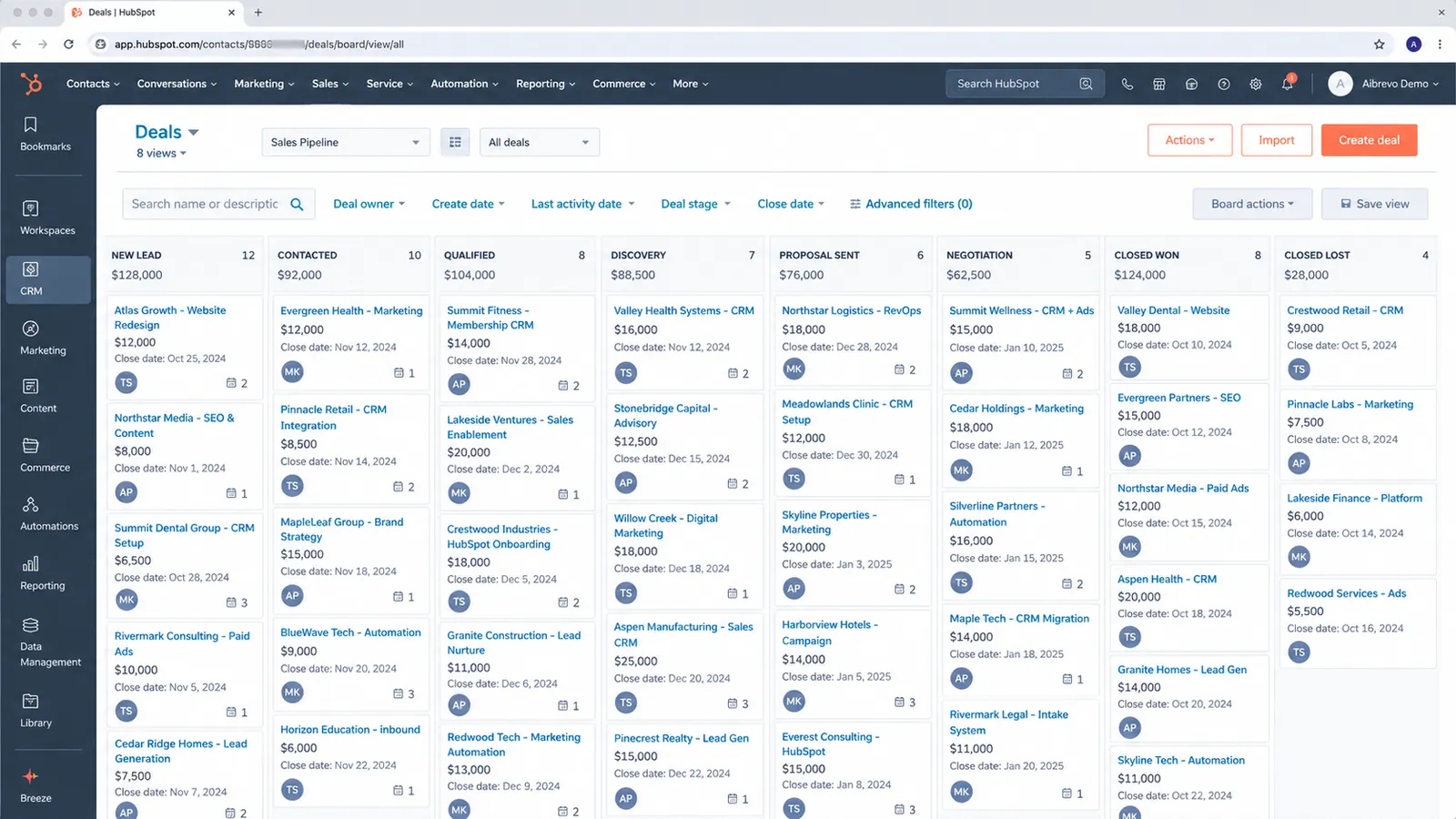
Deal pipelines and stages need to be built in HubSpot to match your real sales process, and importing a flat list of stage names from your old system does not do that. This is the moment to fix a pipeline that’s drifted from reality; if your old CRM’s stages didn’t reflect how deals actually moved, recreating them as-is in HubSpot just carries the same problem forward. The composite HubSpot SaaS forecasting case study shows how redefined stages took forecast accuracy from roughly plus or minus 40% to within 12%.
A practical check: pull a sample of 20-30 closed-won deals from the old system and trace which stages they actually passed through versus which stages exist on paper but rarely get used. Stages nobody’s deals ever occupy are candidates to cut; stages where deals visibly skip from one to another (bypassing a “Proposal Sent” stage entirely, say) suggest the real process has already diverged from the documented one, and HubSpot’s rebuild is the natural point to reconcile the two.
If you’re running more than one genuinely different sales motion (new business versus renewals, or different products with different cycles), HubSpot supports multiple pipelines per deal object, and it’s worth using that deliberately. Cramming every motion into one pipeline leaves stages that mean different things depending on which team is looking at them. The same logic that applies to Salesforce record types applies here: if two teams would name the stages of their process differently, that’s the signal for separate pipelines.
Set required properties before data lands, not after
HubSpot’s data quality tools (required properties, property validation) are only useful if configured before migration; importing data first and adding required-field rules afterward means you’re retroactively fixing a database that’s already inconsistent. Decide which properties are genuinely required at each lifecycle stage before the first record is imported.
Required properties work best when they’re tied to a specific lifecycle-stage transition. Requiring a “deal source” on creation makes sense, but requiring it on every contact regardless of stage just trains reps to fill in a placeholder value to get past validation. Property validation rules (format, allowed ranges) are worth setting on fields that feed reporting or automation logic in particular, since a malformed value there breaks a workflow or dashboard, which is worse than an untidy record.
Rebuild workflows in HubSpot’s automation model
Workflows, lead routing and notification automation from another platform (or from Salesforce Flow/Apex) need to be rebuilt using HubSpot’s own workflow tools; the logic can usually be replicated, but the mechanics are different enough that a direct copy rarely works. Treat automation rebuild as its own line item in migration planning, scoped before data is loaded.
Start by listing every automated action the old system performs, without reference to the tool that runs it: “notify the rep when a demo is booked,” “move a contact to MQL after three email opens.” Rebuilding from the action list usually produces a cleaner HubSpot workflow than translating the old tool’s trigger syntax line by line, and it’s the natural point to retire automations that accumulated as one-off exceptions nobody remembers the reason for.
For teams coming specifically from Salesforce, this is usually the single biggest scope surprise: Apex triggers and Flow logic built around governor limits and record-level sharing rules have no HubSpot equivalent to translate to line-by-line, because HubSpot’s workflow model doesn’t work that way. The fix is to re-derive the underlying business rule (“route to the rep who owns the territory,” say) and rebuild it natively in HubSpot’s workflow branching and if/then logic, which usually takes less configuration than the original Apex did but requires someone who understands why the original automation existed as well as what it did.
De-duplicate before import: HubSpot’s dedup tools work best on your active-going-forward data
HubSpot has built-in duplicate management, but like most CRMs it’s best at preventing new duplicates once you’re live and weaker at cleaning up a large existing mess after import. Run de-duplication on your source data before migrating (see the general CRM migration guide for the full de-dup process), particularly for company/contact matching if you’re consolidating from multiple source systems.
Consolidating from more than one source is where this gets genuinely tricky: the same company might exist in a marketing tool’s list, a spreadsheet the sales team keeps, and an old CRM, each with slightly different name spellings and no shared unique identifier. Match on email domain and normalized company name before import. HubSpot’s post-import dedup tools are built to catch a new duplicate created by a rep, so they are a poor fit for reconciling three overlapping datasets.
Work through matches in the same confidence tiers that apply to any CRM migration: exact email matches can be merged with minimal review, while a company-name match with different phone numbers or slightly different spellings needs a human to confirm before merging; an overly aggressive automated pass is just as likely to combine two real companies that share a common word in their name as it is to catch a genuine duplicate.
A widely-cited Bloor Research analysis of data migration projects found that poor source-data quality drives roughly 53% of migration cost and schedule overruns, and separate industry tracking puts the share of migration projects that end up over budget or over schedule at more than 80%. HubSpot has leaned into AI-assisted data tooling recently: the platform expanded from four Breeze AI agents to more than 20 between January 2025 and February 2026, but that expansion is aimed mostly at ongoing enrichment and workflow assistance once you’re live, and is not designed to reconstruct a messy source database during import. The dedup work described above still has to happen before data lands in HubSpot.
Decide what happens to marketing data separately from sales data
Marketing data needs its own migration plan, separate from the sales pipeline, whenever the source system doesn’t already track it the way HubSpot does. This applies most directly if you’re migrating from a sales-only CRM into HubSpot’s combined Marketing/Sales/Service Hubs: email subscription status, marketing consent records and campaign history usually need their own mapping and import process distinct from the deal/contact migration, and consent/compliance data in particular needs to carry over accurately and should never be reconstructed from scratch.
Subscription-type mapping deserves its own checklist item: HubSpot’s subscription types (marketing emails, one-to-one emails, and any custom types you configure) need mapping from whatever unsubscribe or consent flags the old system tracked, and any contact whose consent status is ambiguous should default to unsubscribed; reconstructing consent optimistically is a compliance risk that a bigger marketable-contact count does not justify.
Run the two migrations in sequence: validate the sales pipeline first, since a broken deal or a missing contact is immediately visible to a rep working it that day, then layer marketing data in as a second phase once sales is stable. HubSpot’s marketing-contact tier pricing is also worth checking before this second phase runs; a consolidation from three source systems can change how many contacts land in a marketable state, and that number affects the license bill in a way a sales-only migration never touches.
Test in a sandbox before the real cutover, not against production
For any migration beyond a simple single-Hub move with a small, clean record count, testing against a HubSpot sandbox before the real cutover catches problems while they’re still cheap to fix. HubSpot’s sandbox environments, available on Professional and Enterprise tiers, let a team validate lifecycle-stage automation, workflow logic, and a sample data import against something close to real volume, without any risk to production data if the mapping turns out to be wrong.
The value of sandbox testing specifically for a HubSpot migration is catching the failure mode described earlier in this guide: a workflow that looks correct on paper but silently stops advancing contacts through the funnel once real, messy data starts moving through it. Running a representative sample, with real mess in it, through the sandbox surfaces edge cases a small manual spot-check would miss: a contact with no email address, a company name containing a character the field mapping doesn’t handle cleanly, a lifecycle-stage transition that fires twice under specific timing conditions. Finding these in a sandbox costs an afternoon of rework. Finding them three weeks after go-live, once live reports and live automation are already built on top of the same bug, costs considerably more.
Teams on Starter or lower tiers without sandbox access can approximate the same safety net with a smaller test portal or by staging the import in batches, starting with a deliberately small, representative sample before running the full migration, slower than a proper sandbox, but still far better than validating the mapping logic for the first time against the complete live dataset.
Custom objects need their own migration plan
Custom objects (anything beyond HubSpot’s standard contact, company, deal, and ticket objects) don’t migrate automatically from a source system, even when the source platform has its own equivalent concept. A Salesforce custom object, a Zoho module, or a spreadsheet-based tracking system for something like “Projects” or “Renewals” needs to be recreated in HubSpot as its own custom object (available on Professional and Enterprise tiers), with property definitions and, critically, associations to contacts, companies, and deals rebuilt deliberately, since none of it carries over by itself.
This is one of the most commonly underestimated pieces of a HubSpot migration specifically, because it looks like a data problem (“we just need to move the records”) when it’s actually a data-model design problem: HubSpot’s association framework works differently from how most source systems relate custom records to core objects, and getting the association structure right the first time avoids a costly redesign once records and workflows are already built against it. Scope custom-object migration as its own line item with its own timeline, separate from the standard contact/company/deal migration described earlier in this guide, and involve whoever actually uses those custom records day to day in confirming the rebuilt structure still supports their workflow before data gets loaded into it.
Set up teams and permissions before the first record lands
HubSpot’s teams and permission-set structure determines who can see, edit, and export which records, and building it after data has already migrated means retrofitting visibility rules onto a database everyone’s already gotten used to seeing in full. Decide before migration: which teams exist (by department, by territory, by product line), whether reps should see only their own contacts and deals or the full database, and which permission sets (view-only, edit, owner-only delete) apply to which roles. This is a business decision, the same way access provisioning is for any CRM, and it’s considerably easier to define before hundreds of records exist for people to already be used to seeing.
HubSpot’s default account settings tend toward permissive, “everyone sees everything” access when nothing’s been explicitly configured, since that’s the simplest default for a small team standing up their first portal. That default stops being appropriate the moment a sales team scales past a handful of reps, or the moment a second department (support, marketing) gets added to the same portal and shouldn’t see every deal’s commission-relevant fields. Configuring teams and permissions as part of the migration project avoids a permission retrofit, which is disruptive because it rolls back access people have already had for months.
The same planning should cover data export permissions specifically, since HubSpot’s export function is a common overlooked gap: a rep with standard edit access can often export the full contact database unless export permissions are explicitly restricted, which matters more for a company handling sensitive customer data or operating under a compliance framework that limits how customer data can leave the system. Reviewing export permissions alongside the broader teams and permission-set decision closes a gap that’s easy to miss because it causes no functional problem and stays a risk until someone exports the data.
Validate before you turn the old system off
If the source is another HubSpot portal, the rules change, because there is no account merge: see HubSpot to HubSpot migration.
After cutover, run a structured validation pass, because an import that completed without errors does not show the migration worked: spot-check a sample of migrated deals and contacts against the old system, confirm lifecycle-stage automation is moving new activity through the funnel correctly, and check that sales reps’ pipelines and reports look right to them as well as to the person who built the migration. Keep the old system in a read-only state for a defined period (often 30-90 days), since it’s the only place to check a migrated record against if a discrepancy surfaces later.
A validation pass that’s specific to HubSpot: check that lifecycle-stage transitions are actually firing on new activity as well as that historical records show the right stage. A migrated database can look correct on day one and still have a broken workflow that silently stops advancing contacts through the funnel; that’s a problem that only surfaces a few weeks later, once someone notices MQL counts have flatlined, so it’s worth deliberately testing a few live transitions (a form fill, an email open threshold) against real workflow behavior before calling the migration complete.
Where to go for the full cost breakdown and platform comparisons
See the HubSpot implementation cost guide for cited industry cost ranges and the specific hidden costs (including contact-tier pricing jumps and Operations Hub costs some migrations don’t anticipate) that a simple per-seat price comparison misses. If you’re comparing HubSpot against where you are now, the HubSpot vs Salesforce, HubSpot vs Pipedrive and HubSpot vs Zoho CRM comparisons cover what switching involves from each platform, and the platform-agnostic CRM migration guide covers the steps (data audit, field mapping, sandbox testing, cutover planning) that apply regardless of destination. If Salesforce is the platform you’re actually coming from, the migrating to Salesforce guide covers that direction in the same depth this one covers HubSpot.
Get your migration scoped
A free 30-minute call reviews your current setup and gives you a written read on what migrating to HubSpot involves for your data and process.