
Software development
Legacy Software Modernization Services: Rehost, Replatform, Refactor or Rebuild Without Stopping the Business
Written scope and quote after the call. NDA on request. You own the code.
Quick answer
Legacy software modernization means moving an aging application, or a process held together by spreadsheets, inboxes and phone calls, onto software your team can maintain and extend. The right path depends on the system: AWS and Microsoft both define seven or eight options, from retire and rehost to refactor and rebuild. Our in-house team assesses each system, picks the lightest option that meets the goal, and replaces it in stages so the business keeps running.
Builds like this
Part of the guide: Software development
Key takeaways
- AWS names seven migration strategies (retire, retain, rehost, relocate, repurchase, replatform, refactor) and calls refactor the most complex and costly; Microsoft's Cloud Adoption Framework adds rearchitect and rebuild as separate options.
- Microsoft advises rehosting only when the workload will not need modernization for at least two years, and not rehosting problematic workloads at all, because a move does not fix existing performance or architecture issues.
- GAO reported in July 2025 that US federal agencies typically spend about 80 percent of more than $100 billion a year in IT investment on operating and maintaining existing IT.
- The Strangler Fig pattern replaces a legacy system one piece at a time behind a routing layer, so users keep working while the old system is retired, and rollback stays possible until the last step.
- Our modernization builds replaced spreadsheets, inboxes, phone dispatch and an aging website in 5 to 10 weeks each: Spirit Airlines saw 84% fewer pricing corrections and Life Line Ambulances cut transport confirmation from 22 minutes to 3.
Legacy software modernization is moving an aging system onto software your team can maintain, secure and extend, without stopping the business while you do it. The “system” is often an old application on unsupported hosting, and just as often a process that grew up around a shared inbox, a spreadsheet and phone calls. Our in-house engineering team, led by CTO Shivam Pujara, assesses each system against the migration strategies AWS and Microsoft document (retire, retain, rehost, replatform, refactor, rebuild, replace), picks the lightest one that meets the goal, and cuts over in stages. For Spirit Airlines we replaced a spreadsheet, an inbox and a printed discount matrix with a rules-based pricing engine in 10 weeks; pricing corrections fell 84%.
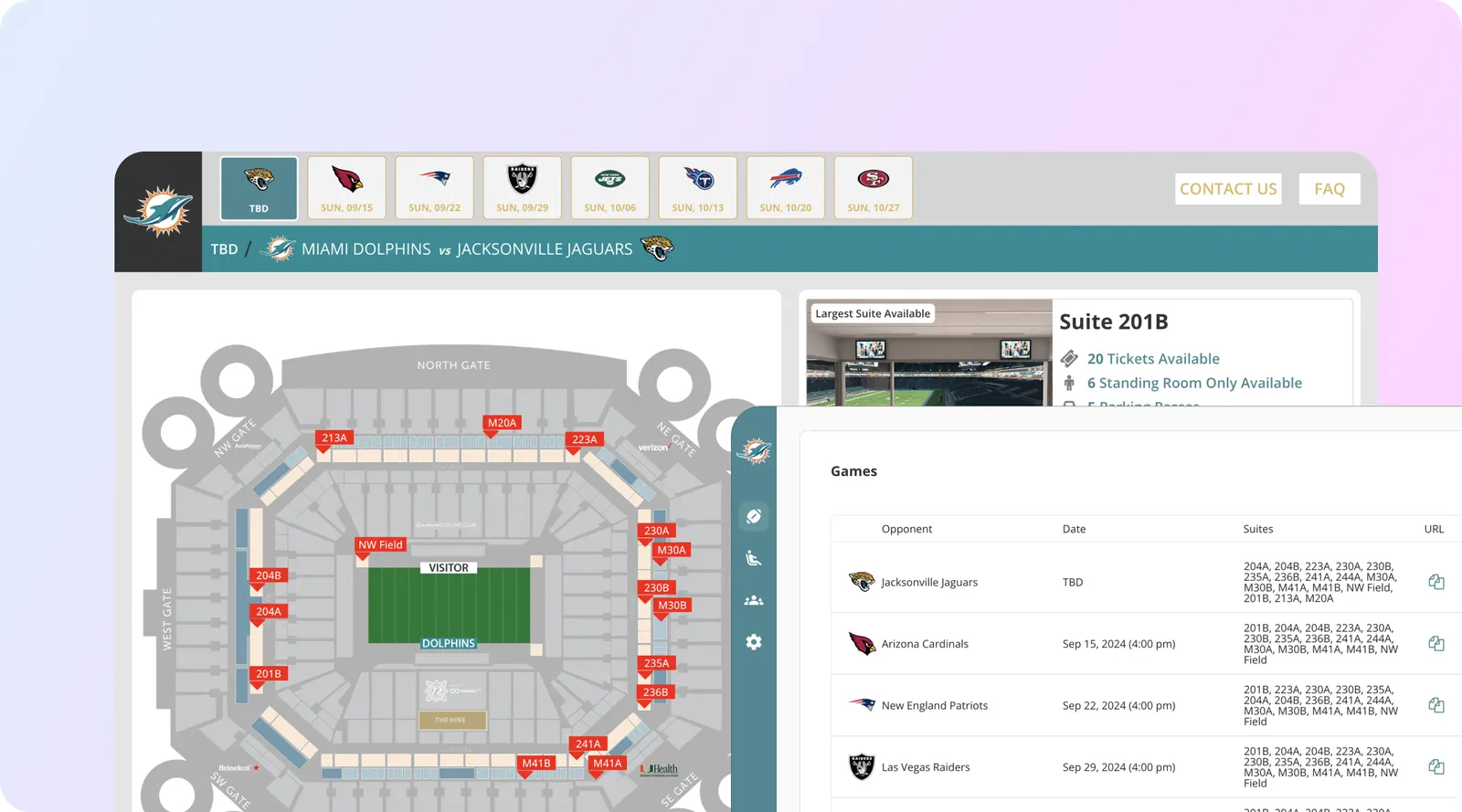
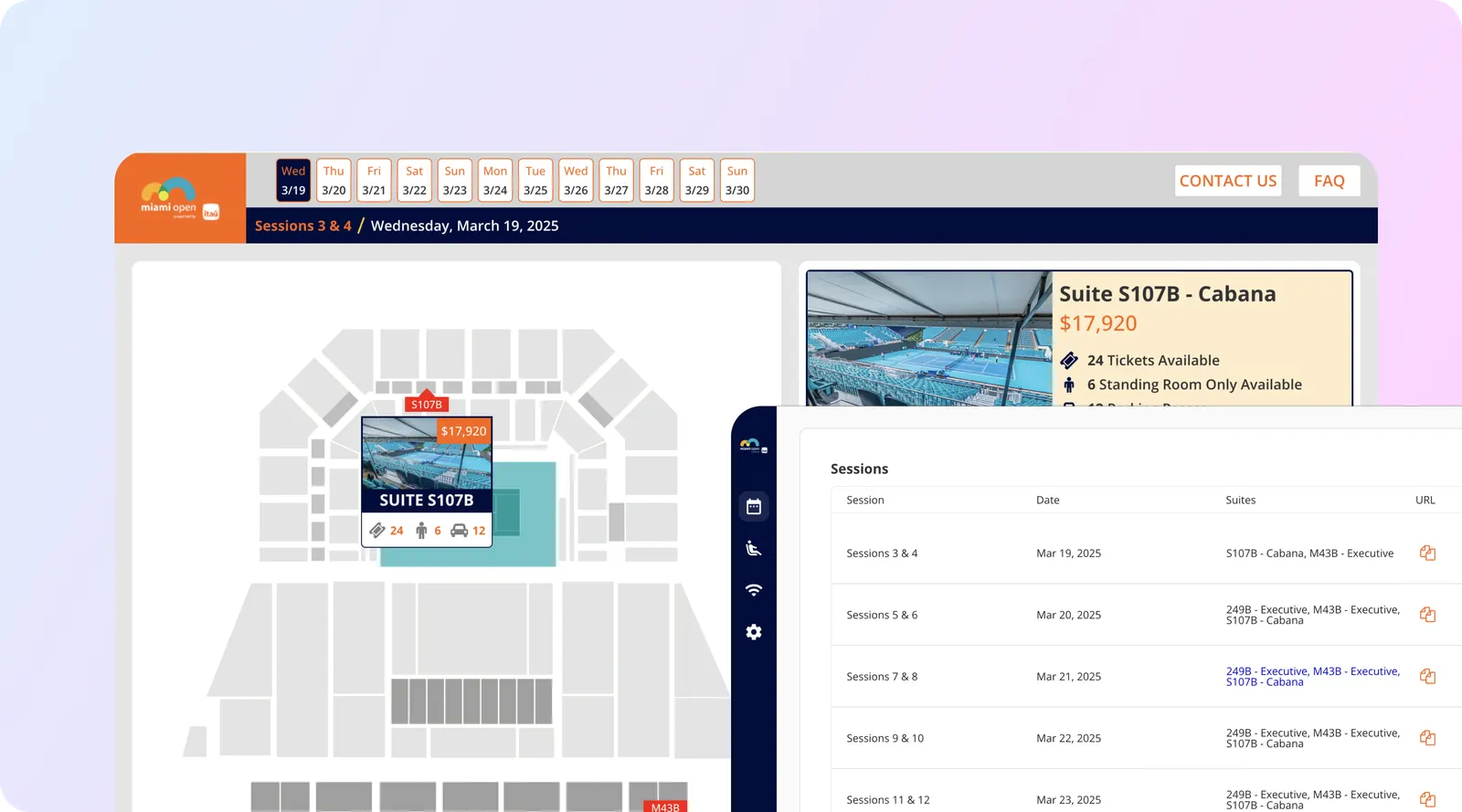
From our Spirit Airlines case study, Respond Central case study, Life Line EMS Event Manager case study and JetStarix case study.
Why modernize legacy software at all?
Because keeping it running eats the money and time you would otherwise spend on improvements. GAO reported in July 2025 that the US federal government spends more than $100 billion a year on IT and cyber investments and that agencies typically report about 80 percent of it going to operations and maintenance of existing IT; the critical legacy systems it reviewed were 23 to 60 years old (GAO-25-107795, checked Oct 31, 2026). Private companies rarely publish the same number, but the pattern is familiar: staff time spent working around the system, fees for hosting and licences nobody wants to touch, and features that never ship.
The cost of manual legacy processes is easy to measure in hours. Spirit Airlines’ group desk got 17 staff hours a week back after its rebuild, which is 17 x 52 = 884 hours a year. Life Line Ambulances’ scheduling admin fell from 14 hours a week to under 3, at least 11 x 52 = 572 hours a year, before counting the invoicing cycle that dropped from 24 days to 6.
What are the 7 Rs of legacy modernization, and which one fits?
The 7 Rs are the options for what to do with each system. AWS’s large-migration guide lists retire, retain, rehost, relocate, repurchase, replatform and refactor (or re-architect) (AWS Prescriptive Guidance, checked Oct 31, 2026). Microsoft’s Cloud Adoption Framework uses retire, retain, rehost, replatform, refactor, rearchitect, rebuild and replace (Microsoft Learn, checked Oct 31, 2026). The decision table below combines both.
| Strategy | What changes | Choose it when | Watch out for | Effort |
|---|---|---|---|---|
| Retire | The system is switched off and its data archived | No business value left; AWS flags apps under 5% CPU and memory use, or with no inbound connection for 90 days | Hidden dependencies; export the data first | Lowest |
| Retain | Nothing, for now | Stable, compliant, meets needs; a dependency must move first; specialized hardware | Retaining by default; set a review date | None |
| Rehost (lift and shift) | Hosting only, no code changes | Stable workload, short-term goal, no modernization needed for 2+ years (Microsoft) | Microsoft: do not rehost problematic workloads; the problems move with them | Low |
| Relocate | The platform moves as is (for example VMware to VMware Cloud on AWS) | Many servers on one hypervisor platform | Only fits that platform model | Low |
| Replatform | Some components swapped for managed services (database, containers, OS) | Want less infrastructure work and better reliability with minimal code changes | Scope creep into a refactor | Low to moderate |
| Repurchase / Replace | The application is replaced by a SaaS product | Standard process, little need for customization (CRM, HR, collaboration) | Data migration, retraining, losing custom logic | Moderate |
| Refactor | Code restructured, behaviour kept | High maintenance cost, heavy technical debt, slow releases | Microsoft separates this from rearchitecting; keep the scope to structure | Moderate to high |
| Rearchitect | Architecture redesigned (modules, services, targeted scaling) | Monolith blocks delivery; components scale differently | AWS: most complex and costly; avoid during a large migration | High |
| Rebuild | New code built around today’s workflow | System too outdated or inflexible, source unavailable, nobody can maintain it, or the process itself must change | Undocumented business rules; stage it, never big bang | Highest |
Sources: AWS Prescriptive Guidance, migration strategies; Microsoft Learn, select your cloud migration strategies. Both checked Oct 31, 2026. Effort column is our summary of the two.
Two rules from the source docs are worth repeating because they save the most money. AWS recommends rehosting, relocating or replatforming first and modernizing after the move when many applications are involved, because refactoring during a large migration is hard to manage. Microsoft says the opposite case clearly: if a workload is likely to need modernization within two years, rehosting it now just means doing the work twice.
Rewrite vs refactor: how do you decide?
Refactor when the software still matches how the business works; rebuild when it does not. Use these questions:
| Question | If yes, lean toward | Why |
|---|---|---|
| Does the current workflow still match how the business operates? | Refactor | The logic is worth keeping; fix its structure |
| Is the main pain slow releases, bugs and old dependencies? | Refactor or replatform | Technical debt, not the wrong product |
| Is the framework, language or OS out of support? | Replatform or rebuild | Security fixes have stopped |
| Is the source code missing, or does nobody understand it? | Rebuild | AWS lists this as a refactor/re-architect use case; in practice you rebuild from observed behaviour |
| Do staff keep a spreadsheet or inbox beside the system? | Rebuild | The system no longer holds the real process |
| Does a standard SaaS product already do this well? | Replace | No reason to own custom code |
| Must the change ship without a long freeze? | Either, staged with Strangler Fig | Replace pieces while the old system runs |
Most of the legacy systems we replace fall on the rebuild side, because the “legacy system” is a process held together by people rather than an application with clean code. Spirit Airlines had looked at bolt-on modules from two GDS vendors first; both assumed a pricing model the airline does not use and neither handled its approval chain. Refactoring a spreadsheet was never an option.
How do you migrate a legacy system without stopping the business?
Replace it in stages and keep the old system running until the new one has proven itself. Microsoft’s Azure Architecture Center documents this as the Strangler Fig pattern: a façade routes each request to either the legacy system or the new service, features move across one by one, the legacy system is decommissioned when nothing depends on it, and then the façade is removed (Microsoft Learn, Strangler Fig pattern, checked Oct 31, 2026). For a shared database, the same page describes moving one domain at a time: an initial load with ETL, change data capture to keep both copies in sync, validation, then cutover, with rollback possible until the legacy tables are removed.
Microsoft also lists when the pattern does not fit: when requests to the old back end cannot be intercepted, when the system is small and replacing it whole is simple, or when the old system must be shut down quickly. Many of the process replacements we do are in that “small and simple to replace whole” group, so we run old and new side by side for a short period instead of building a routing layer.
Our legacy system migration steps:
- Inventory. What the system does, who uses it, every report and export people rely on, every integration. Undocumented rules surface here.
- Choose the R per system. Using the decision table above, one system at a time.
- Map the data. Field by field, with owners for each field and rules for duplicates and bad records.
- Trial loads. Import a copy of real data into the new system and have users check it before the real migration.
- Parallel run. Old and new run together for a defined period, or behind a Strangler Fig routing layer for larger systems.
- Cutover with a rollback point. Final data sync, switch users over, keep the old system read-only until sign-off.
- Retire. Archive the data, shut down the old system, cancel its hosting and licences.
How we build legacy software modernization, step by step
We modernize your system in seven phases, and the old system keeps running until the new one has proven itself. Here is what happens at each phase and what you receive:
- Free 30-minute call. You tell us what the system does, who uses it and what it connects to. You receive an honest first view: retire, replace with a product, or rebuild, and whether a build is worth quoting at all.
- Assessment, written scope and quote. We inventory what the old system actually does, including side spreadsheets, reports and exports people rely on, and choose an R for each part. You receive a written scope, a quote, a week-by-week plan and a cutover plan that states how long old and new will run side by side.
- Data map and design, approved before code. We map every field from the old system to the new one, name an owner for each field and set rules for duplicates and bad records. You receive the data map and a clickable prototype of the new screens, and you approve both before we write code.
- Build with weekly demos. Our in-house team builds the new system while your staff keep working in the old one. You see a working demo every week, on a copy of your real data as soon as the first trial load is in.
- Trial migrations and testing. We import copies of your real data more than once before the real migration, compare record counts and totals between old and new, and have your users spot-check samples they know well. Automated tests cover the business rules we found in the inventory, and permission and security checks run before launch.
- Parallel run and cutover. Old and new run together for an agreed period, or behind a Strangler Fig routing layer for larger systems. Then a final data sync, users switch over, and the old system stays read-only until you sign off, so rollback stays possible.
- Handover and retirement. You receive a recorded video walkthrough, written documentation on how to use the new system and how it was built, and the code and accounts in your name. We archive the old data and help you shut down the old hosting and licences. Support after launch is billed per hour.
How long does legacy software modernization take?
A focused rebuild of one legacy workflow takes 5 to 10 weeks with us, the same range as our 44 published builds, where the median was 7 weeks. On this page: JetStarix’s aging site was rebuilt in 5 weeks, Life Line Ambulances’ spreadsheet scheduling and phone dispatch were each replaced in 8, and Spirit Airlines’ inbox-and-spreadsheet group desk in 10.
What adds weeks to your modernization:
- Integrations. Systems the new software must keep talking to, such as a GDS, EHR or old database without a clean API. Spirit’s live Sabre connection made it our longest build.
- Roles. Several departments or outside parties who each need their own view.
- Live data and parallel running. Keeping old and new in sync while both are in use adds testing and cutover time.
- Data migration. Decades of records, several sources and duplicates need more trial loads.
- Compliance. Health, payment or audit-trail requirements add design and testing.
Large estates with many applications run in waves, one system at a time. On the free call we tell you where your system lands and put a week-by-week plan in the written quote. The full data is in our app development timeline research.
What is included in a legacy software modernization build?
You get the new system, your data moved into it, and a cutover that does not stop the business:
- A free 30-minute call, then an assessment of the old system and a written scope and quote
- An inventory of what the old system does, including undocumented rules, reports and side spreadsheets
- A recommended strategy for each system (retire, replace, replatform, refactor or rebuild)
- A field-by-field data map and a clickable prototype you approve before code is written
- The new software, built by our in-house team with a working demo every week
- Trial data migrations with count checks and user spot-checks before the real one
- A parallel run or staged cutover plan with a rollback point
- Deployment to a cloud account in your name
- Handover: a recorded video walkthrough, written documentation on how to use it and how it was built, and the code and accounts in your name
- Archiving of the old data so the old system can be switched off
Not included: hosting, licence and subscription fees for the new stack and for any SaaS product you move to are paid by you directly to those vendors, as are the old system’s fees until it is retired. Support after launch is billed per hour.
Which legacy modernization projects have we delivered?
These are rebuilds of legacy processes and tools, with results taken from each case study.
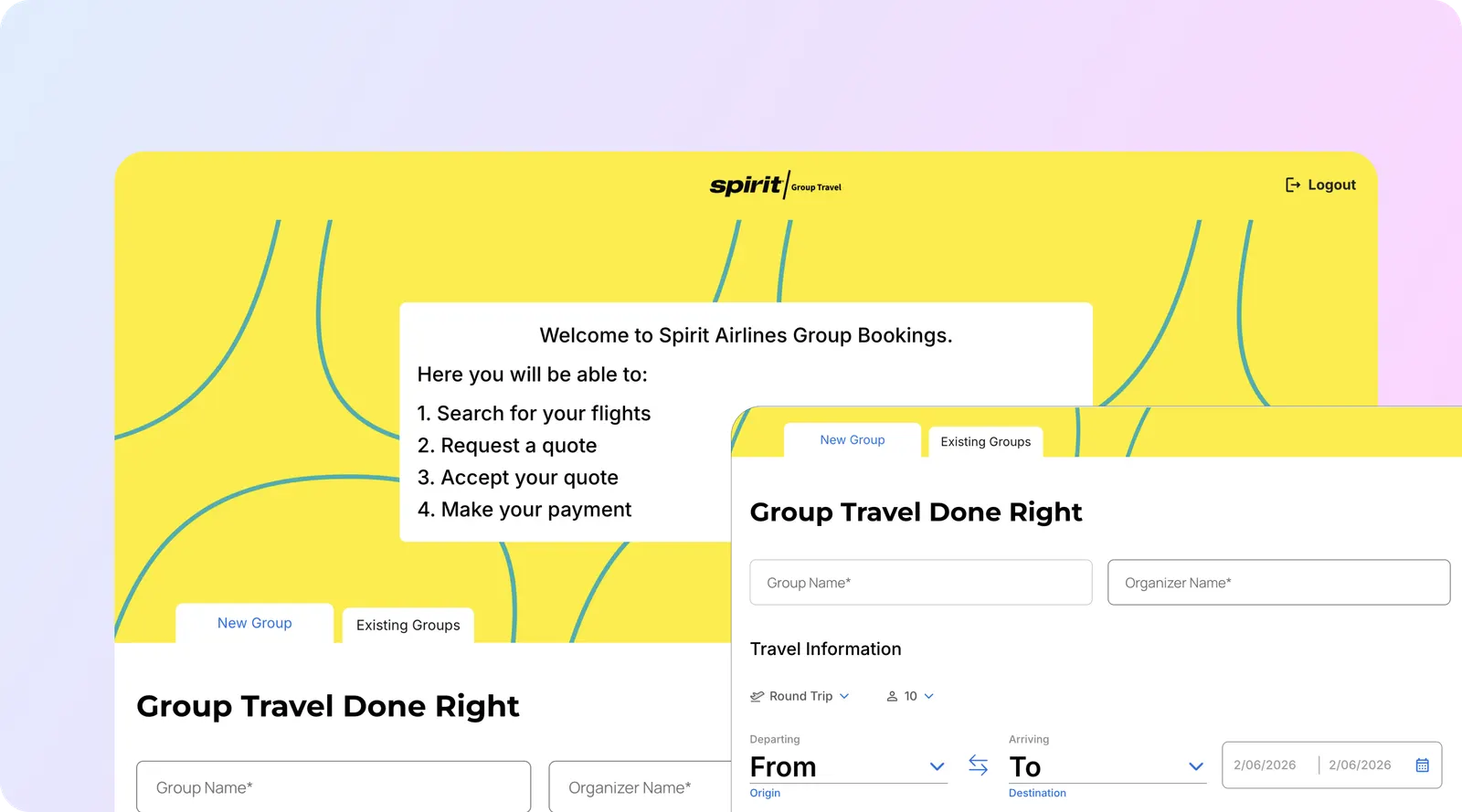
Spirit Airlines: inbox and spreadsheet to a rules engine (10 weeks). Group quotes were built by hand: fare classes pulled manually, a discount applied from a printed matrix, a PDF emailed back, and four people editing one spreadsheet. We rebuilt it as a quote request form with manifest upload, a pricing engine on live Sabre inventory that flags anything outside policy, and an approval chain by discount depth. Quotes went from 3 days to 40 minutes, pricing corrections fell 84% and payment collection dropped from 11 days to 4. Read the case study.

Life Line Ambulances: three departments, three tools, one system (8 weeks). Operations scheduled in a spreadsheet, HR kept certifications elsewhere and finance invoiced from paper timesheets. We replaced all three with a staffing calendar that blocks lapsed certifications, geofenced clock-in from a phone, and billing generated from captured hours. Staffing conflicts fell 89% and billing disputes 76%. Read the case study.
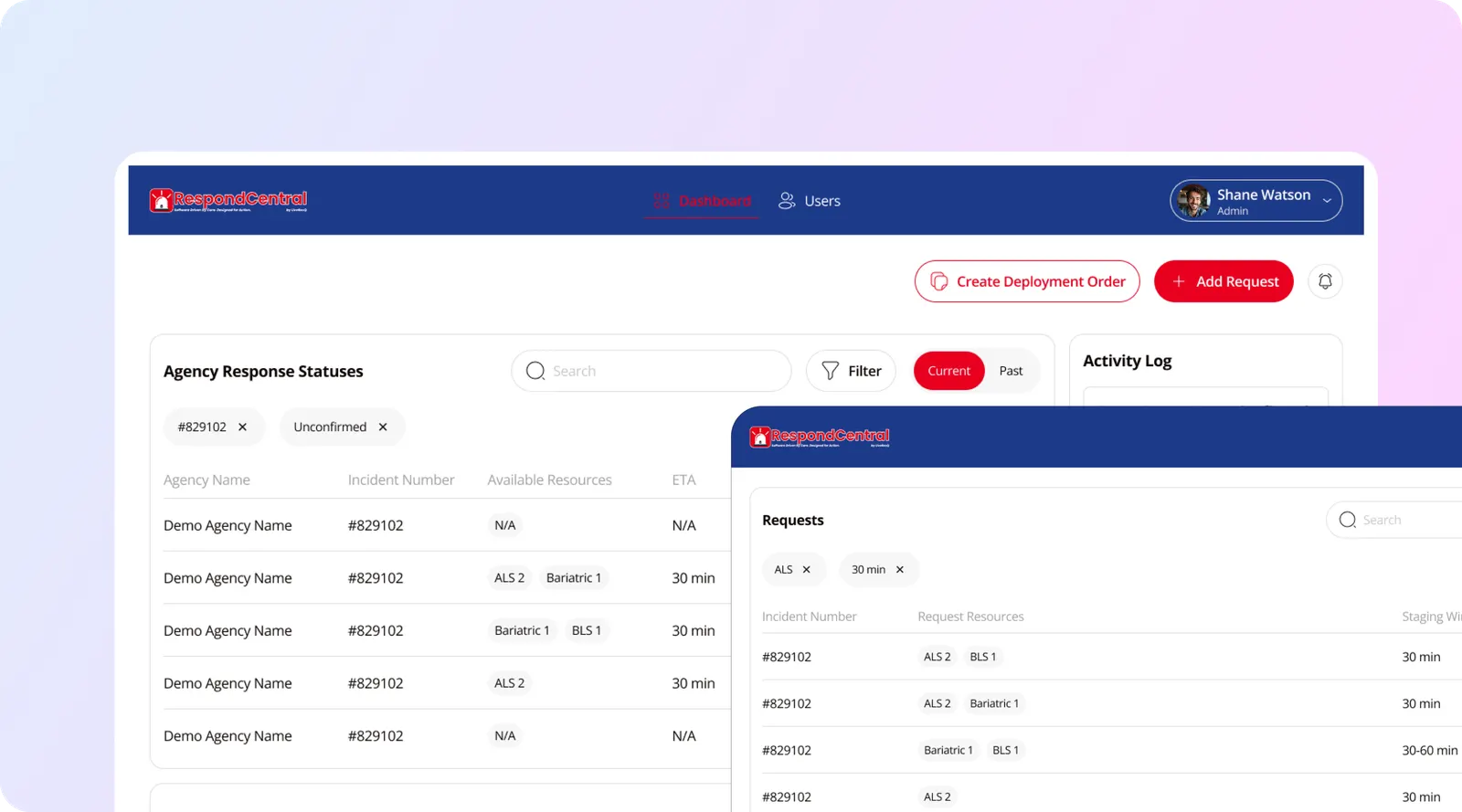
Life Line Ambulances: phone dispatch to Respond Central (8 weeks), and radio to a live event map (9 weeks). Nursing facilities requested transport by phone and waited for callbacks; we replaced that with a structured request form, crew matching on vehicle and certification, and live tracking. Phone calls per request dropped from 6 to under 1. For event medical cover, a live site map and incident dispatch replaced verbal radio descriptions, and average dispatch response fell from 9 minutes to 90 seconds. Read the Respond Central case study.

JetStarix: an aging site and form rebuilt (5 weeks). The old site looked like a regional travel agency and its 11-field quote form lost more than three quarters of the people who started it. We rebuilt it with a progressive quote flow and an empty-leg listing the team updates without a developer. Quote completion went from 22% to 71% and enquiries rose 2.8x within two months. Read the case study.
How much does legacy modernization cost?
The strategy decides the cost more than the size of the old system. Retire and retain cost little. Rehost and relocate are mostly infrastructure and testing time. Replatform adds some code changes. Refactor, rearchitect and rebuild are engineering projects, and AWS calls refactoring the most complex and costly option.
| Cost driver | Pushes cost down | Pushes cost up |
|---|---|---|
| Strategy | Retire, rehost, replatform | Rearchitect, rebuild |
| Knowledge of the old system | Documented, original team available | Undocumented rules, no source code |
| Data | Clean, one database, few years | Several sources, spreadsheets, duplicates, decades of records |
| Integrations | Few, with modern APIs | Many, or systems like a GDS, EHR or mainframe |
| Cutover | Can run in parallel, small user base | No downtime allowed, many users, regulated data |
| Compliance | Standard practice | HIPAA, PCI or audit trail requirements |
To compare a quote against running costs, add up the hours staff spend working around the old system each week and the yearly hosting and licence fees; that is the number a modernization has to beat.
Our price. Our app and web app builds typically cost $7,000 to around $25,000 to $30,000, depending on features. A focused first version sits near the low end; many features, user roles, payments and integrations land near the top. We work project-based or hourly. After a free 30-minute call we send a written scope and quote, and you own the code at handover. Full details are on our pricing page. On that call we run a short assessment, recommend an R for each system, and send a written scope and quote for the work. If you are rebuilding a workflow as a new app, you can estimate your build in two minutes before the call.
What technology do we modernize to?
We keep what still works and move the rest onto mainstream, well-supported tools so the next team can maintain it: modern web frameworks for browser apps, native or cross-platform mobile apps where field staff need a phone, managed cloud databases instead of self-hosted servers, and documented APIs between systems. Where the legacy system is an old CRM, the right answer is often to replace it rather than rebuild it. We migrate CRM data into GoHighLevel, HubSpot, monday.com or Pipedrive, including from Salesforce, Microsoft Dynamics 365 or Zoho, and connect them to the rest of your stack through CRM integration.
Who do we modernize legacy software for?
- Operations-heavy businesses running on spreadsheets, inboxes, radio or paper, like the EMS and airline teams above.
- Companies with an aging app or site that no longer converts or cannot be changed safely, like JetStarix.
- Enterprise teams that need one workflow rebuilt beside a core system they will keep, as Spirit Airlines did beside Sabre.
- Teams with an old CRM that should move into one of the four CRMs we support, through our CRM setup and migration service.
How do you choose a legacy modernization company?
- They recommend the lightest R that works. A partner who proposes a full rewrite for everything is selling hours.
- They start with an inventory, including the reports and side spreadsheets people rely on.
- They plan the data migration in detail, with trial loads and a rollback point.
- They keep the business running, with a parallel run or staged cutover.
- They show modernization work with before and after numbers.
- You own the new code and get documentation good enough for another team to take over.
- They support it after launch, or hand it over cleanly. See our maintenance and support service.
Why aibrevo for legacy software modernization?
- In-house engineering: 16 engineers in San Francisco led by co-founder and CTO Shivam Pujara, with 30+ remote specialists for niche skills.
- 200+ software projects delivered, including the legacy replacements above. More on our work page.
- Focused first releases: 5 to 10 weeks on our published builds.
- CRM migration built in: setup, migration and integration on GoHighLevel, HubSpot, monday.com and Pipedrive.
- Written scope and quote after a free call, code you own, and video plus written documentation at handover.
If the system is better off replaced than rebuilt, we say so. For new builds rather than replacements, see custom software development. We modernize systems for companies across the US, working remotely from San Francisco; see app development by state and city.
Living with a system nobody wants to touch? Book a free 30-minute call or send a message describing the system, who uses it and what it connects to. We come back with the R we would choose for it, how we would cut over without stopping work, and a written quote.
Sources
All pages opened on Oct 31, 2026.
- AWS Prescriptive Guidance, migration strategies (the 7 Rs): definitions, use cases, refactor as most complex and costly, retire thresholds.
- Microsoft Learn, Cloud Adoption Framework, select your cloud migration strategies: eight strategies, business drivers, the two-year rehost rule.
- Microsoft Learn, Azure Architecture Center, Strangler Fig pattern: staged replacement, database decomposition with CDC, when not to use it.
- US Government Accountability Office, GAO-25-107795 (Jul 17, 2025): federal IT spending and the 80 percent operations and maintenance share.
- aibrevo case studies: Spirit Airlines, Life Line EMS Event Manager, Respond Central, Life Line event EMS, JetStarix.